Step 06 / 11

Round after round

Ten versions of the home screen, the screens the team put in front of users for usability testing, and every flow redrawn from its Past Version to the current one.
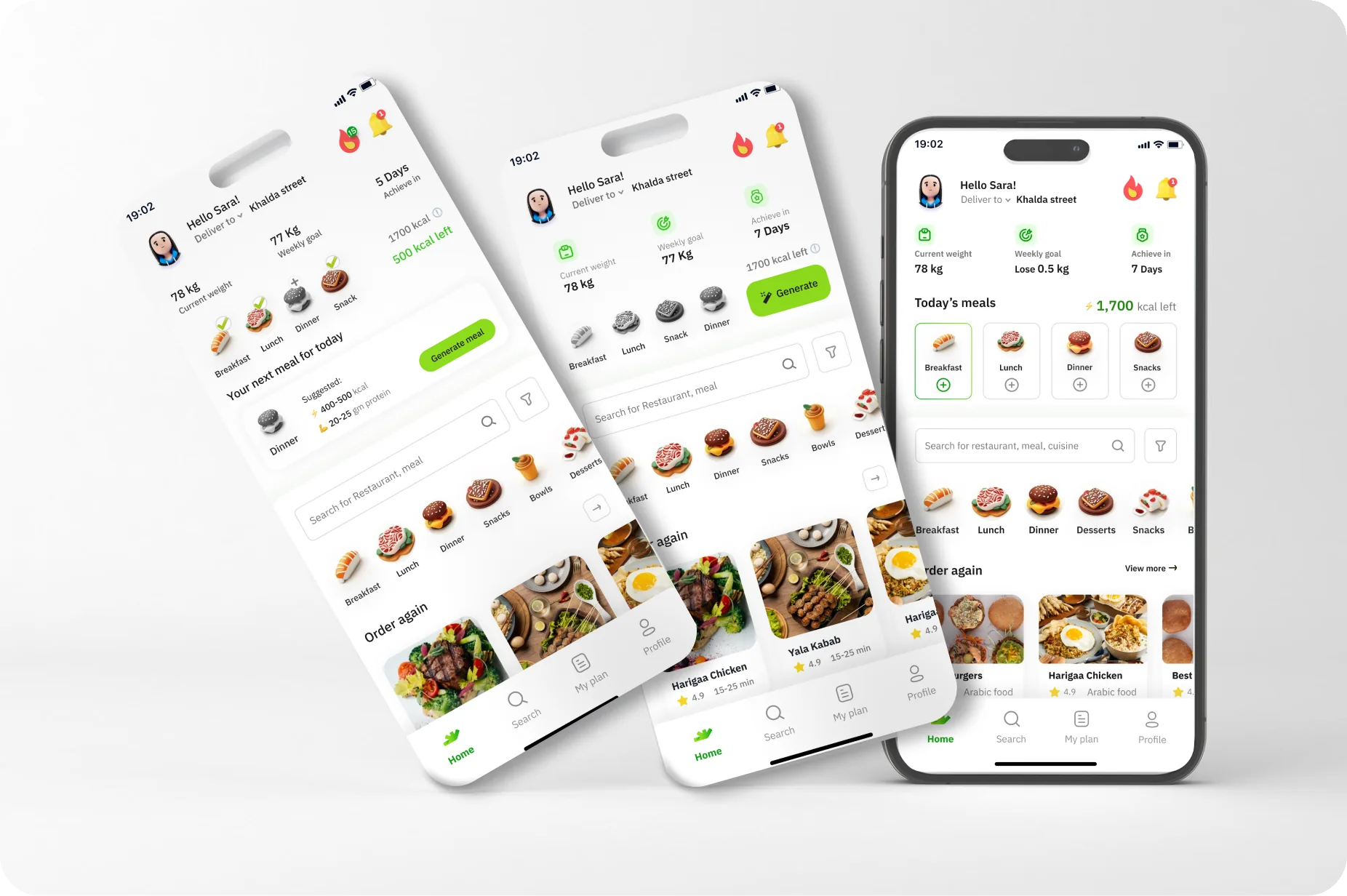
Three phones on a soft grey studio backdrop: two tilted earlier home-screen versions and the final upright one
Scroll

01 · Home screen iterations

From the Initial version to Ite.8

Ten frames from the ‘Home Screen Iterations’ section, in canvas order. Scroll or drag the timeline; the tags mark what changed.

01 / 10

Initial version

What changed

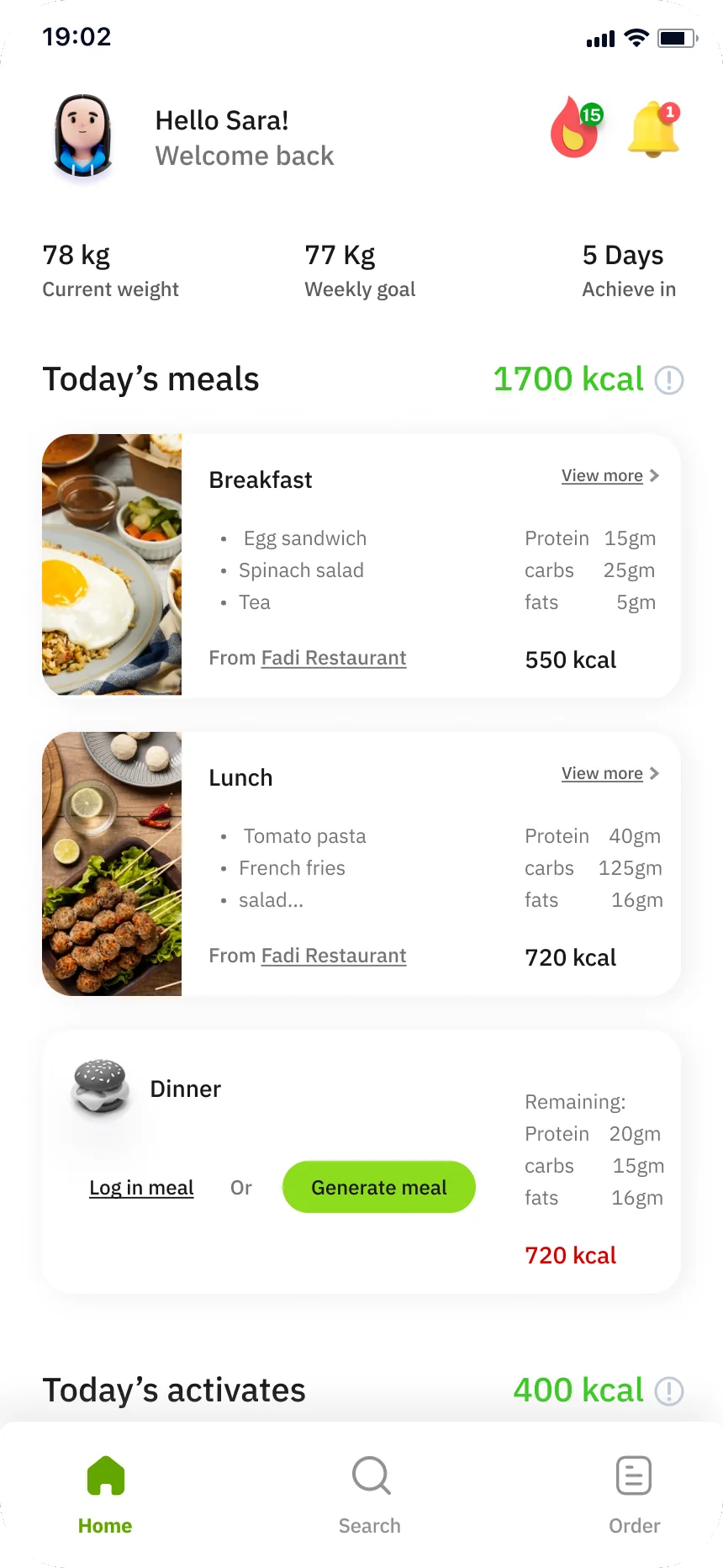
Greeting ‘Hello Sara! Welcome back’ with streak (15) and bell; stats row 78 kg Current weight · 77 Kg Weekly goal · 5 Days Achieve in; ‘Today’s meals 1700 kcal’ with full Breakfast and Lunch cards (items, Protein/carbs/fats, ‘From Fadi Restaurant’, 550 / 720 kcal) and a Dinner card ‘Log in meal Or Generate meal’ with Remaining macros and 720 kcal in red; ‘Today’s activates 400 kcal’; tabs Home · Search · Order.
Home – Initial versionHome – Ite.1Home – Ite.2Home – Ite.3Home – Ite.4Home – Ite.5Home – Ite.6Home – Ite.7Home – Ite.8Home – home empty state

What this version keeps

Calorie block
Today’s meals 1700 kcal (full meal cards)
Stats row
78 kg · 77 Kg · 5 Days
Next-meal / Generate
Dinner: Log in meal / Generate meal
Restaurants
—
Tabs
Home · Search · Order

changed since the version before

01 · Home screen iterations

From the Initial version to Ite.8

Ten frames from the ‘Home Screen Iterations’ section, in canvas order. Drag the row to see every version.

Home – Initial version
01 / 10Initial versionGreeting ‘Hello Sara! Welcome back’ with streak (15) and bell; stats row 78 kg Current weight · 77 Kg Weekly goal · 5 Days Achieve in; ‘Today’s meals 1700 kcal’ with full Breakfast and Lunch cards (items, Protein/carbs/fats, ‘From Fadi Restaurant’, 550 / 720 kcal) and a Dinner card ‘Log in meal Or Generate meal’ with Remaining macros and 720 kcal in red; ‘Today’s activates 400 kcal’; tabs Home · Search · Order.
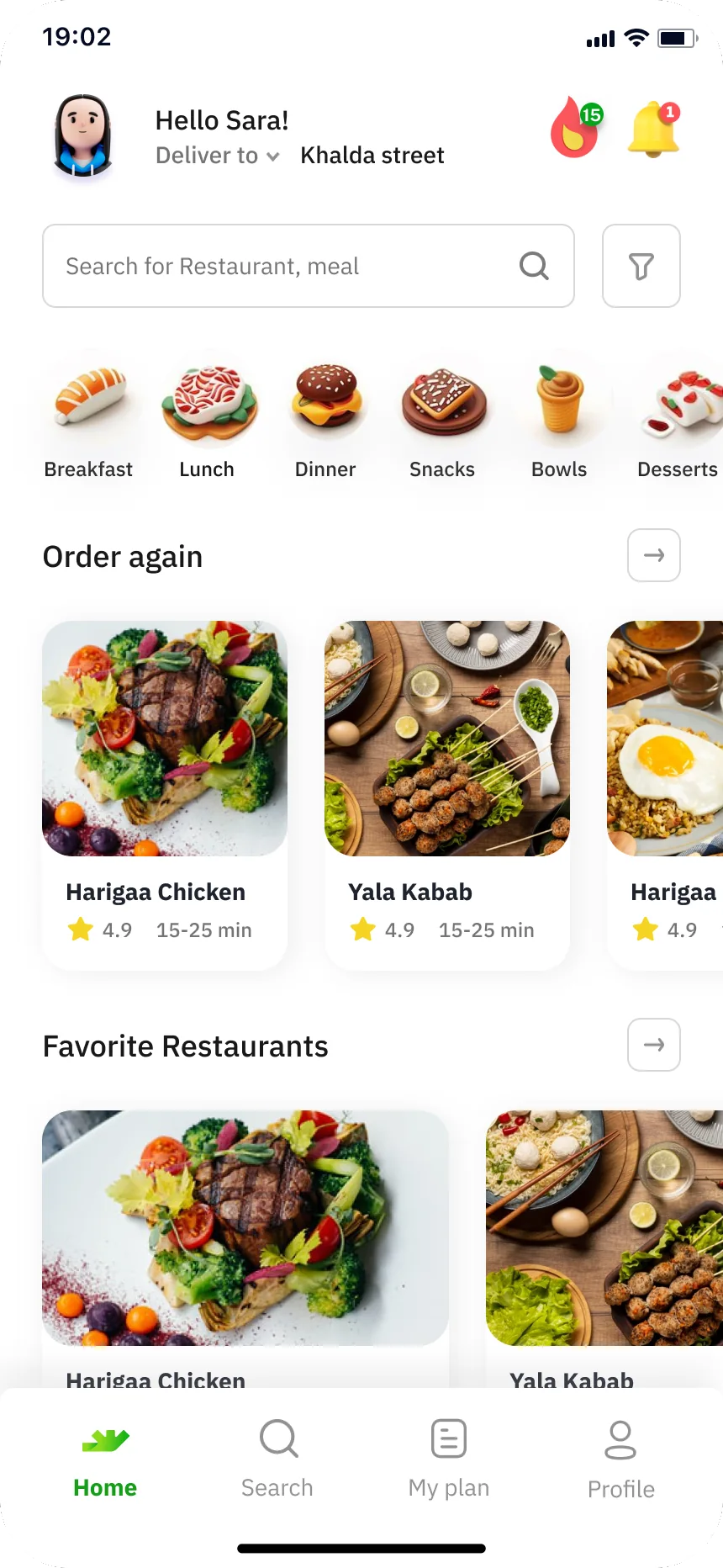
Home – Ite.1
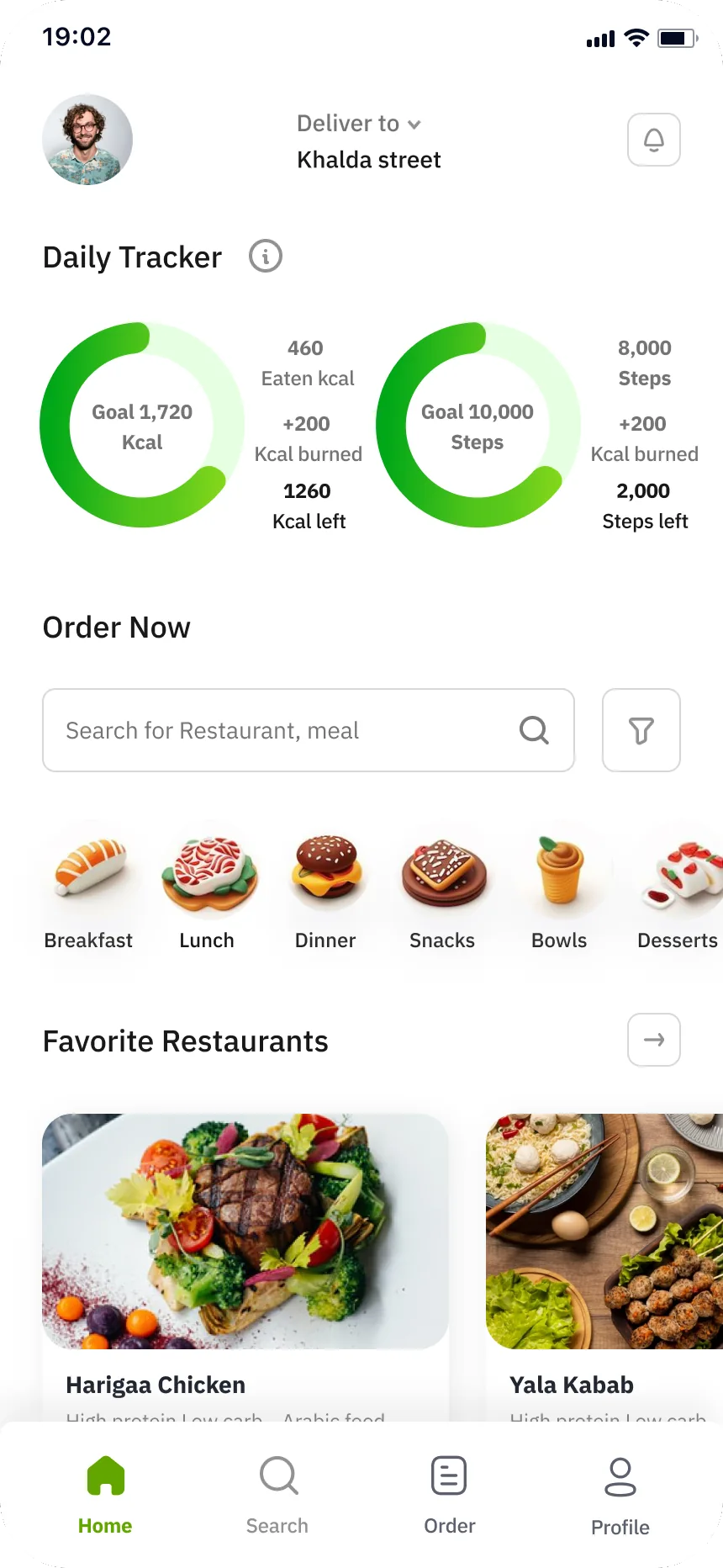
02 / 10Ite.1Header switches to ‘Deliver to Khalda street’ with a male avatar; a ‘Daily Tracker’ with two rings (Goal 1,720 Kcal: 460 Eaten kcal, +200 Kcal burned, 1260 Kcal left; Goal 10,000 Steps: 8,000 Steps, +200 Kcal burned, 2,000 Steps left); ‘Order Now’ search bar ‘Search for Restaurant, meal’ with filter and 3D category icons (Breakfast, Lunch, Dinner, Snacks, Bowls, Desserts); ‘Favorite Restaurants’ and ‘Popular Restaurants’; tabs Home · Search · Order · Profile.
Home – Ite.2
03 / 10Ite.2Tracker removed: ‘Hello Sara!’ + ‘Deliver to Khalda street’ in one header, then search, categories, ‘Order again’ (Harigaa Chicken, Yala Kabab), ‘Favorite Restaurants’; the Order tab becomes ‘My plan’ (Home · Search · My plan · Profile).
Home – Ite.3
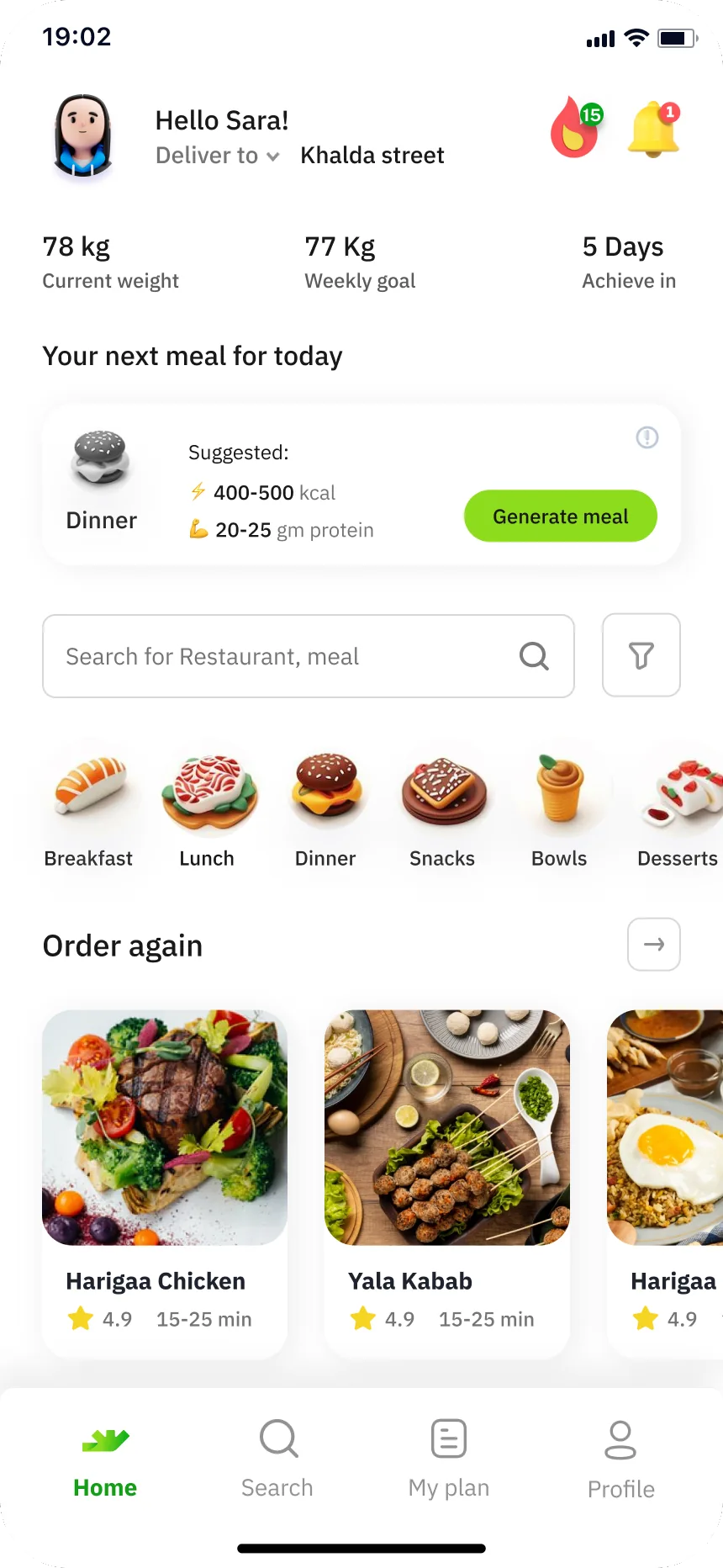
04 / 10Ite.3Stats row returns (78 kg · 77 Kg · 5 Days) and a ‘Your next meal for today’ card: Suggested: Dinner, ⚡ 400-500 kcal, 💪 20-25 gm protein, ‘Generate meal’.
Home – Ite.4
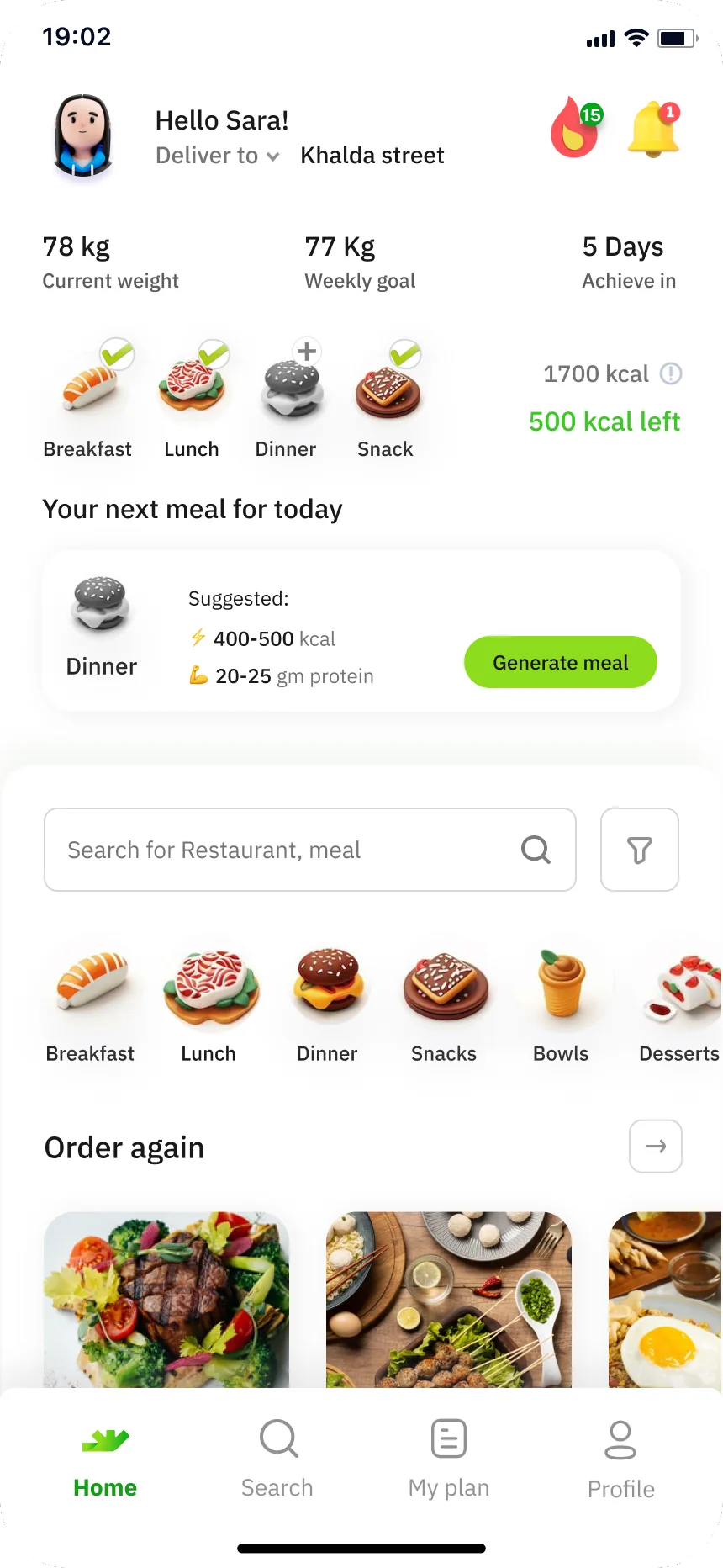
05 / 10Ite.4Adds a meal-type row (Breakfast · Lunch · Snack · Dinner icons) with ‘1700 kcal / 500 kcal left’ above the ‘Your next meal for today’ card.
Home – Ite.5
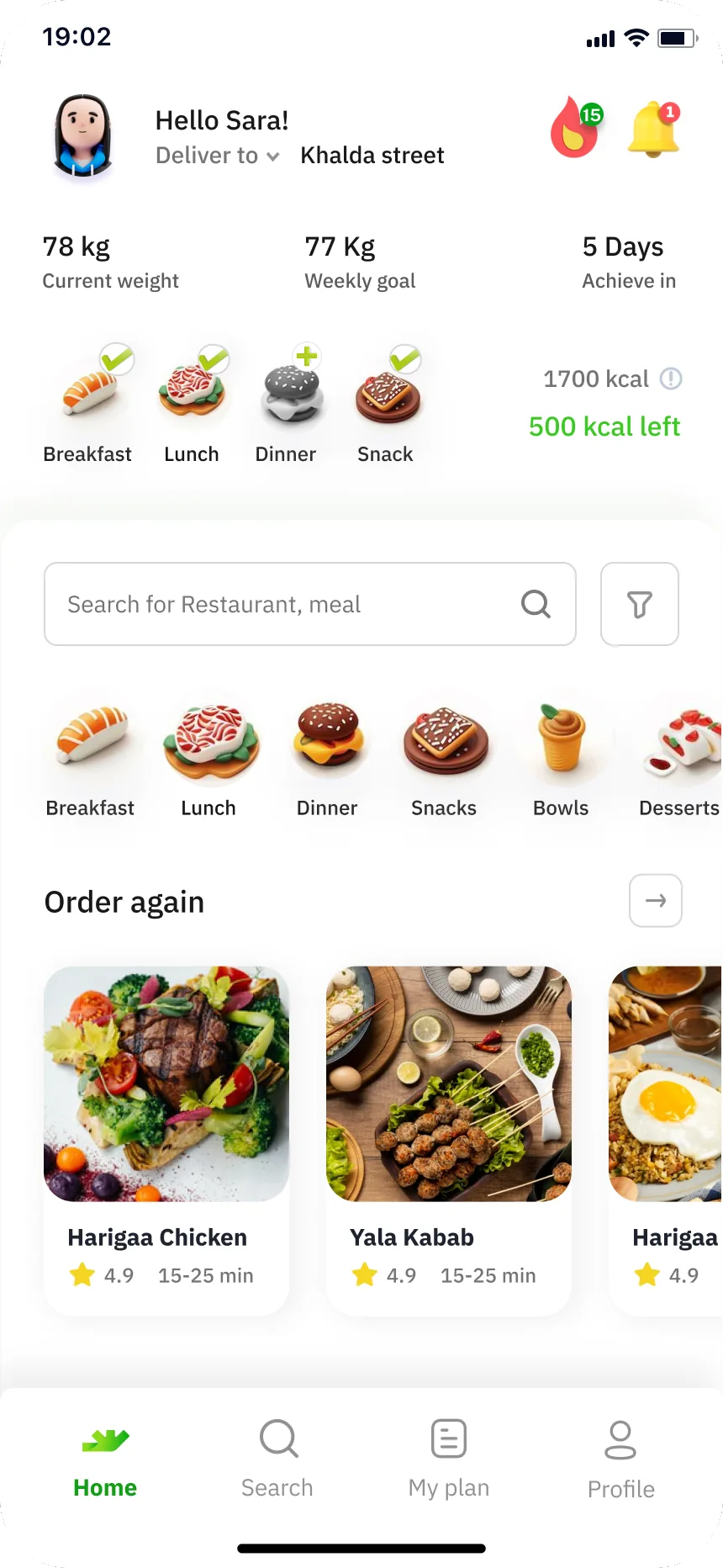
06 / 10Ite.5The ‘next meal’ card is dropped; the meal-type row with ‘1700 kcal / 500 kcal left’ stays directly under the stats, followed by search, categories and Order again.
Home – Ite.6
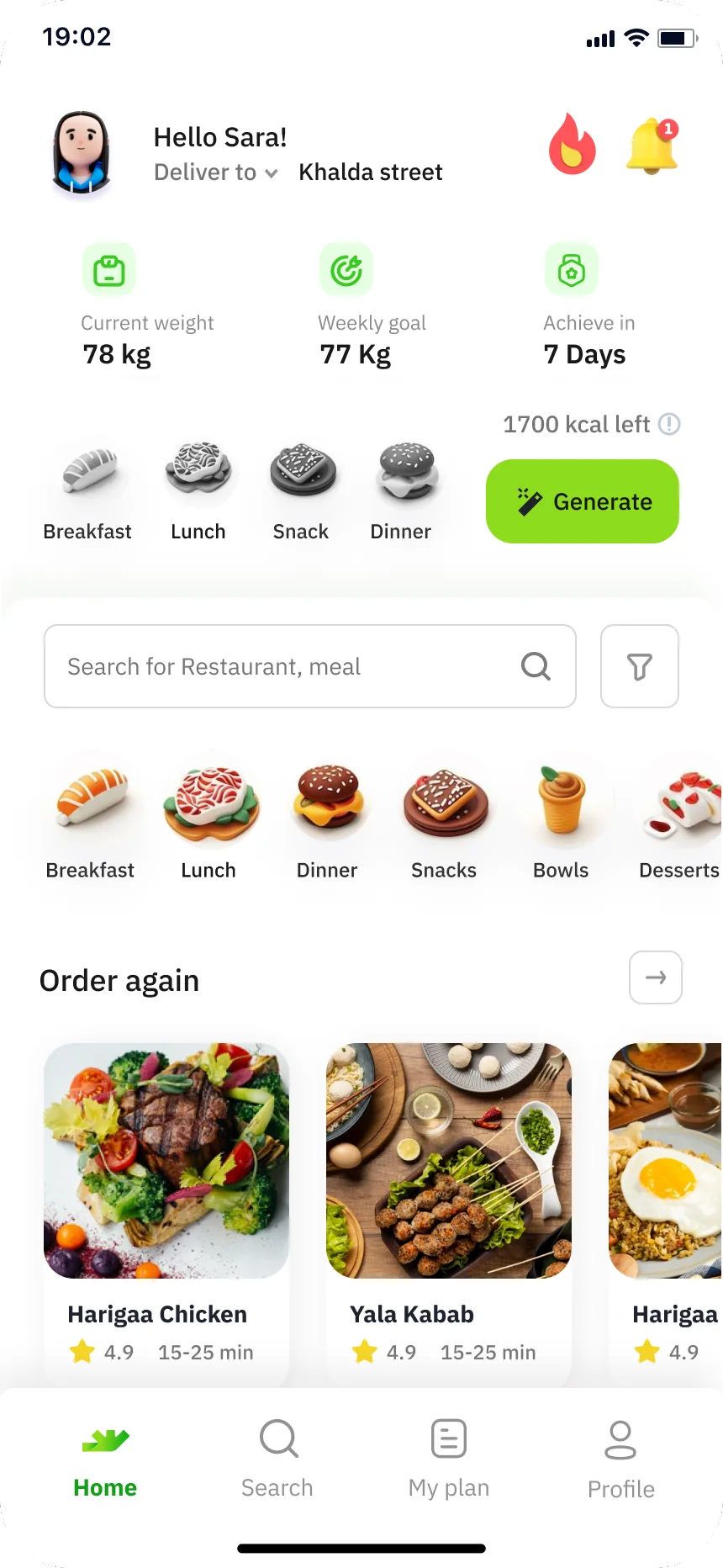
07 / 10Ite.6Stats get icons and labels above values (Current weight 78 kg · Weekly goal 77 Kg · Achieve in 7 Days); ‘1700 kcal left’ with a green ‘Generate’ button beside the meal icons.
Home – Ite.7
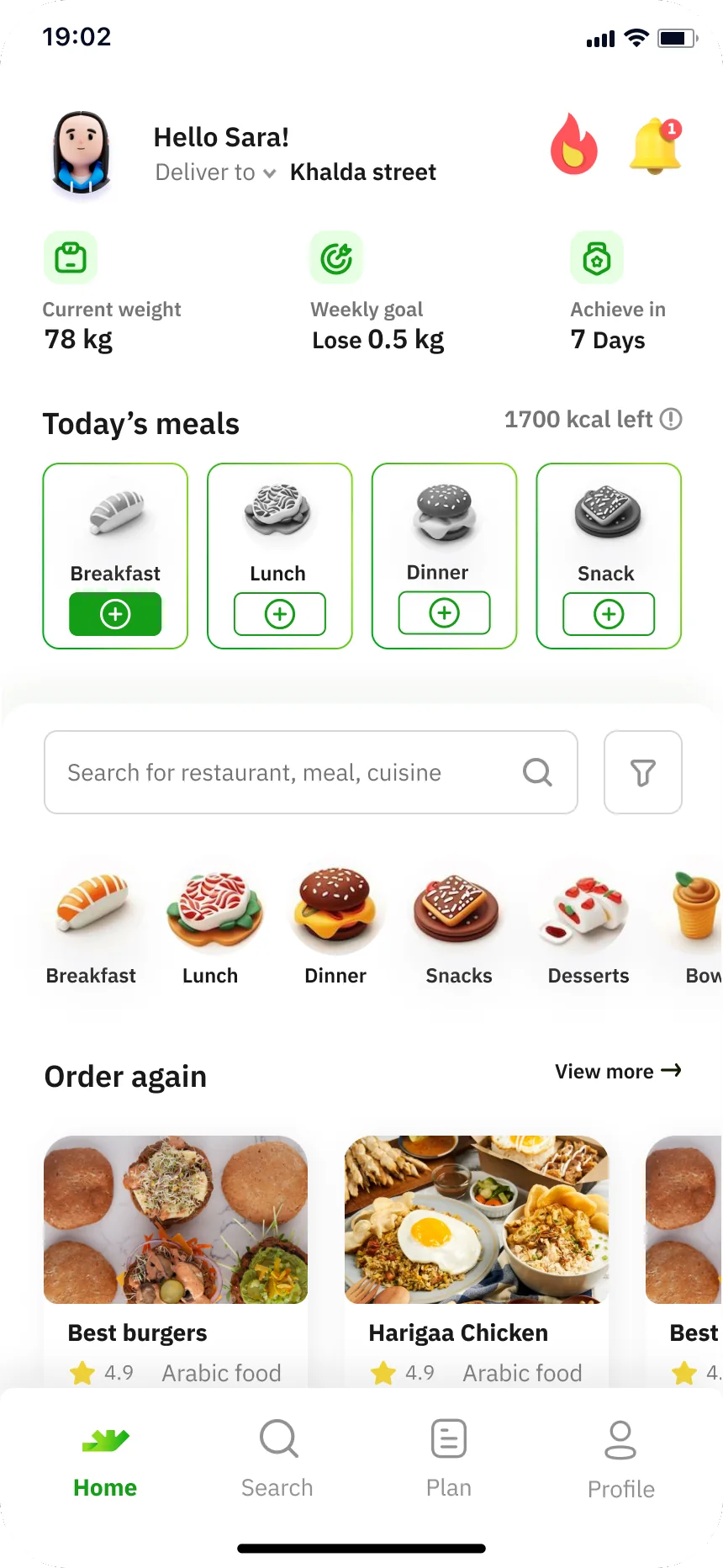
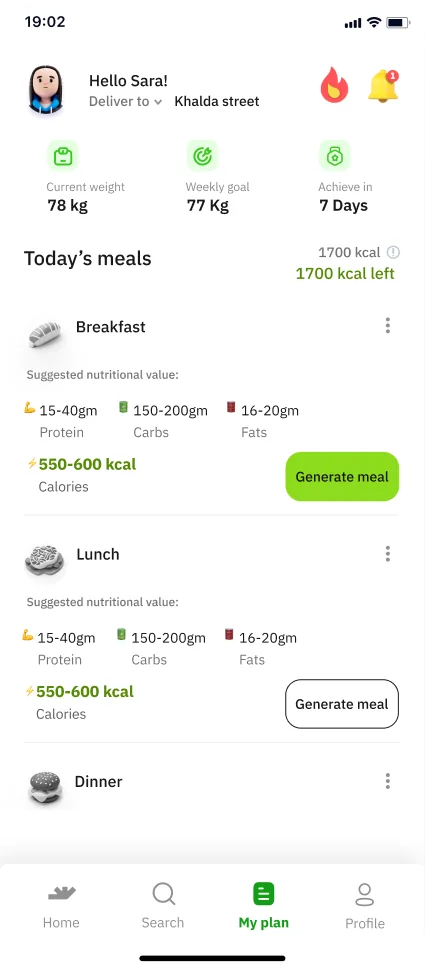
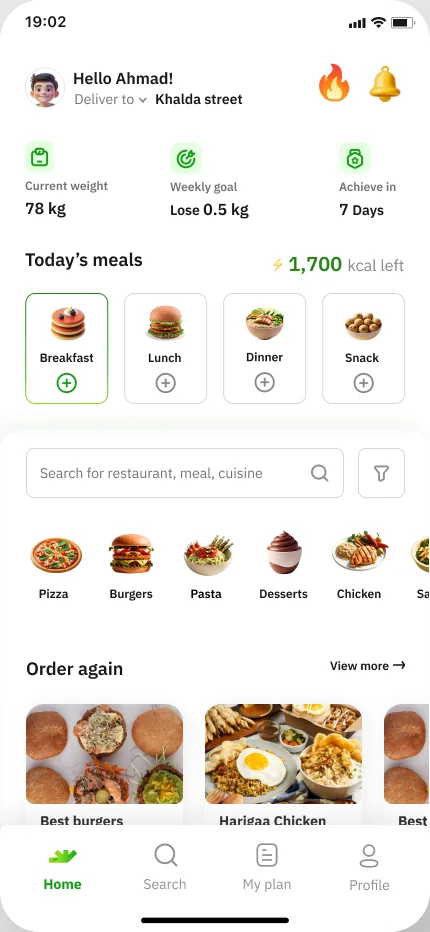
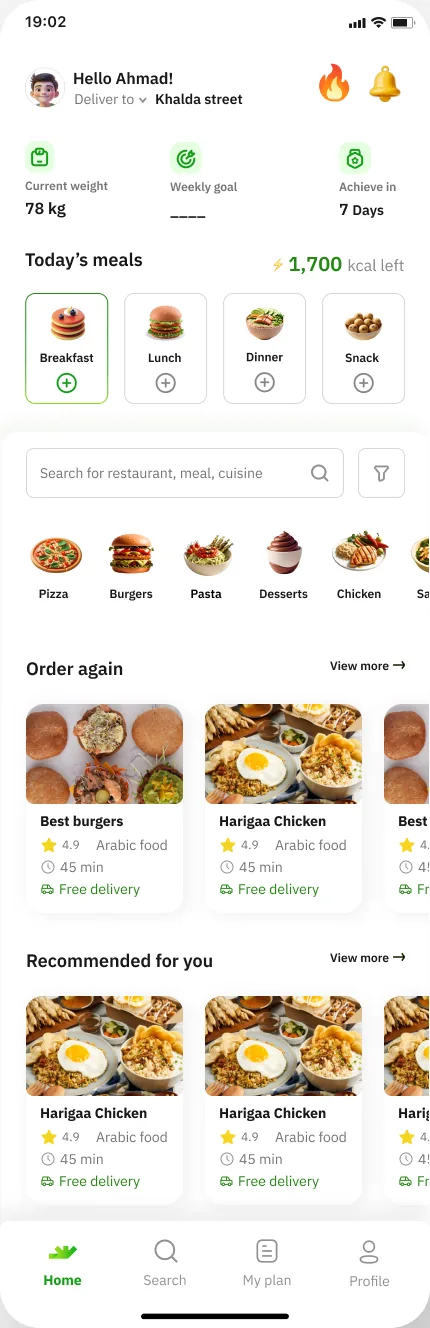
08 / 10Ite.7Weekly goal becomes ‘Lose 0.5 kg’; ‘Today’s meals · 1700 kcal left’ as four green-outlined meal tiles with greyed food icons and ⊕ buttons; search ‘Search for restaurant, meal, cuisine’; ‘Order again · View more’ cards with rating, cuisine, 45 min and Free delivery; ‘Recommended for you’; tab label ‘Plan’.
Home – Ite.8
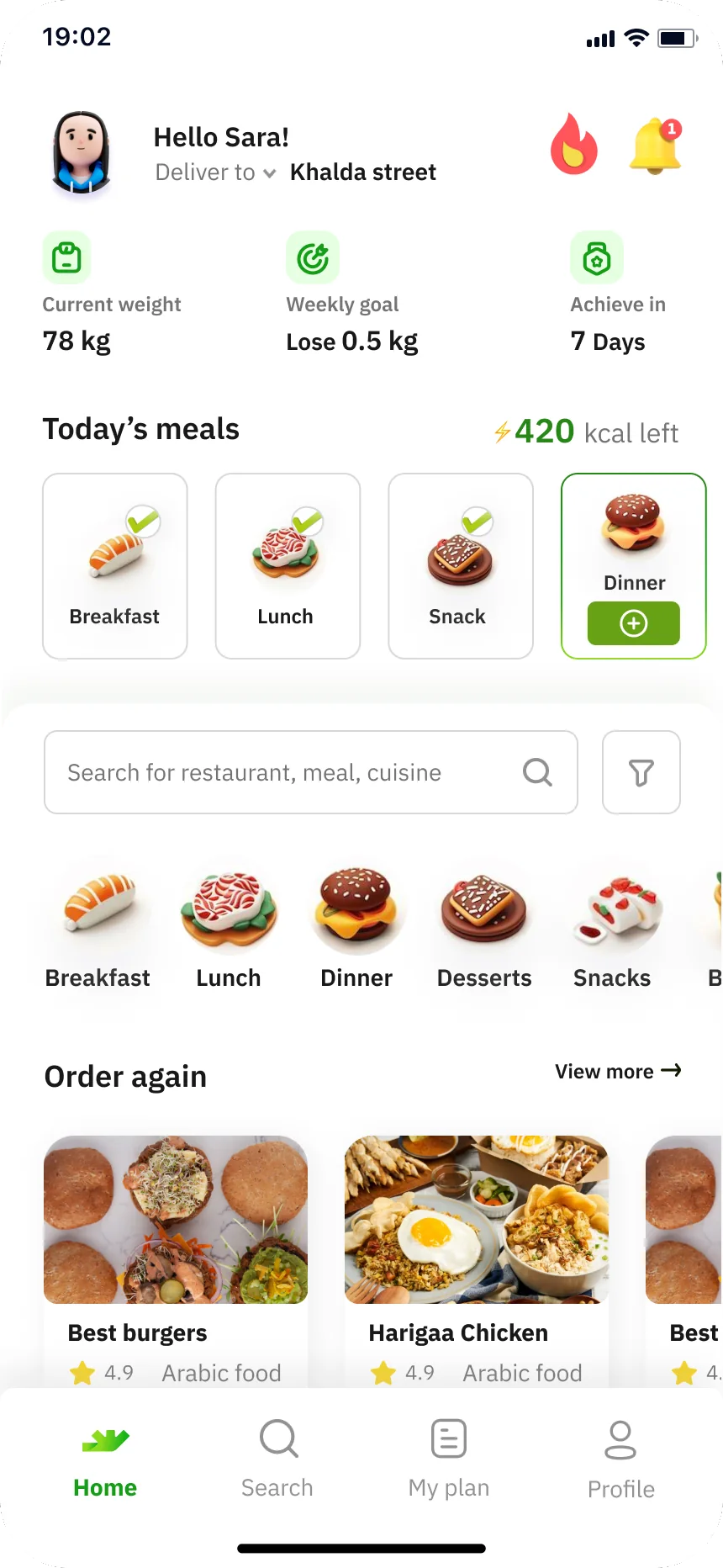
09 / 10Ite.8Logged state: ‘⚡420 kcal left’ with Breakfast, Lunch and Snack checked and Dinner highlighted with ⊕; tab label back to ‘My plan’.
Home – home empty state
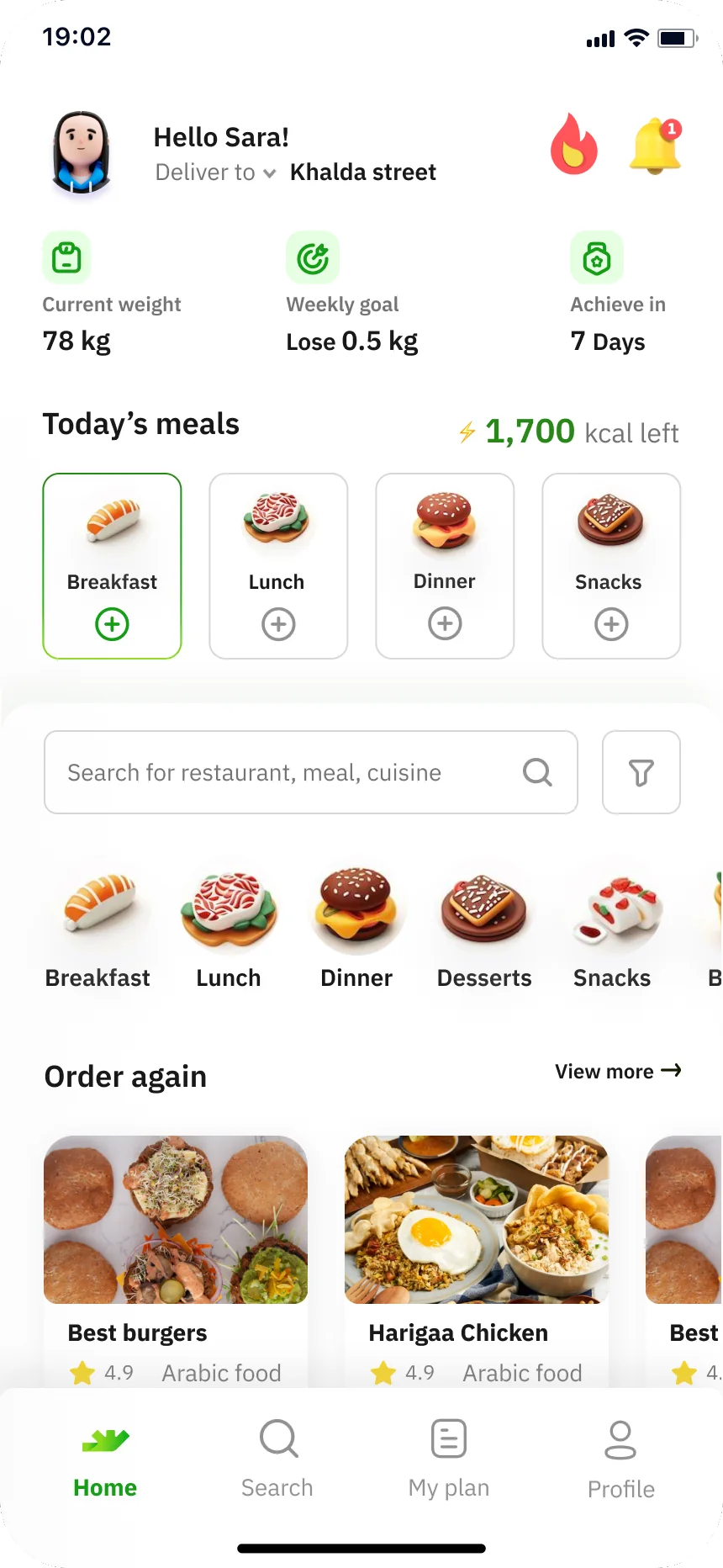
10 / 10home empty stateCompanion empty state of Ite.8: ‘⚡ 1,700 kcal left’, no meals logged (Breakfast · Lunch · Dinner · Snacks with ⊕).

All ten, side by side

What each version keeps

Read from the screen text of each frame. A shaded cell changed since the version before; pick a version to see it on the phone.
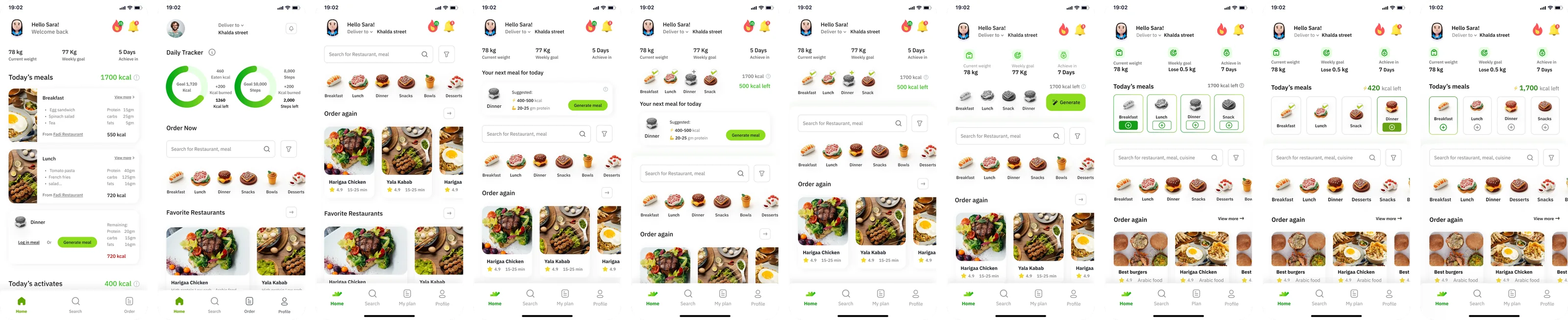
All ten home versions side by side, from the Initial version to the home empty state
What each version keeps (from the screen text)
VersionCalorie blockStats rowNext-meal / GenerateRestaurantsTabs
Today’s meals 1700 kcal (full meal cards)78 kg · 77 Kg · 5 DaysDinner: Log in meal / Generate meal—Home · Search · Order
Daily Tracker rings (1,720 kcal; 10,000 steps)——Favorite · PopularHome · Search · Order · Profile
———Order again · Favorite · PopularHome · Search · My plan · Profile
—78 kg · 77 Kg · 5 DaysYour next meal for today · Generate mealOrder again · FavoriteHome · Search · My plan · Profile
1700 kcal / 500 kcal left + meal icons78 kg · 77 Kg · 5 DaysYour next meal for today · Generate mealOrder again · FavoriteHome · Search · My plan · Profile
1700 kcal / 500 kcal left + meal icons78 kg · 77 Kg · 5 Days—Order again · FavoriteHome · Search · My plan · Profile
1700 kcal left + meal iconsCurrent weight 78 kg · Weekly goal 77 Kg · Achieve in 7 DaysGenerateOrder again · FavoriteHome · Search · My plan · Profile
Today’s meals 1700 kcal left (meal tiles)78 kg · Lose 0.5 kg · 7 Days—Order again · Recommended for youHome · Search · Plan · Profile
Today’s meals ⚡420 kcal left78 kg · Lose 0.5 kg · 7 Days—Order again · Recommended for youHome · Search · My plan · Profile
Today’s meals ⚡ 1,700 kcal left78 kg · Lose 0.5 kg · 7 Days—Order again · Recommended for youHome · Search · My plan · Profile

02 · Usability testing

The screens we put in front of users

Hadeel’s ‘Usability testing’ section, titled “login & registration screens” on the canvas. The board holds the test set itself; no tasks, findings or scores are written on it.
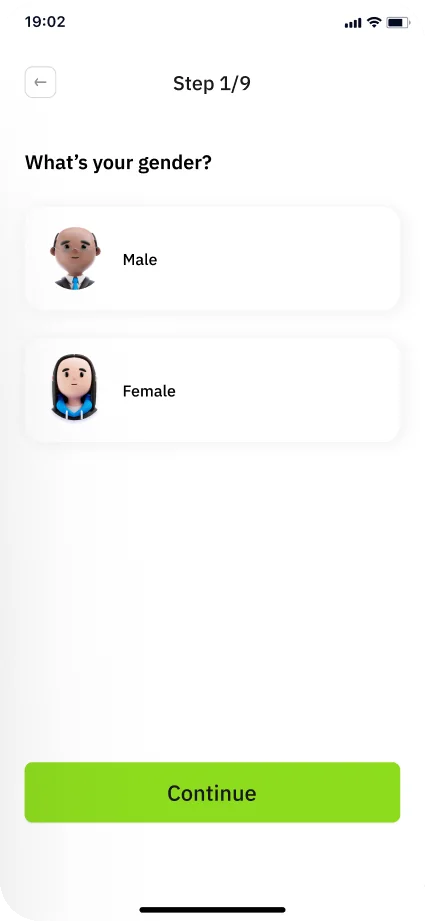
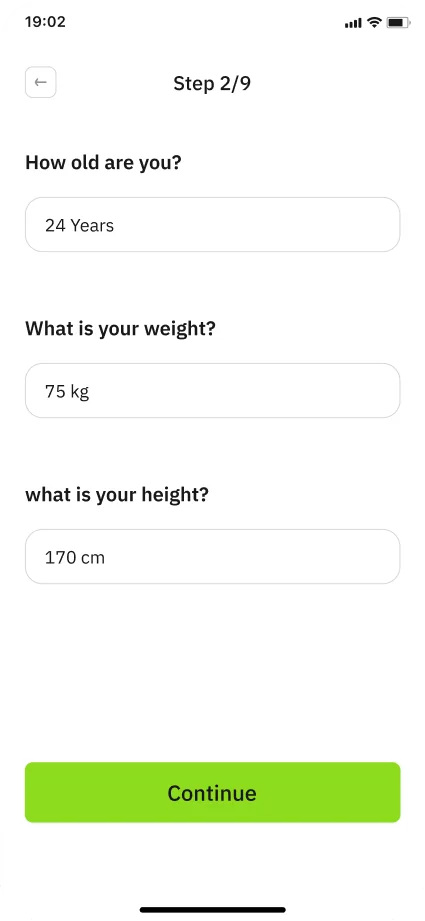
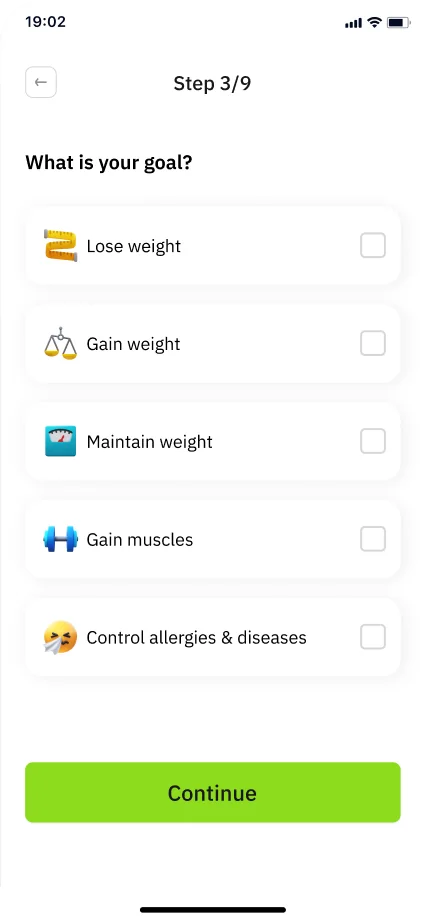
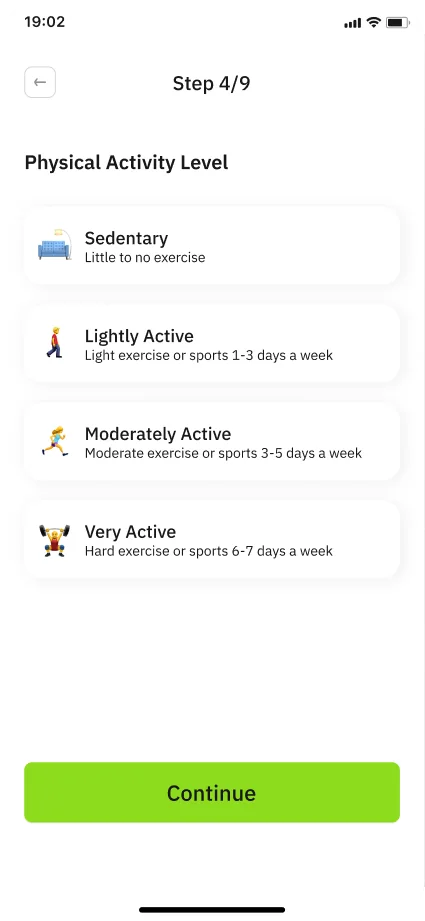
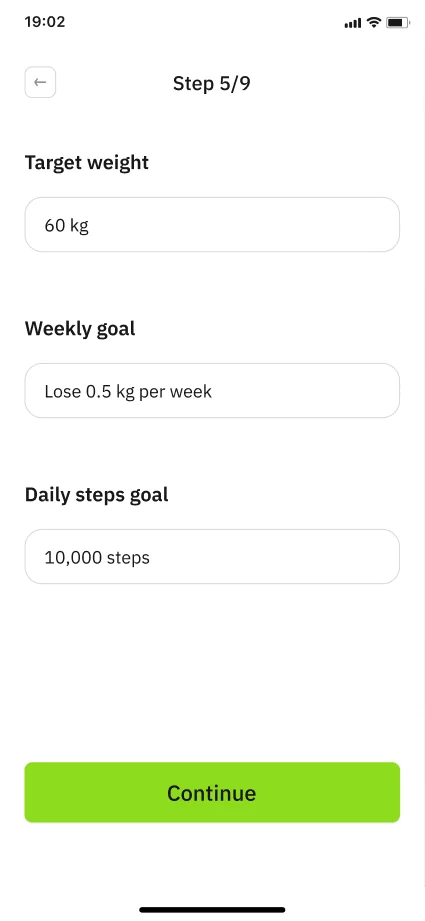
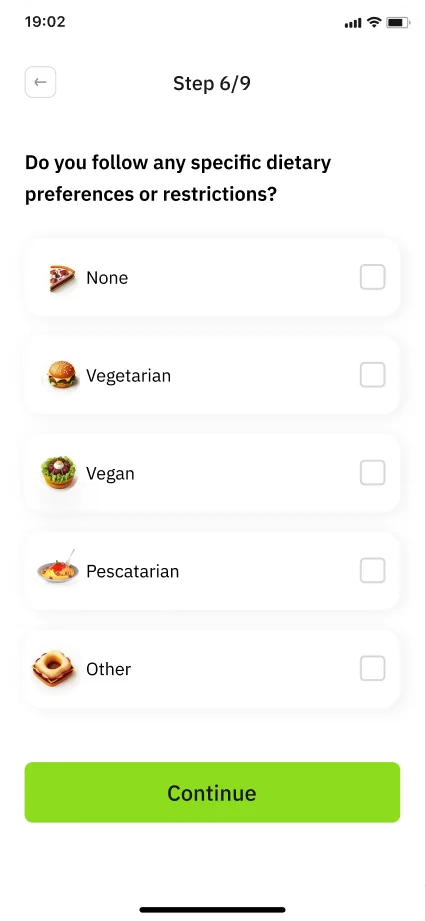
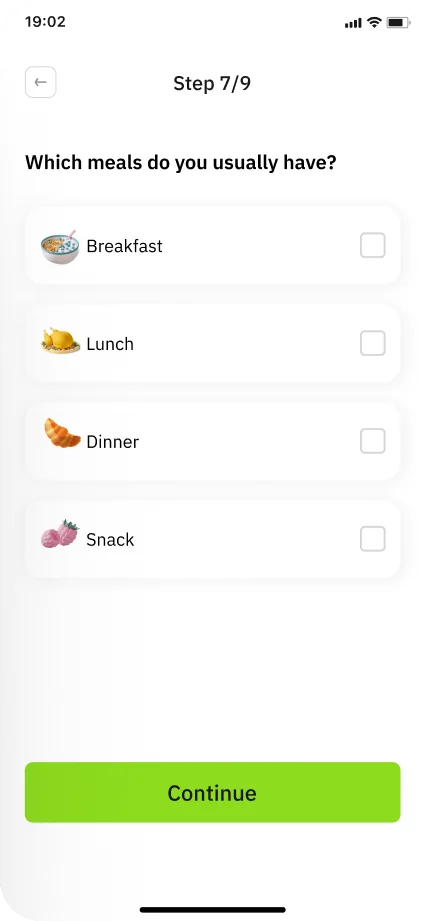
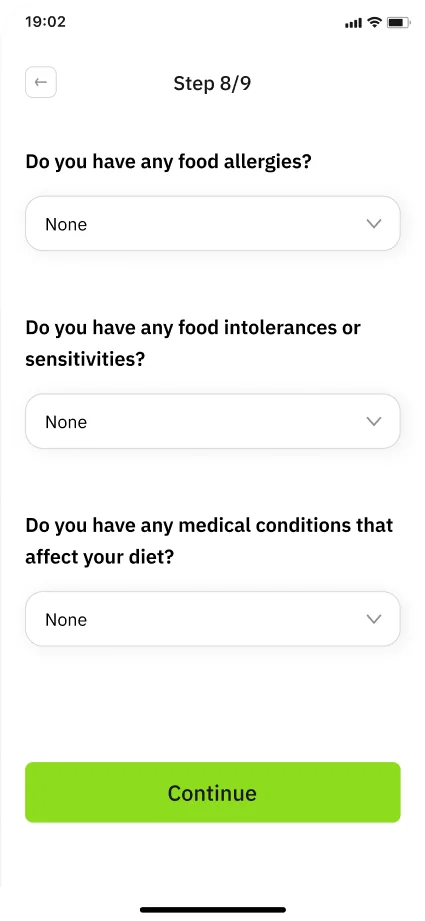
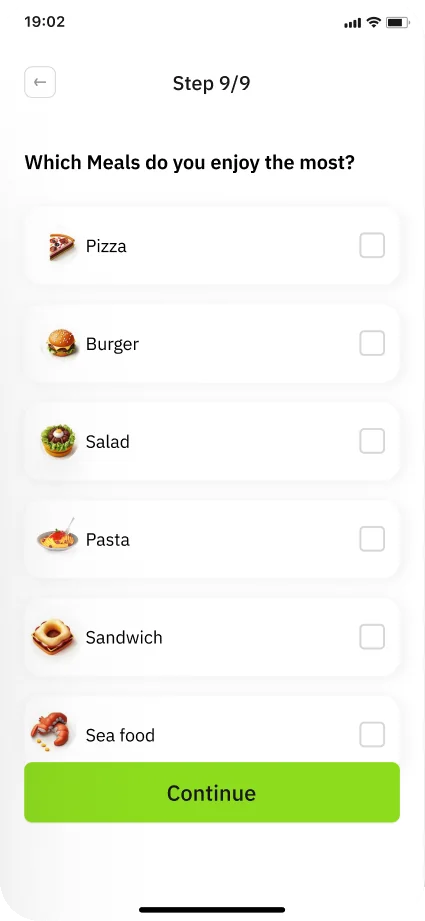
Usability test set-up, Step 1/9: What’s your gender?Usability test set-up, Step 2/9: How old are you? · What is your weight? · What Is Your height?Usability test set-up, Step 3/9: What is your goal?Usability test set-up, Step 4/9: Physical Activity LevelUsability test set-up, Step 5/9: Target weight · Weekly goal · Daily steps goalUsability test set-up, Step 6/9: Do you follow any specific dietary preferences or restrictions?Usability test set-up, Step 7/9: Which meals do you usually have?Usability test set-up, Step 8/9: Do you have any food allergies? (+ intolerances, medical conditions)Usability test set-up, Step 9/9: Which Meals do you enjoy the most?

The set-up questionnaire, as tested

Step 1/9

The whole test kit

Every screen in the section, left to right, top row then second row. Tap one to zoom.
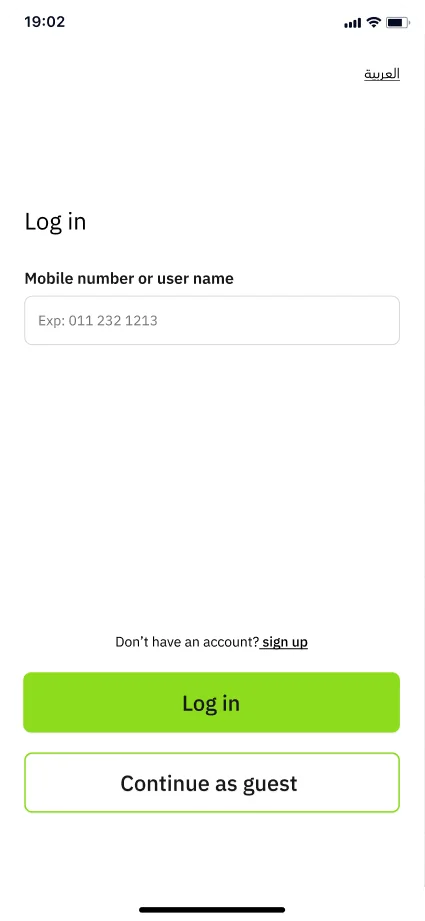
Log in & sign up
Usability-test screen: Log in (Mobile number or user name · Continue as guest)
01 Log in (Mobile number or user name · Continue as guest)
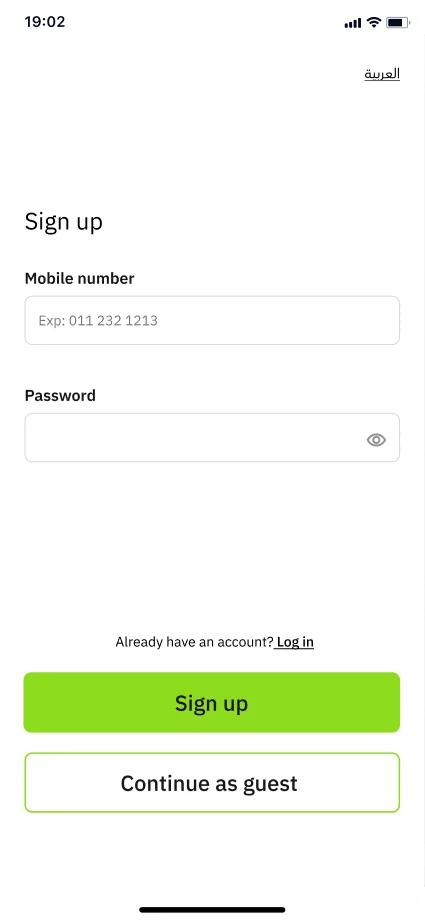
Usability-test screen: Sign up – E (empty)
02 Sign up – E (empty)
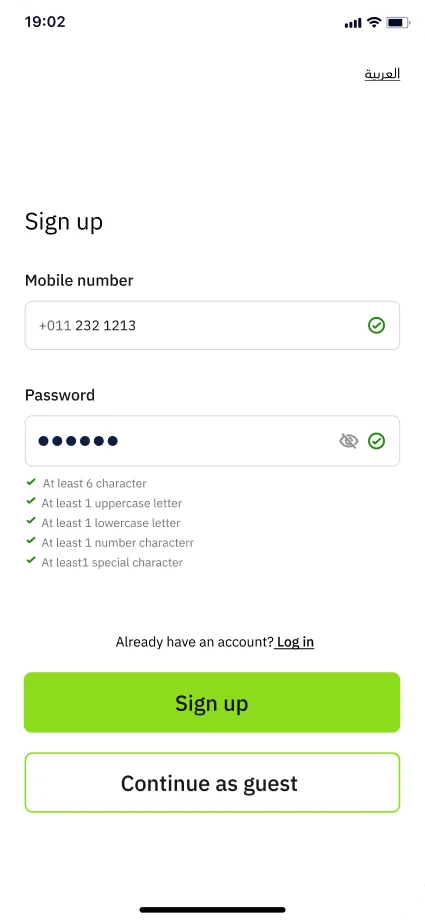
Usability-test screen: Sign up – F (filled)
03 Sign up – F (filled)
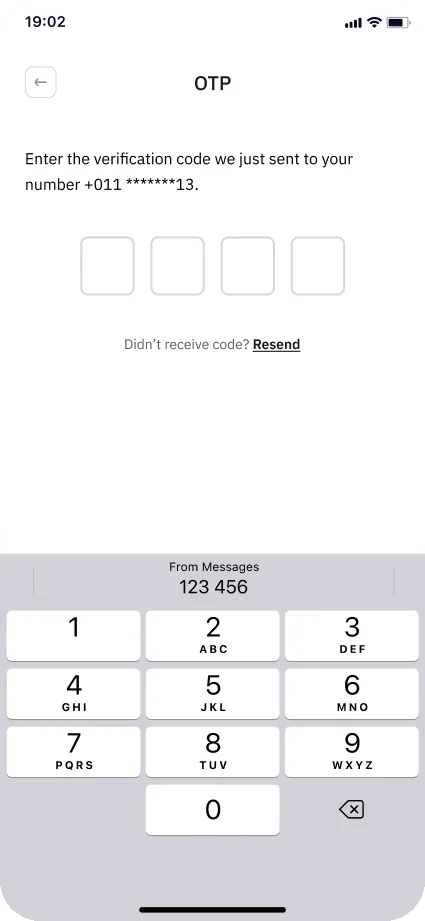
Usability-test screen: OTP – E
04 OTP – E
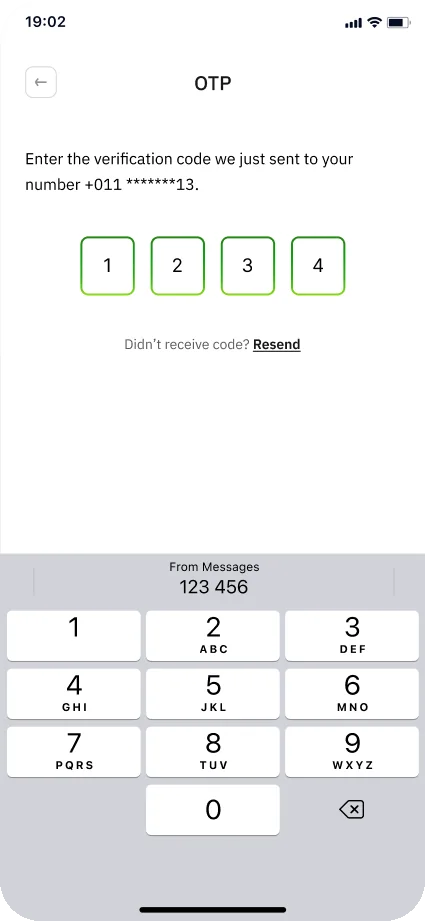
Usability-test screen: OTP – F
05 OTP – F
Welcome
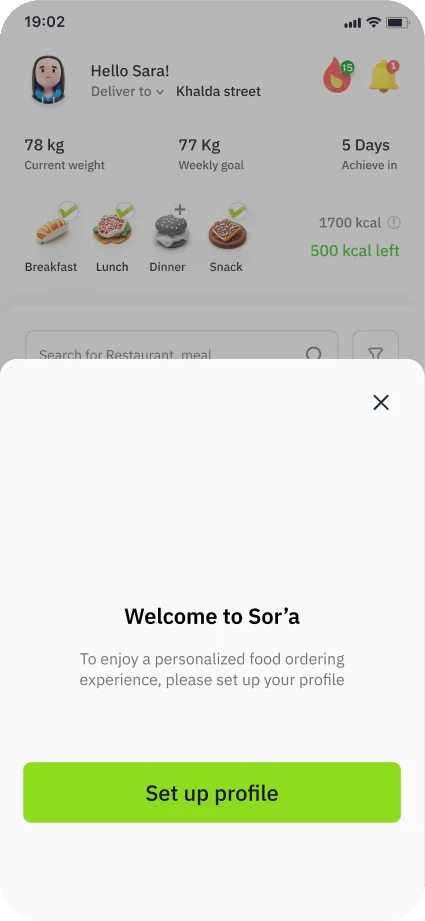
Usability-test screen: Home page + ‘Welcome to So’rah’ sheet (Set up profile)
06 Home page + ‘Welcome to So’rah’ sheet (Set up profile)
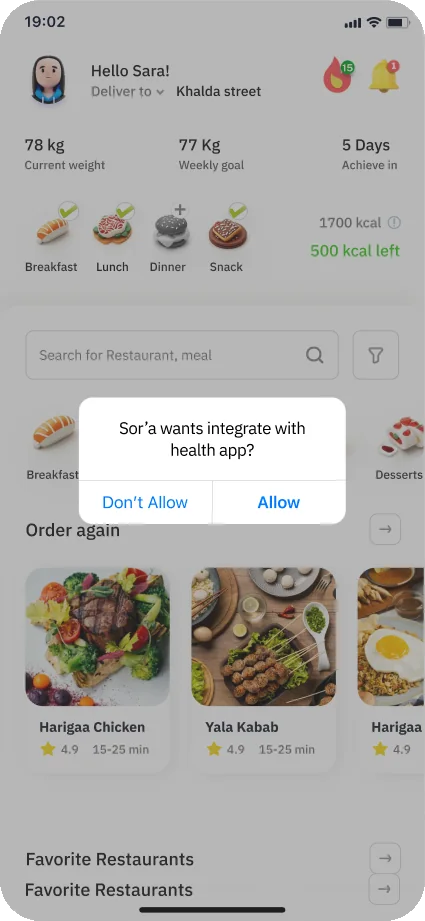
Usability-test screen: Home page + ‘So’rah wants integrate with health app?’ (Don’t Allow / Allow)
07 Home page + ‘So’rah wants integrate with health app?’ (Don’t Allow / Allow)
Set-up · 9 steps
Usability-test screen: Step 1/9 What’s your gender?
08 Step 1/9 What’s your gender?
Usability-test screen: Step 2/9 How old are you? · What is your weight? · What Is Your height?
09 Step 2/9 How old are you? · What is your weight? · What Is Your height?
Usability-test screen: Step 3/9 What is your goal?
10 Step 3/9 What is your goal?
Usability-test screen: Step 4/9 Physical Activity Level
11 Step 4/9 Physical Activity Level
Usability-test screen: Step 5/9 Target weight · Weekly goal · Daily steps goal
12 Step 5/9 Target weight · Weekly goal · Daily steps goal
Usability-test screen: Step 6/9 Do you follow any specific dietary preferences or restrictions?
13 Step 6/9 Do you follow any specific dietary preferences or restrictions?
Usability-test screen: Step 7/9 Which meals do you usually have?
14 Step 7/9 Which meals do you usually have?
Usability-test screen: Step 8/9 Do you have any food allergies? (+ intolerances, medical conditions)
15 Step 8/9 Do you have any food allergies? (+ intolerances, medical conditions)
Usability-test screen: Step 9/9 Which Meals do you enjoy the most?
16 Step 9/9 Which Meals do you enjoy the most?
Done
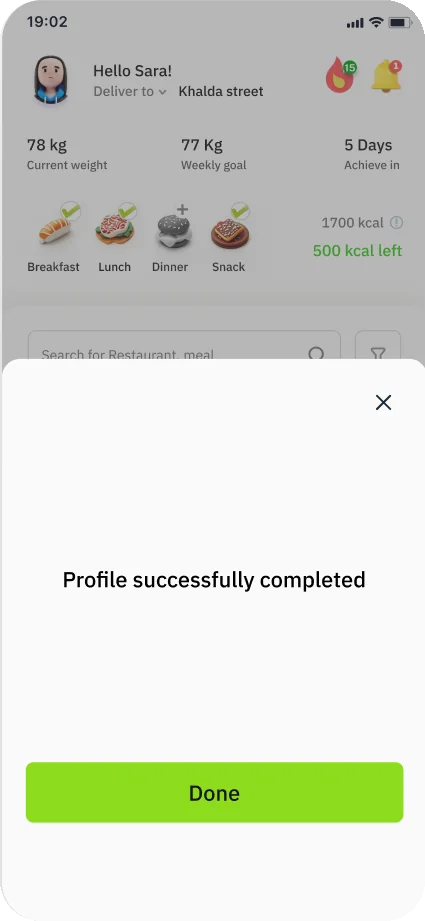
Usability-test screen: Home page + ‘Profile successfully completed’ (Done)
17 Home page + ‘Profile successfully completed’ (Done)
Second row
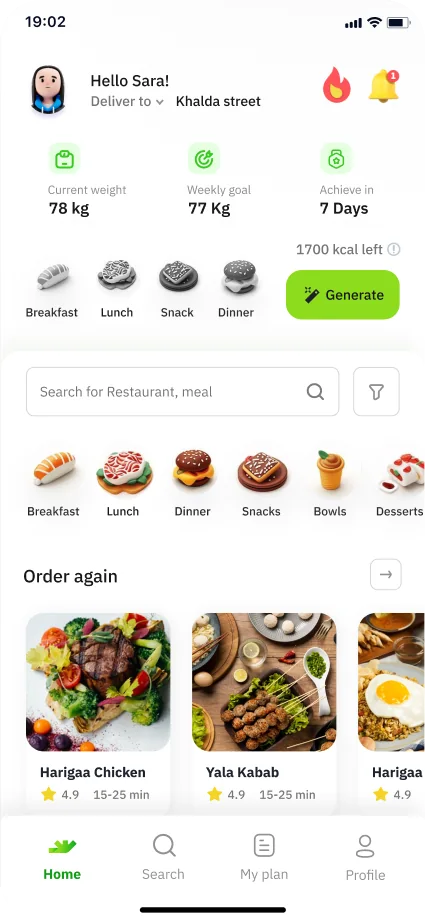
Usability-test screen: Home (Hello Sara!, 78 kg / 77 Kg / 7 Days, Today’s meals 1700 kcal left)
18 Home (Hello Sara!, 78 kg / 77 Kg / 7 Days, Today’s meals 1700 kcal left)
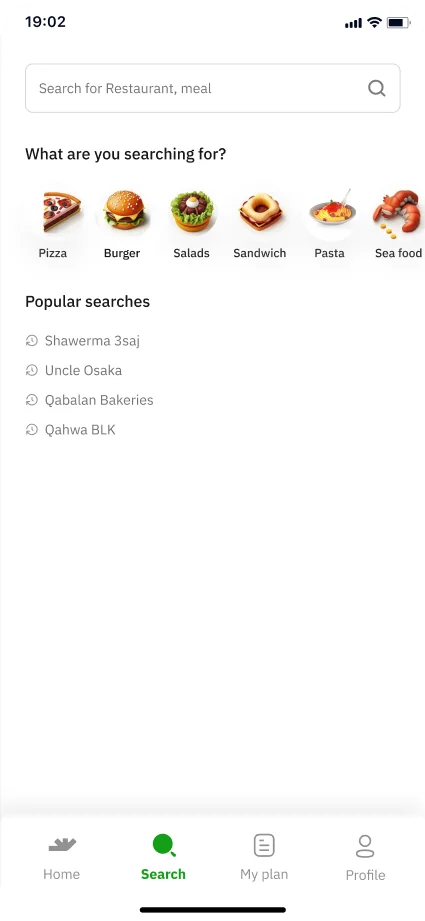
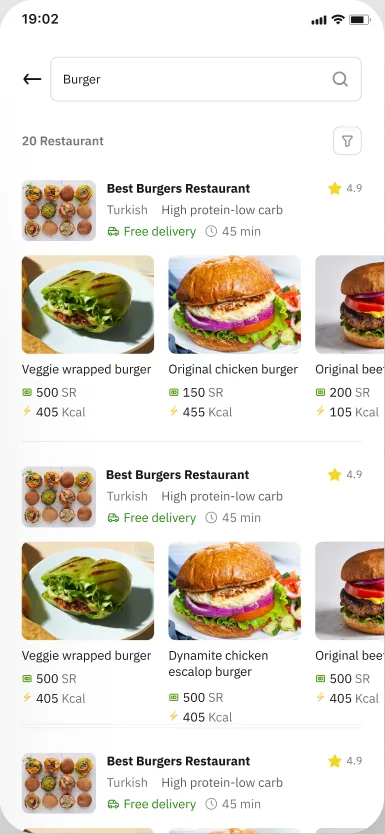
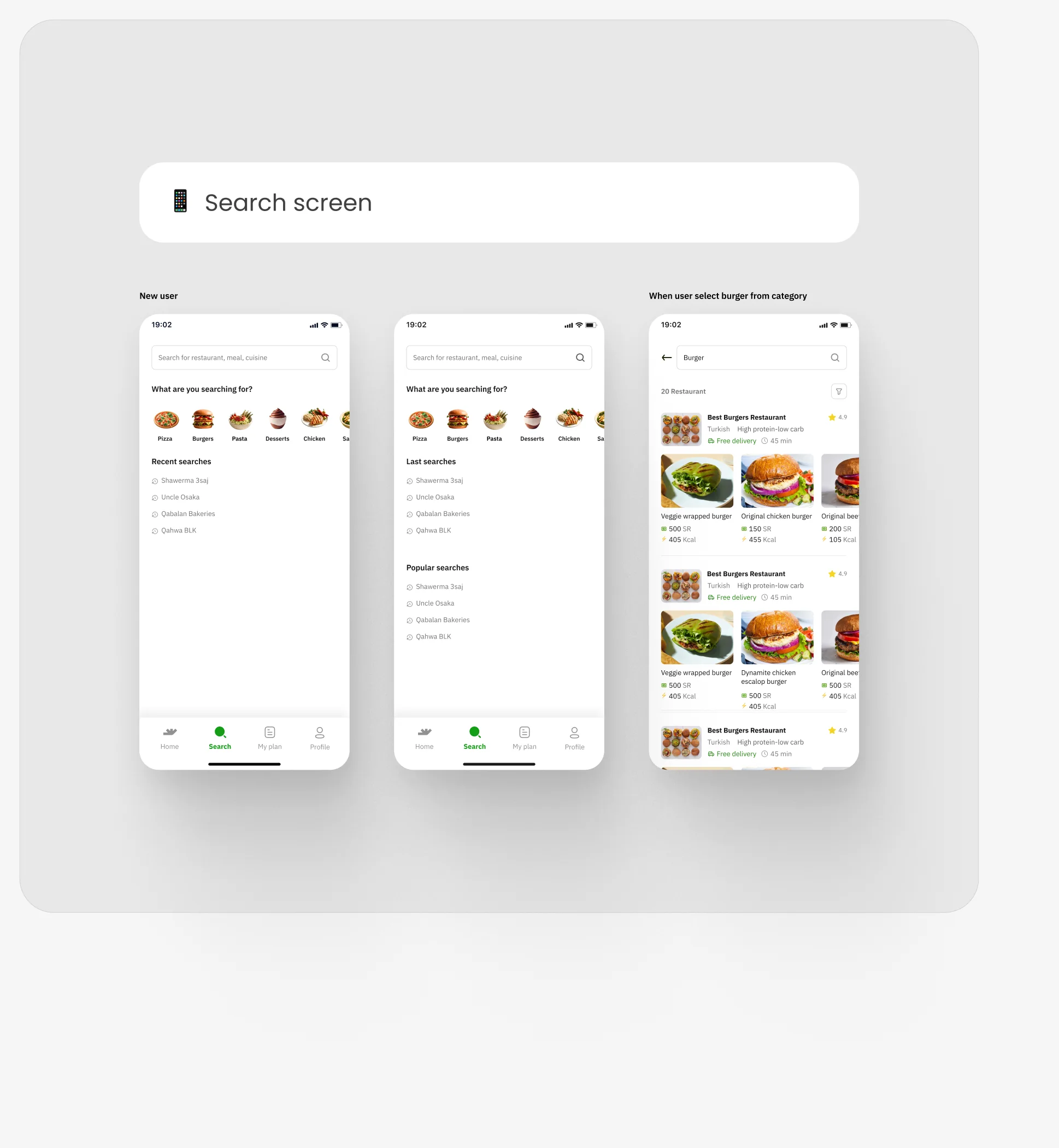
Usability-test screen: search (What are you searching for? · Popular searches)
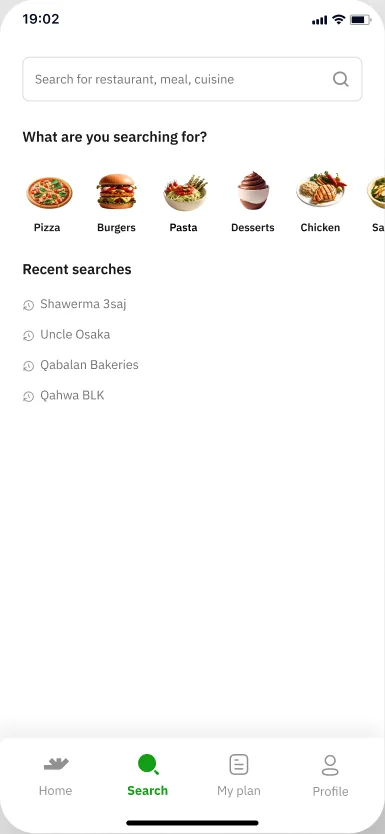
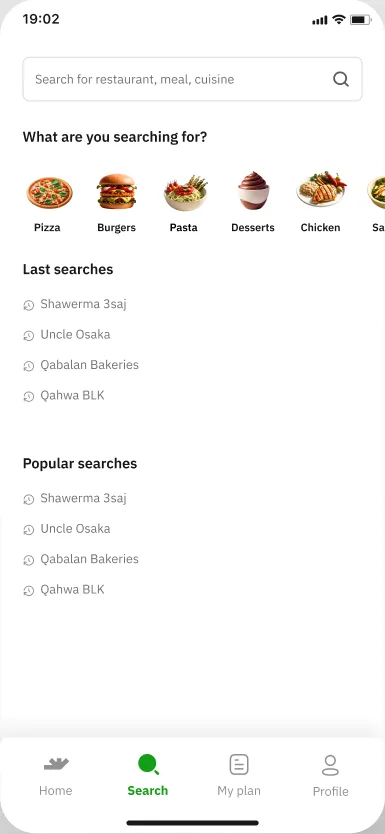
19 search (What are you searching for? · Popular searches)
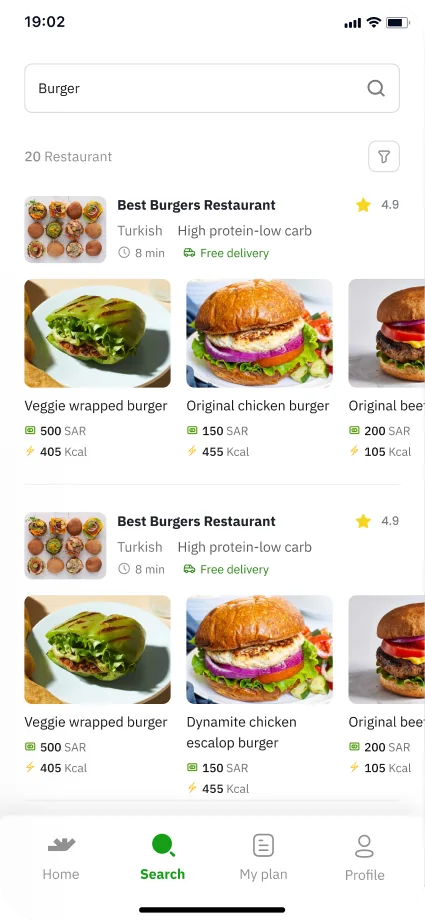
Usability-test screen: select burger (results list)
20 select burger (results list)
Usability-test screen: My plan – Today’s meals with Generate meal
21 My plan – Today’s meals with Generate meal
Usability-test screen: Generate meal ×2 (meal card carousel)
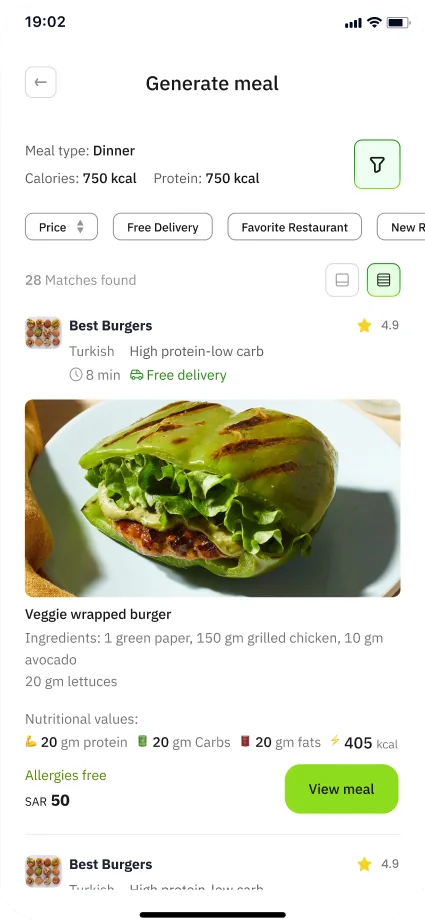
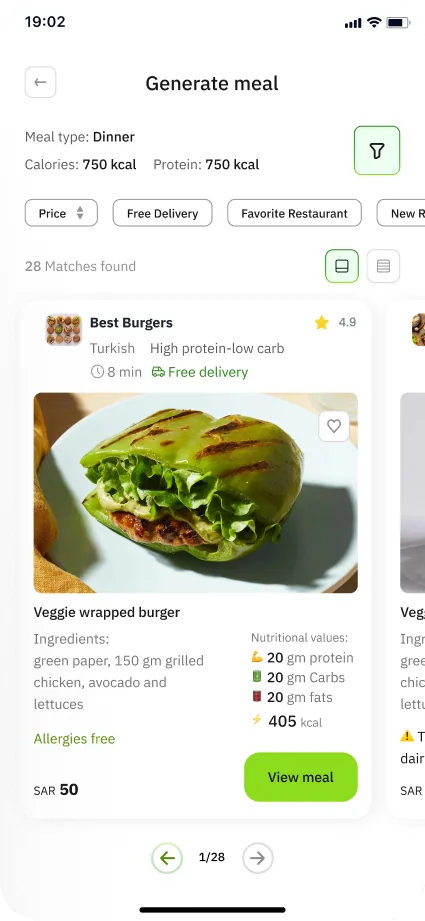
22 Generate meal ×2 (meal card carousel)
Usability-test screen: Generate meal ×2 (meal card carousel)
23 Generate meal ×2 (meal card carousel)
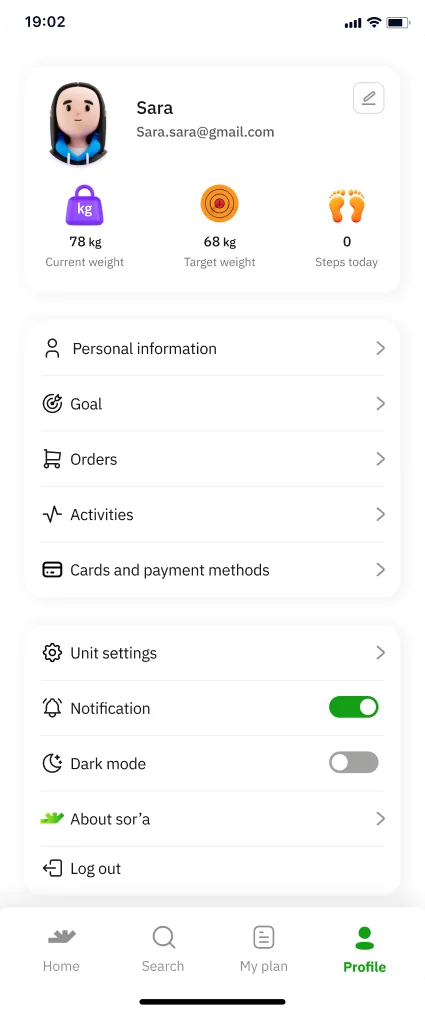
Usability-test screen: Profile (Sara · Personal information · Goal · Orders · Activities · Cards and payment methods)
24 Profile (Sara · Personal information · Goal · Orders · Activities · Cards and payment methods)
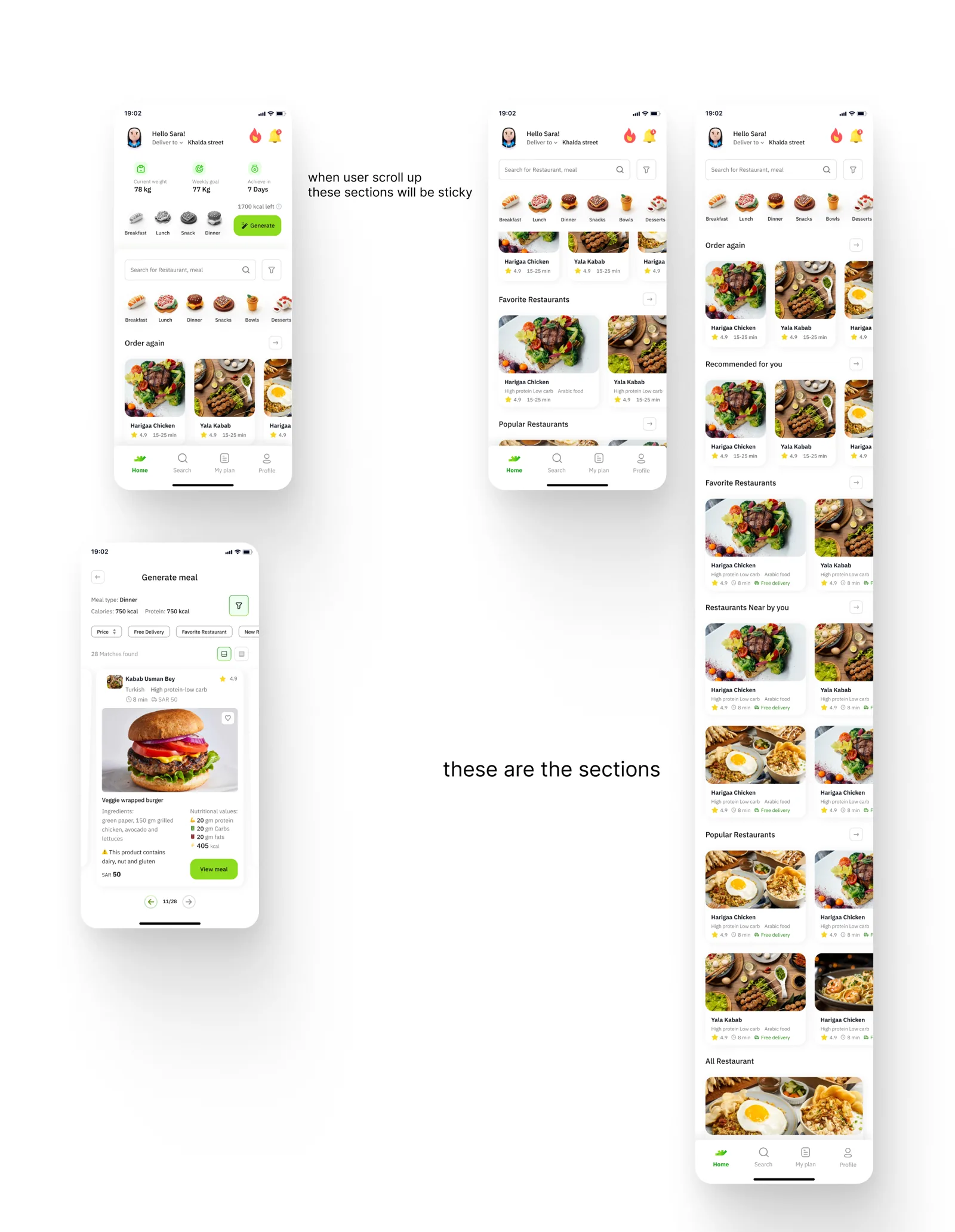
The ‘Reference’ frame beside the test set: a home screen, Generate meal and a long home scroll, with two handwritten notes
The ‘Reference’ frame beside the set

Notes in the Reference frame

when user scroll up these sections will be sticky

these are the sections

What the next boards changed

Set-upOne 9-step questionnaire became a 5-step profile and a separate 6-step meal plan. Log in‘Mobile number or user name’ became ‘Mobile number’.
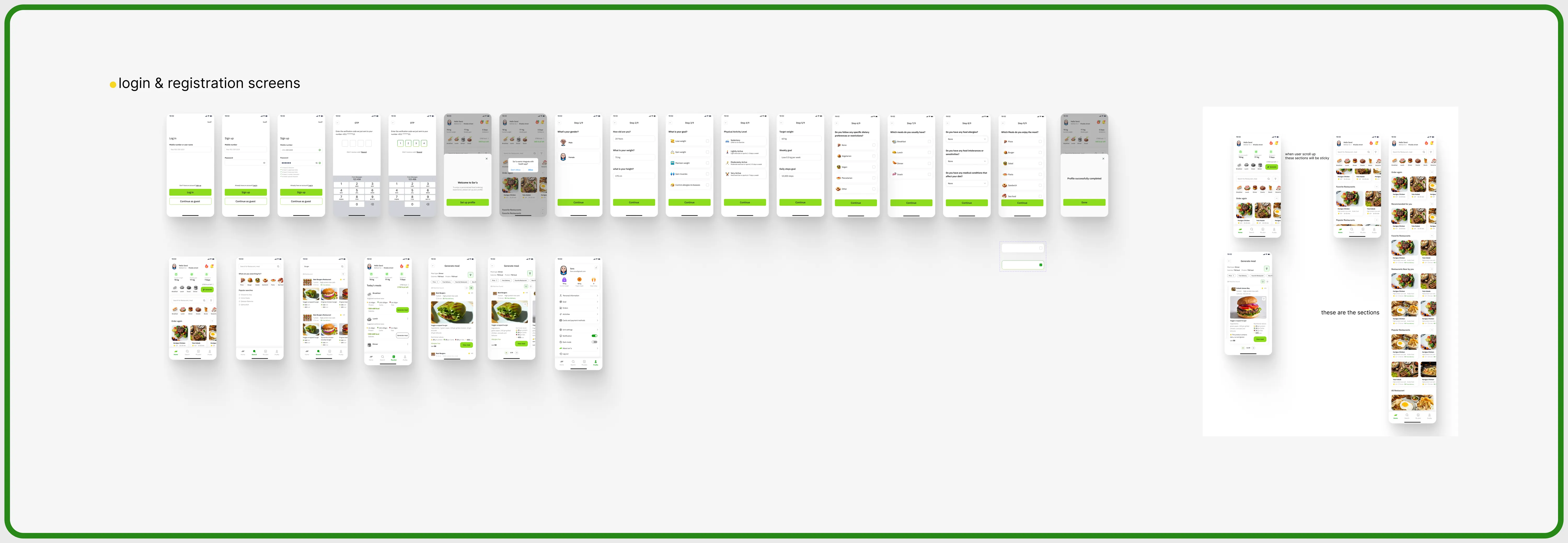
The whole ‘Usability testing’ section: the row of test screens, the second row and the Reference frame
The whole ‘Usability testing’ section

The flow we reviewed

Comments on main flow to edit

A clean copy of the main order flow, kept in its own section with that name. The comments themselves are not on the canvas; how the flow changed is in Order flow.
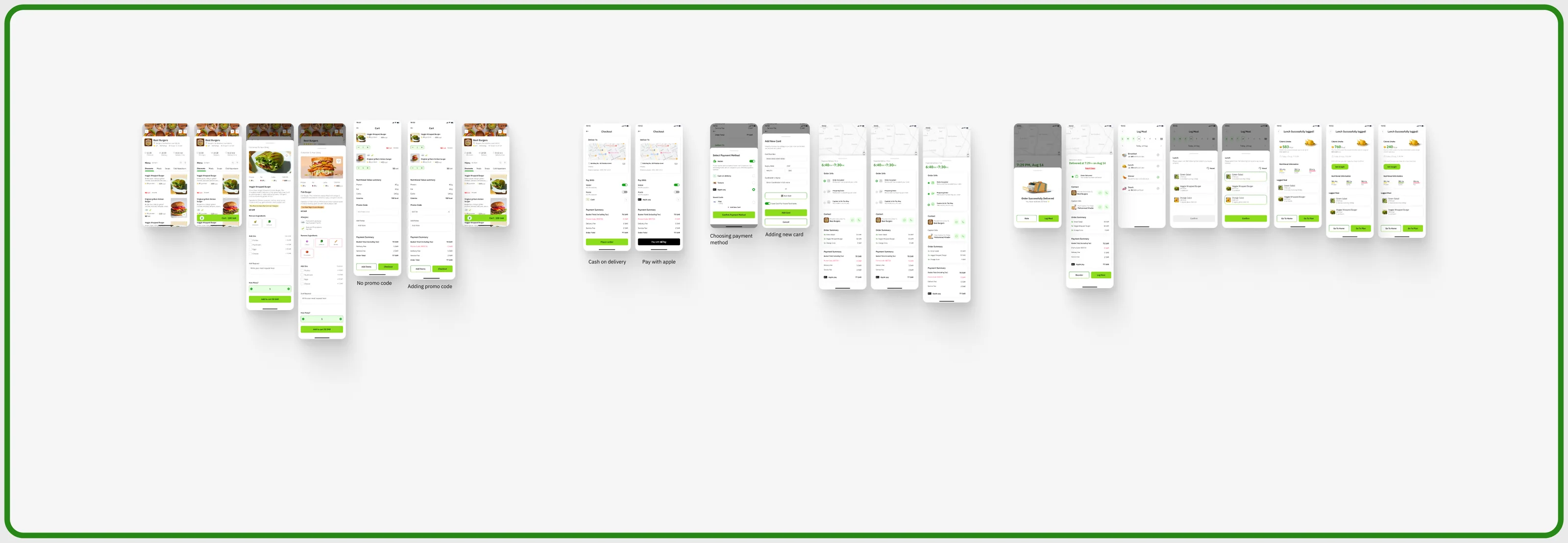
Comments on main flow board: one horizontal row of the order flow from restaurant page to 'Lunch Successfully logged!' with captions under payment variants
  1. 01Restaurant Page (Best Burgers menu)
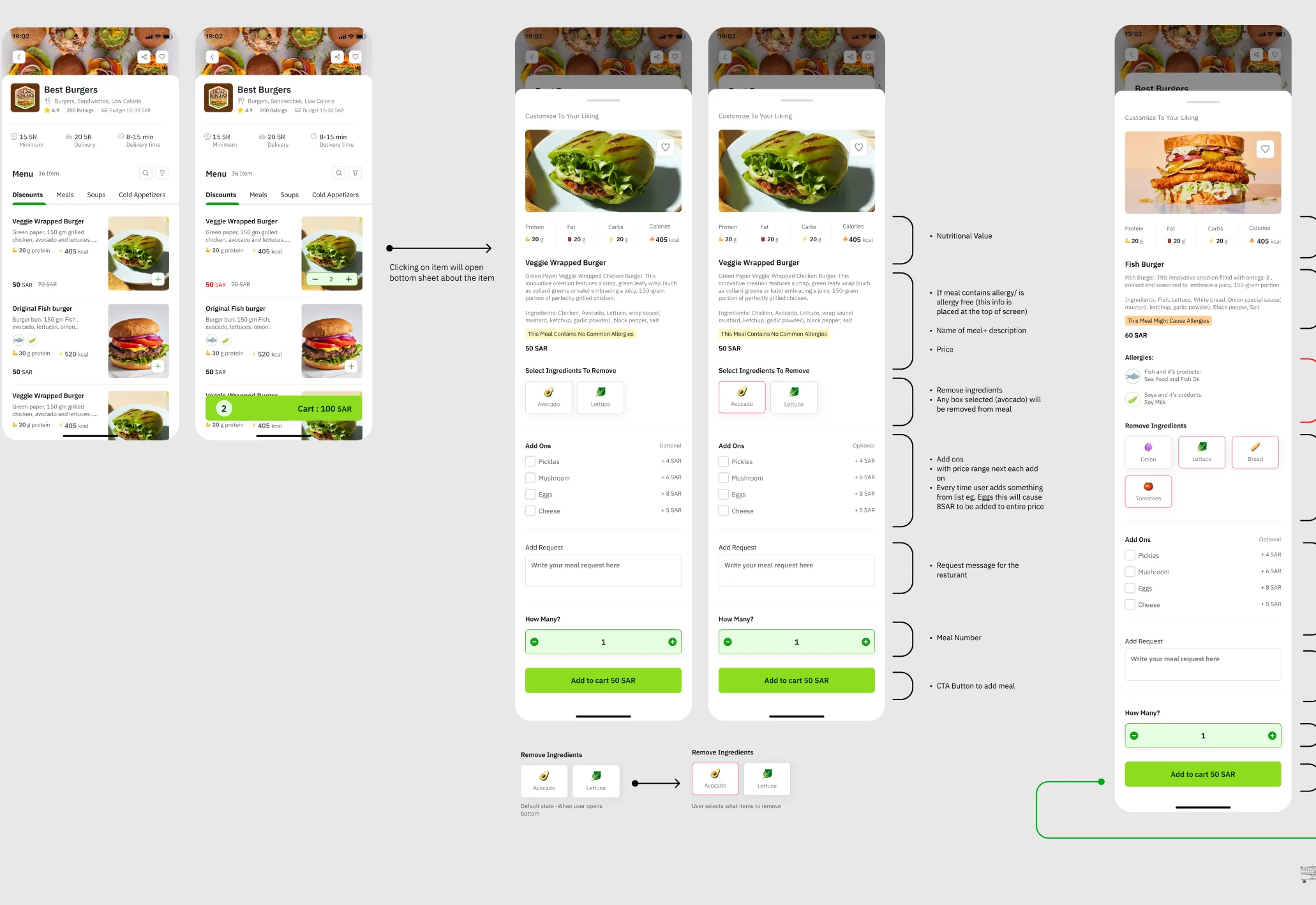
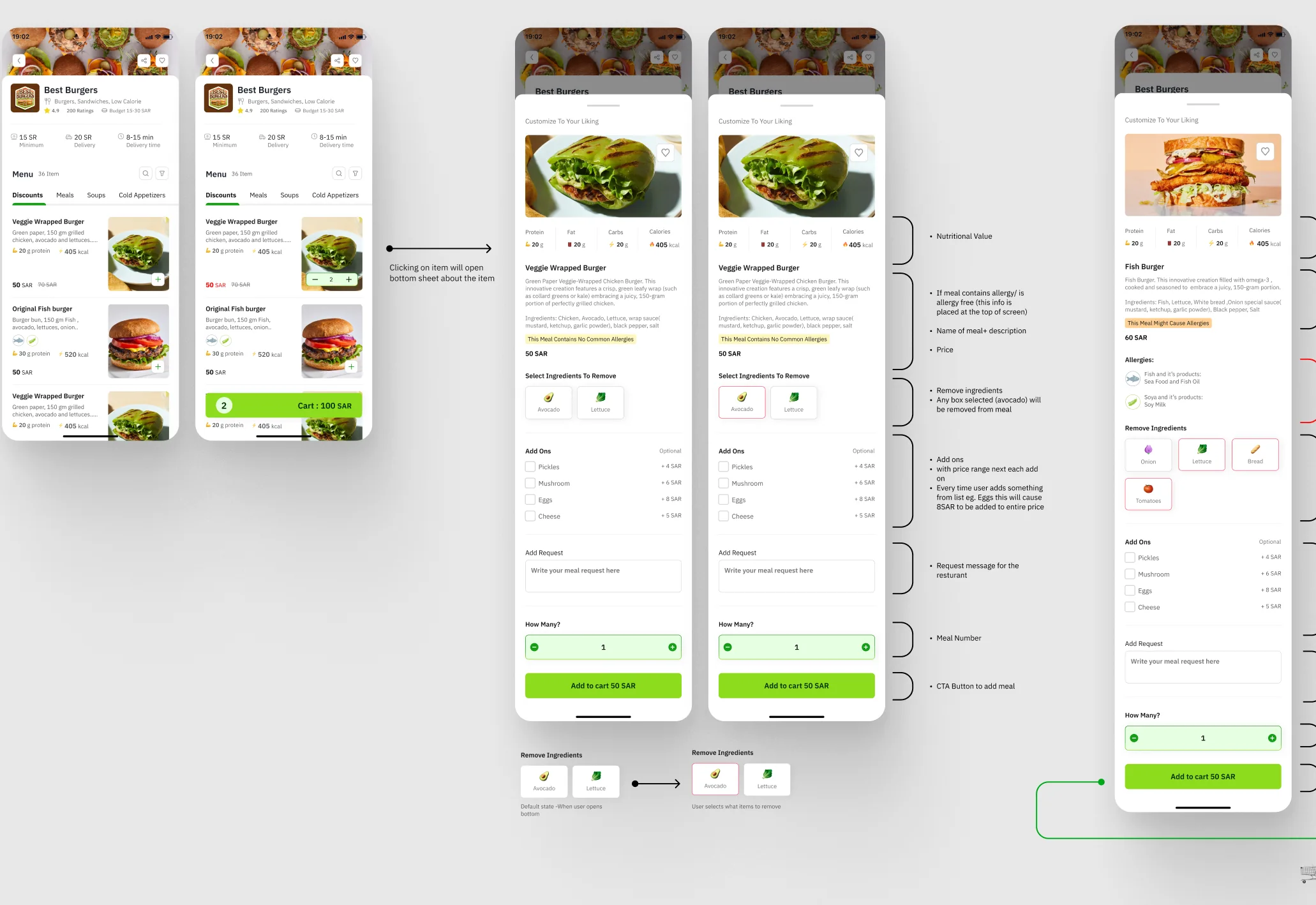
  2. 02Item bottom sheet (Veggie Wrapped Burger / Fish Burger, allergens, remove ingredients, add-ons, How Many?, Add to cart 50 SAR)
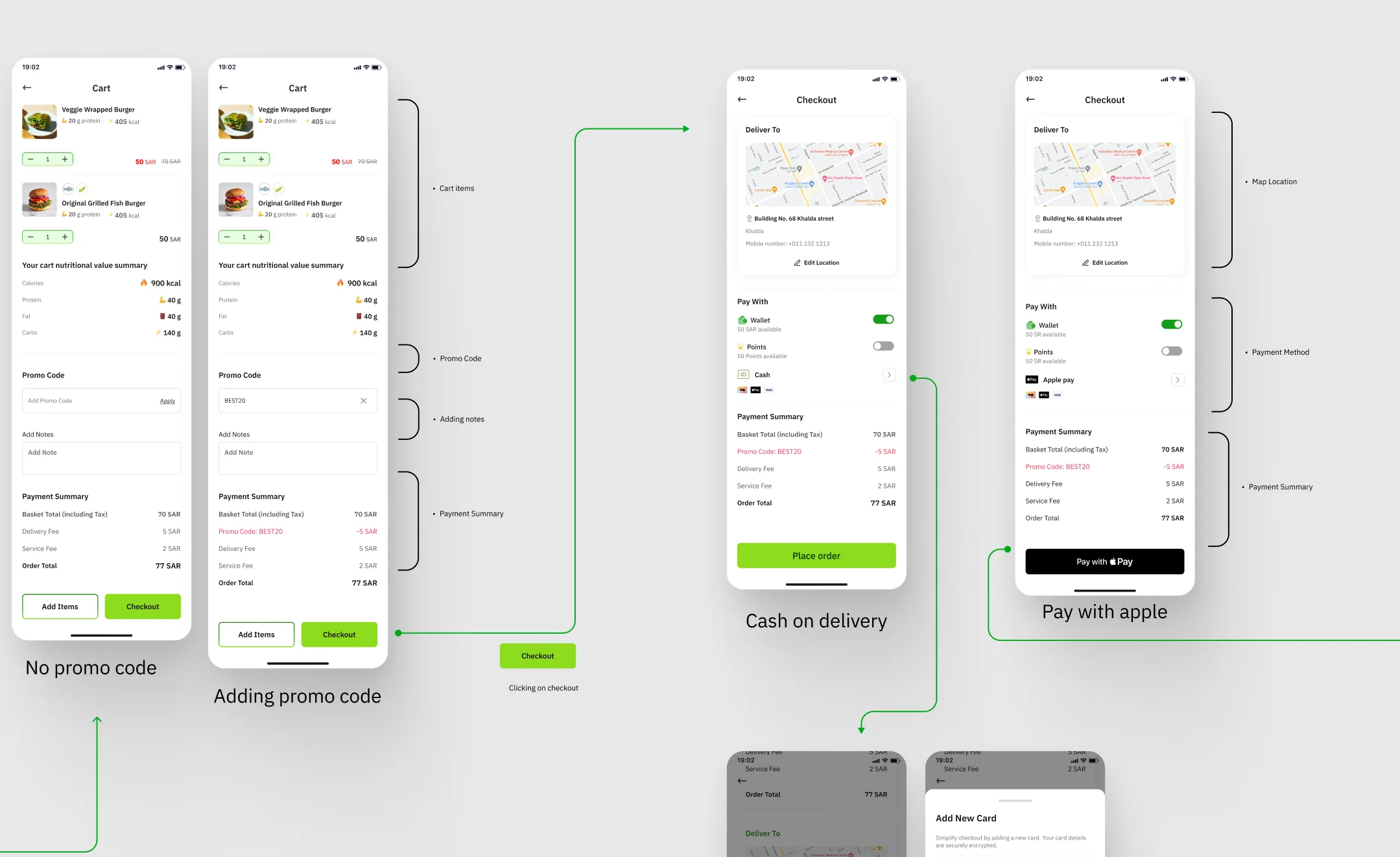
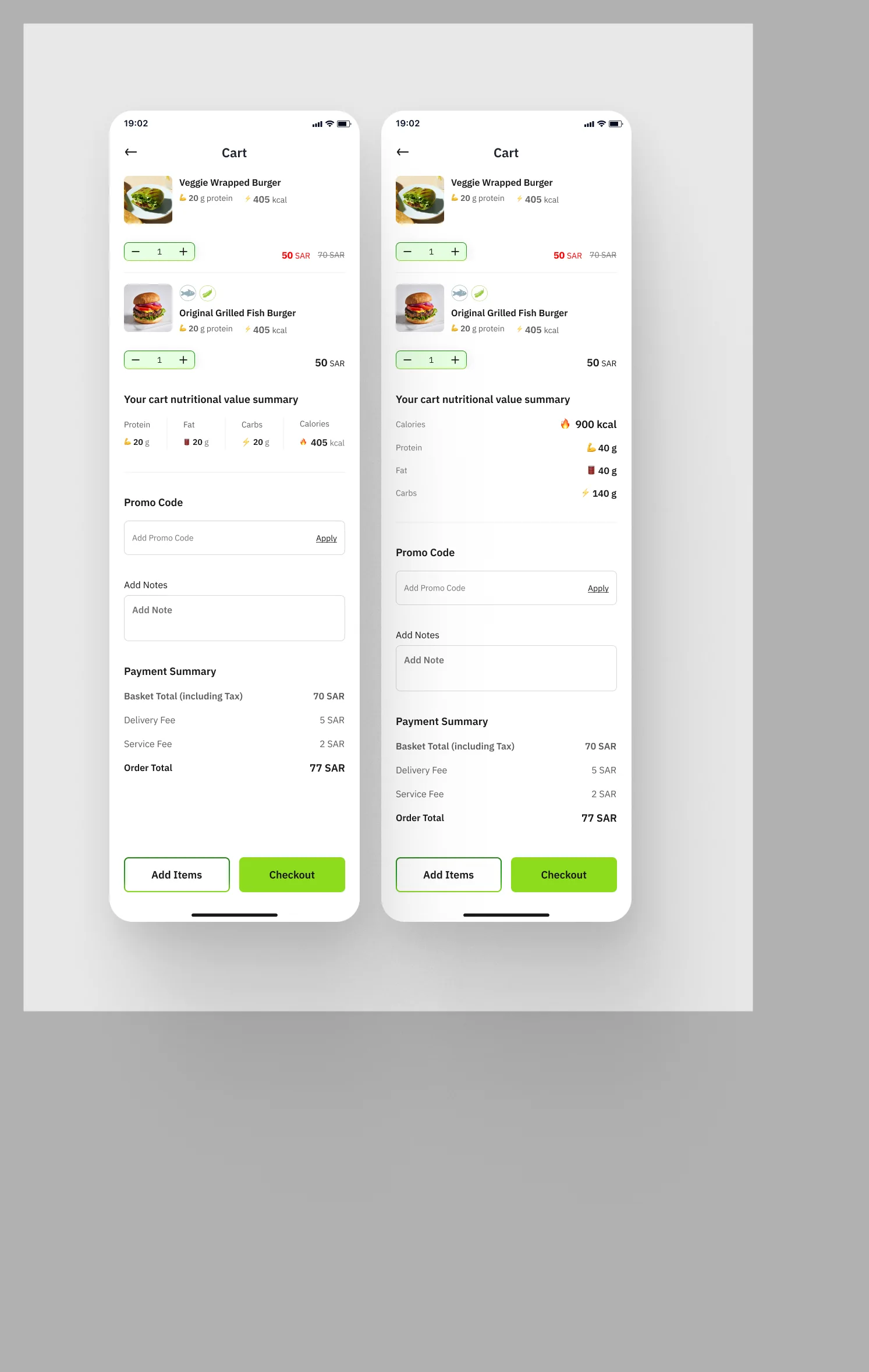
  3. 03Cart (Nutritional Value summary, Promo Code, Payment Summary)
  4. 04Checkout (Deliver To map, Pay With: Wallet / Points / Cash)
  5. 05Select Payment Method / Add New Card
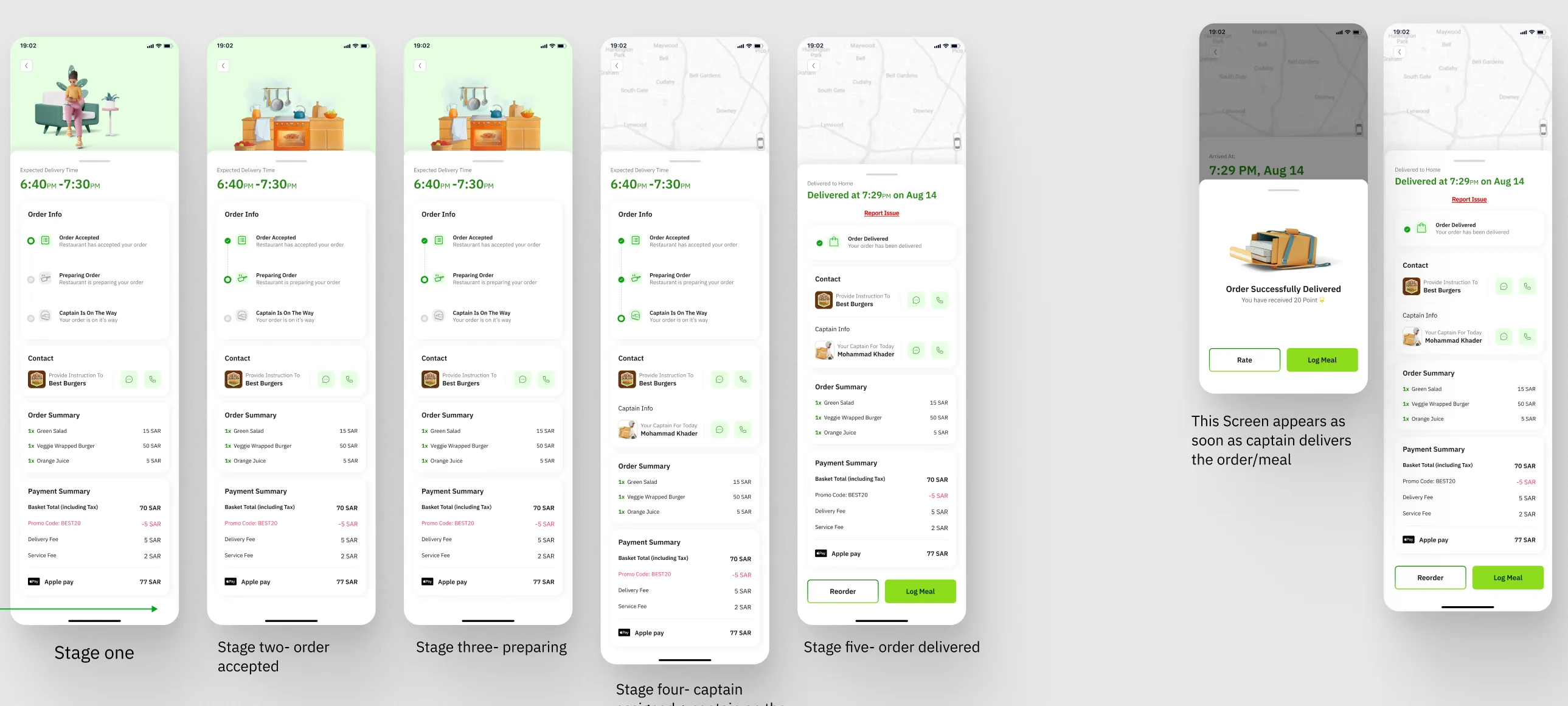
  6. 06Track Order (6:40PM–7:30PM, Order Info stages)
  7. 07Order Successfully Delivered (Rate / Log Meal)
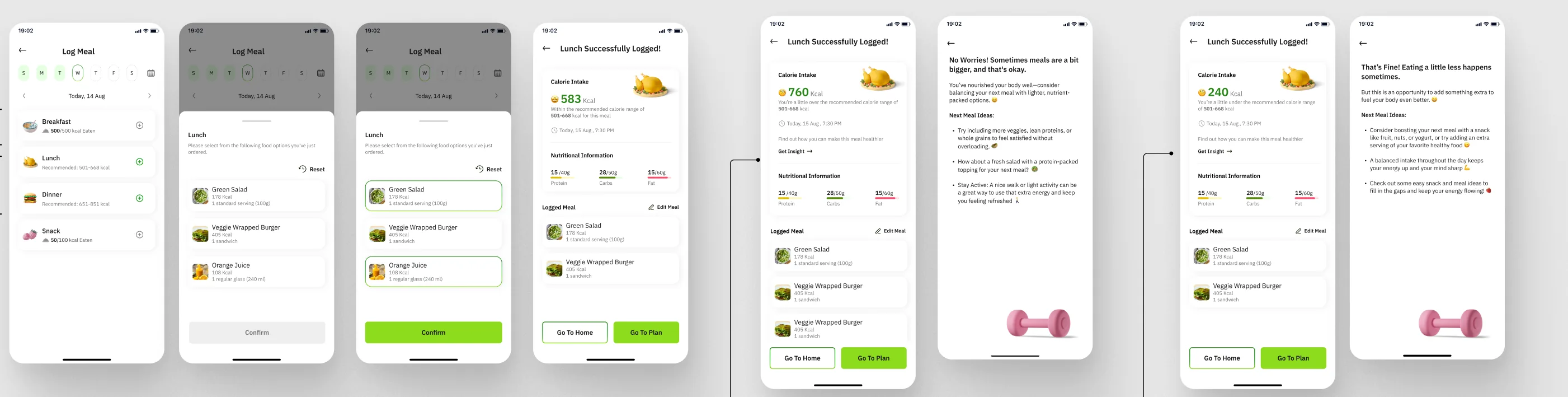
  8. 08Log Meal (Lunch: Green Salad, Veggie Wrapped Burger, Orange Juice)
  9. 09Lunch Successfully logged! (583 / 760 / 240 kcal variants)
Captions on the boardNo promo codeAdding promo codeCash on deliveryPay with appleChoosing payment methodAdding new card

03 · Log in / sign up

A mobile number, then a code

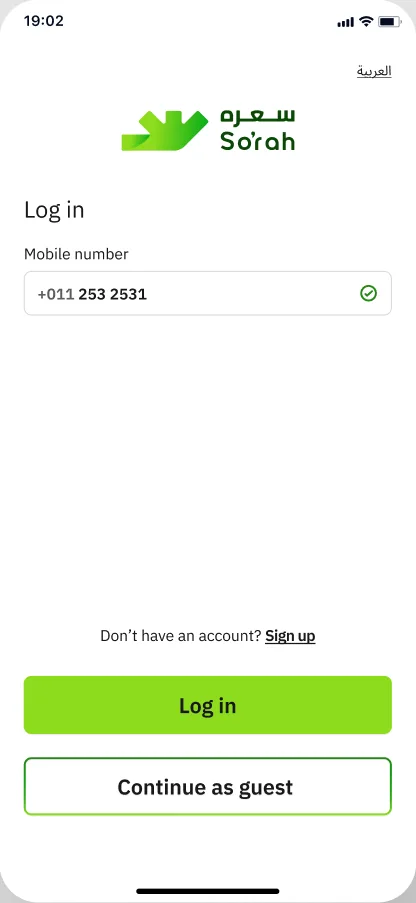
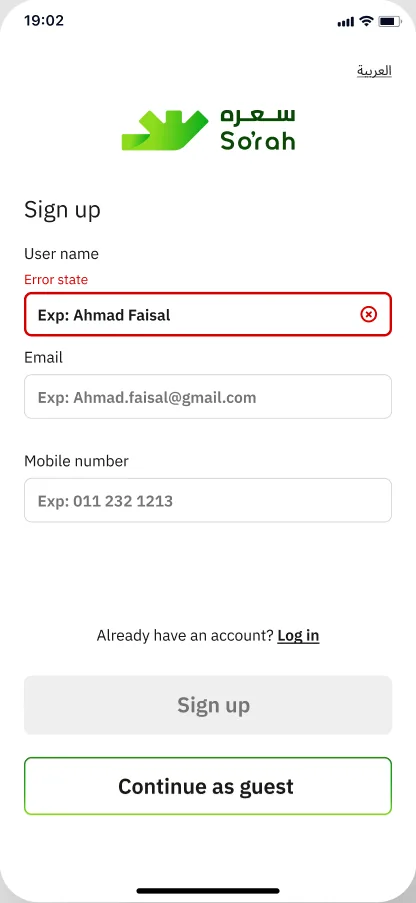
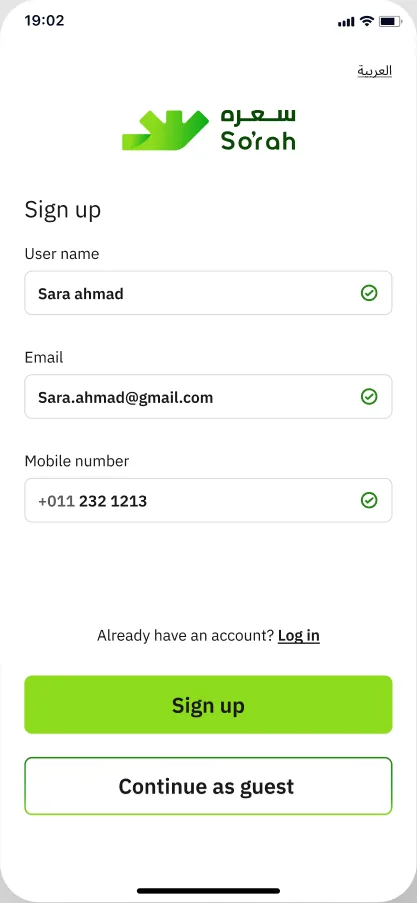
Compared with the Usability-testing set (Hadeel's box), the log-in field changes from ‘Mobile number or user name’ to ‘Mobile number’, the sign-up form asks User name, Email and Mobile number instead of Mobile number and Password, and the green So'rah logo is added.
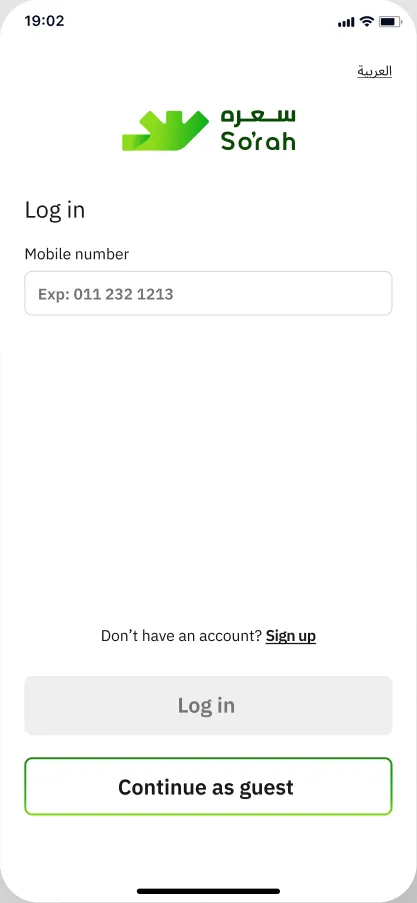
Log in
Usability test: Log in with ‘Mobile number or user name’
Iterations page: Log in with ‘Mobile number’ and the green So’rah logo
Sign up
Usability test: Sign up with Mobile number and Password
Iterations page: Sign up with User name, Email and Mobile number

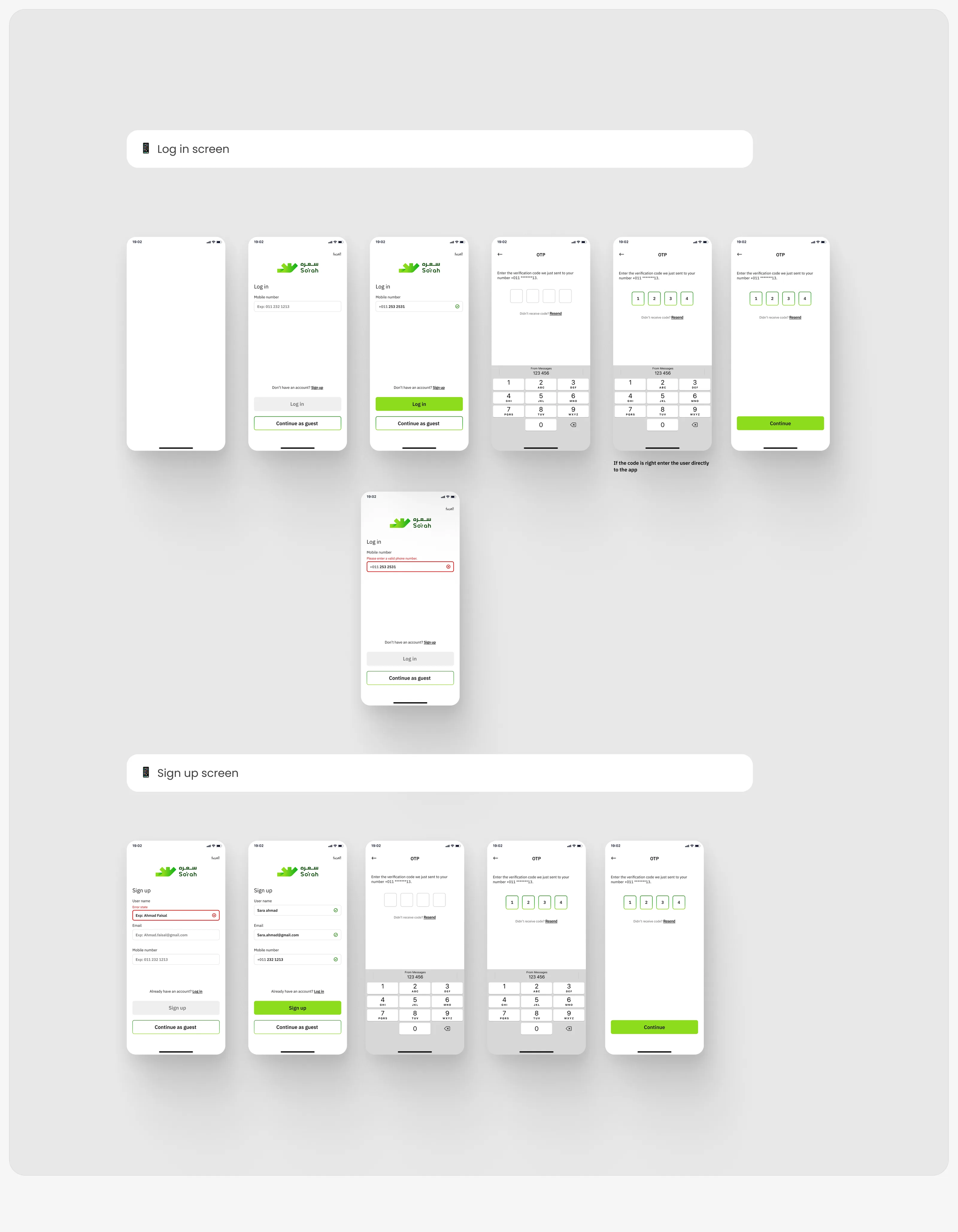
Board labels

📱 Log in screen📱 Sign up screen

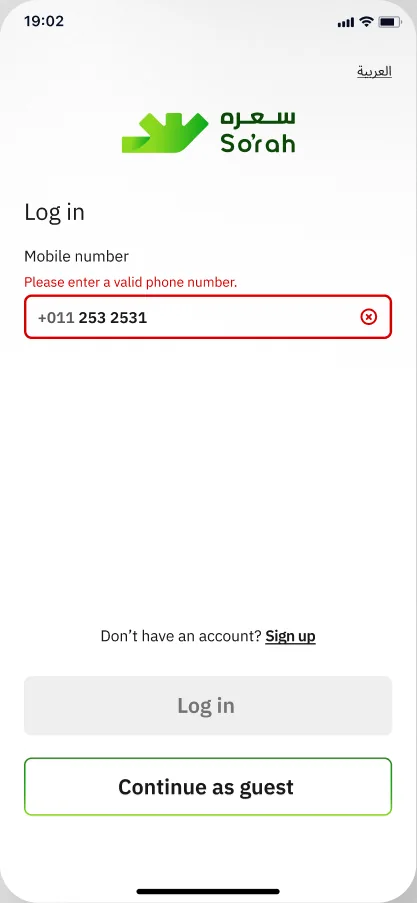
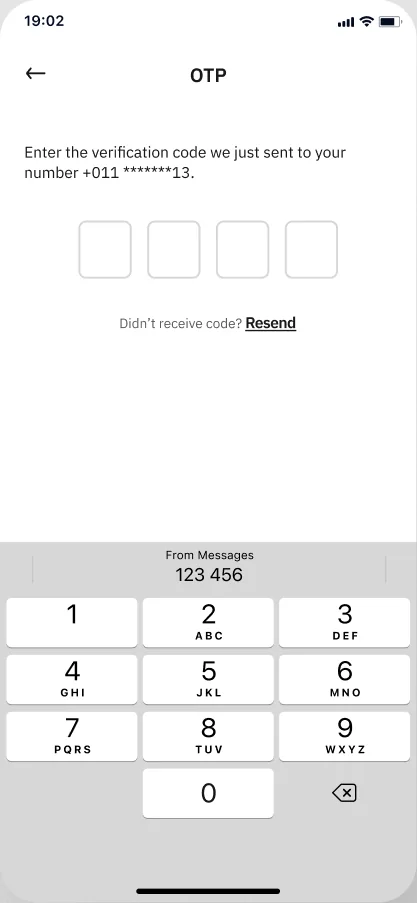
Each field is drawn in its empty, filled and error state (E / F on the frame names), and the code screen ends the flow.

Every state on the board

Drag the row; tap a screen to zoom.
Log in, empty
Log in · empty
Log in, filled
Log in · filled
Log in error: Please enter a valid phone number.
Log in · error: Please enter a valid phone number.
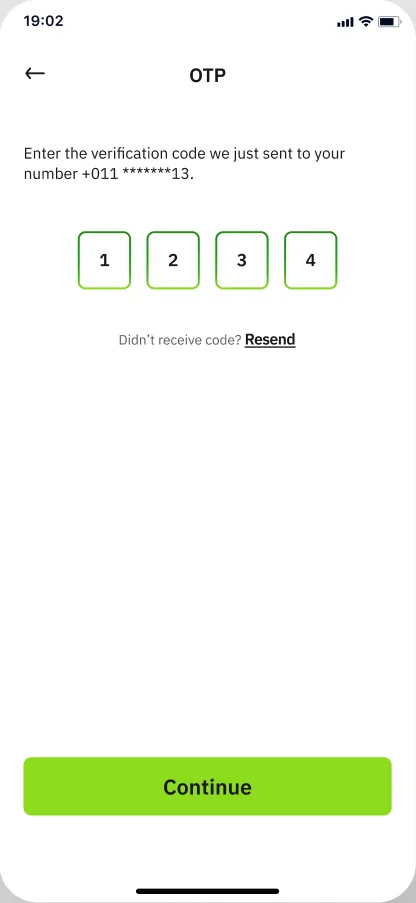
OTP empty with keypad
OTP- E
OTP filled with Continue
OTP- F
Sign up with error state
Sign up- E (error state on User name)
Sign up filled
Sign up -F
Log in / sign up board: login states, OTP keypad screens and sign-up states
Log in / sign up board (Iterations page)

04 · Set-up

One questionnaire becomes two short ones

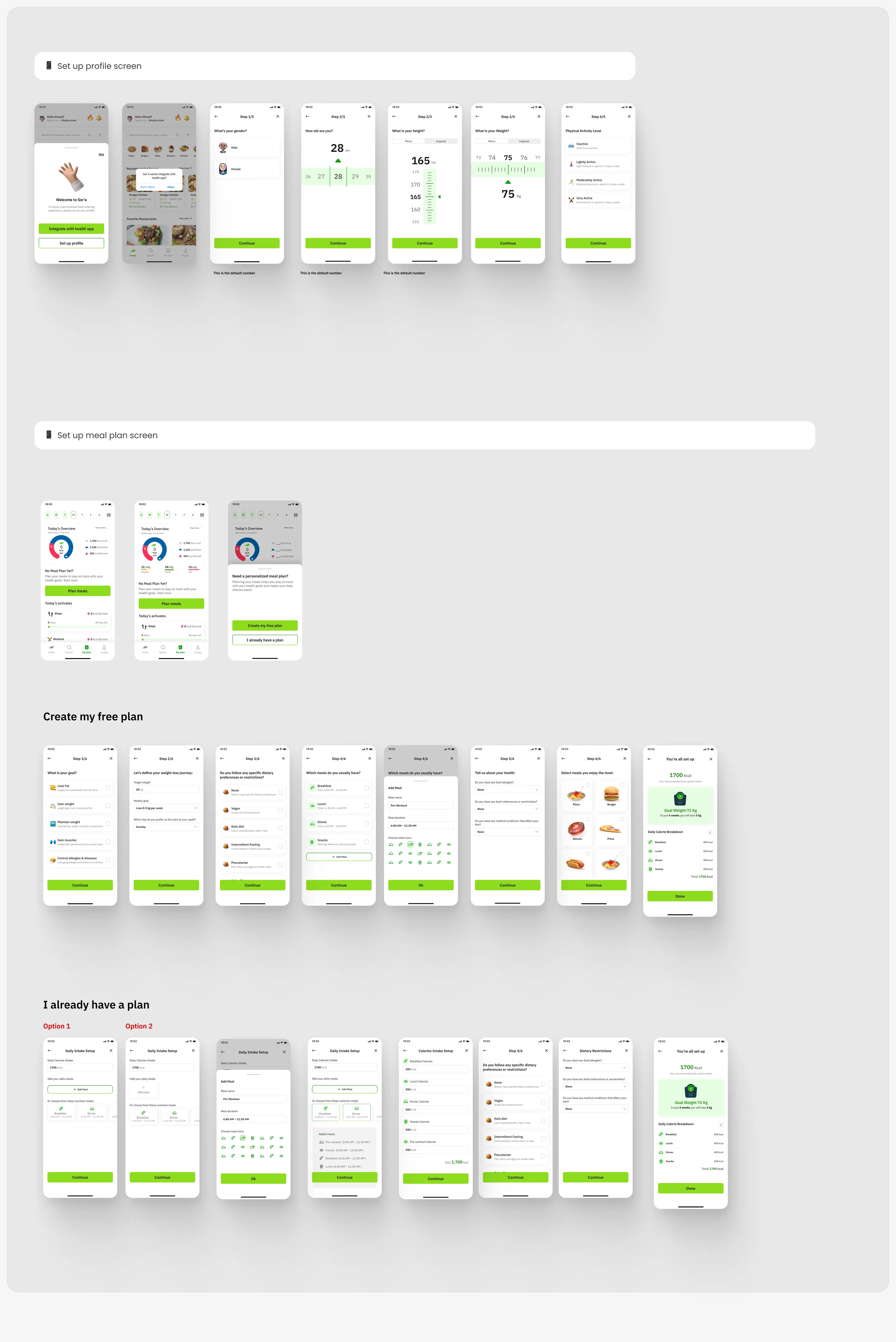
Compared with the Usability-testing set (one questionnaire, ‘Step 1/9’ … ‘Step 9/9’), the Iterations page splits set-up into a 5-step profile and a separate 6-step meal-plan set-up reached from My plan.

Point at a question to see where it lives after the split.

Usability testone questionnaire · 9 steps

Set up profileAfter signing up bottom sheet — Welcome to So’rah · Integrate with health app · Set up profile

Step counters on the board read ‘Step 2/5’ on three consecutive screens (age, height, weight) and jump to ‘Step 4/5’.

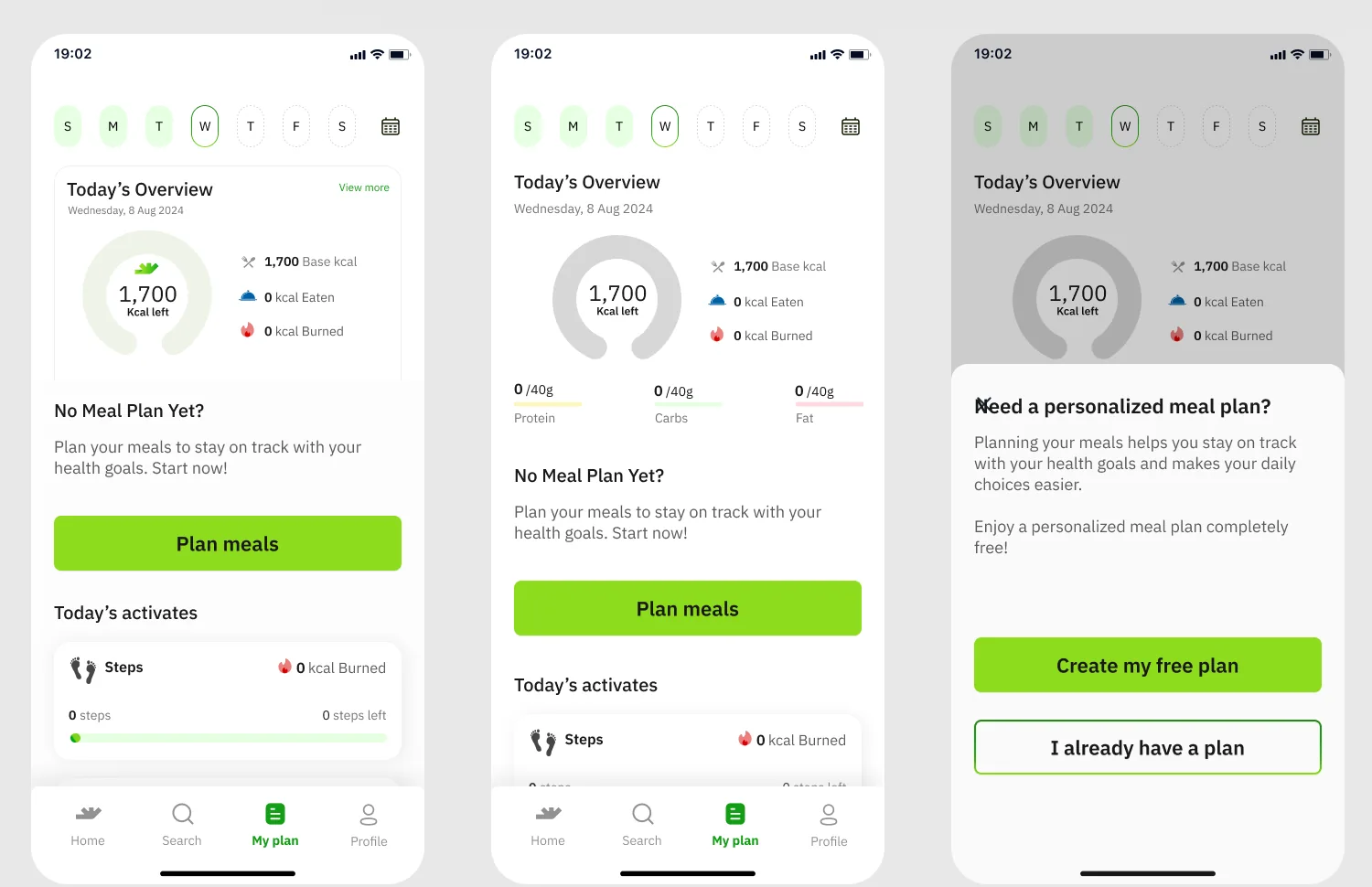
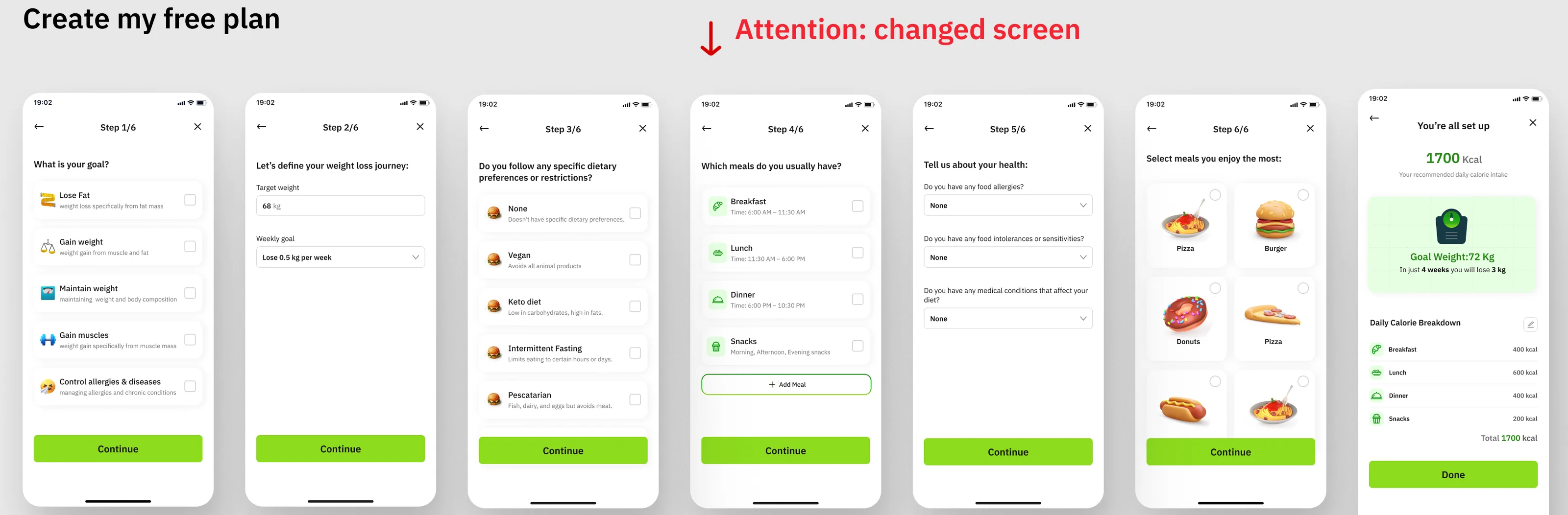
Create my free planMy plan: ‘No Meal Plan Yet?’ → bottom sheet ‘Need a personalized meal plan?’

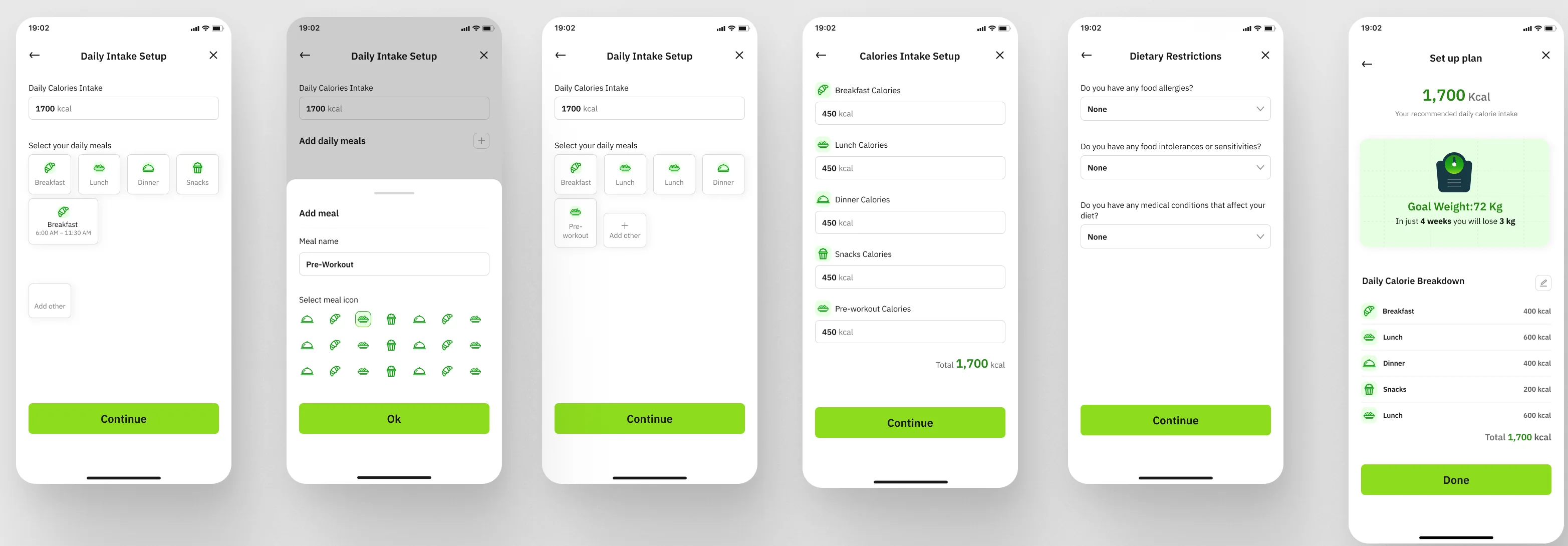
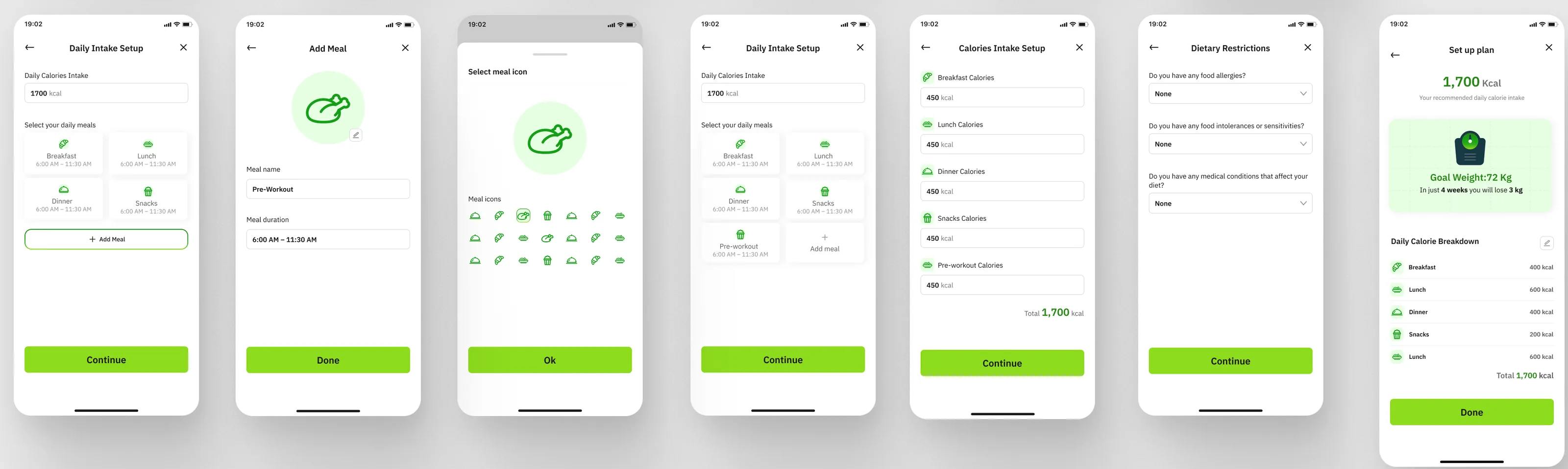
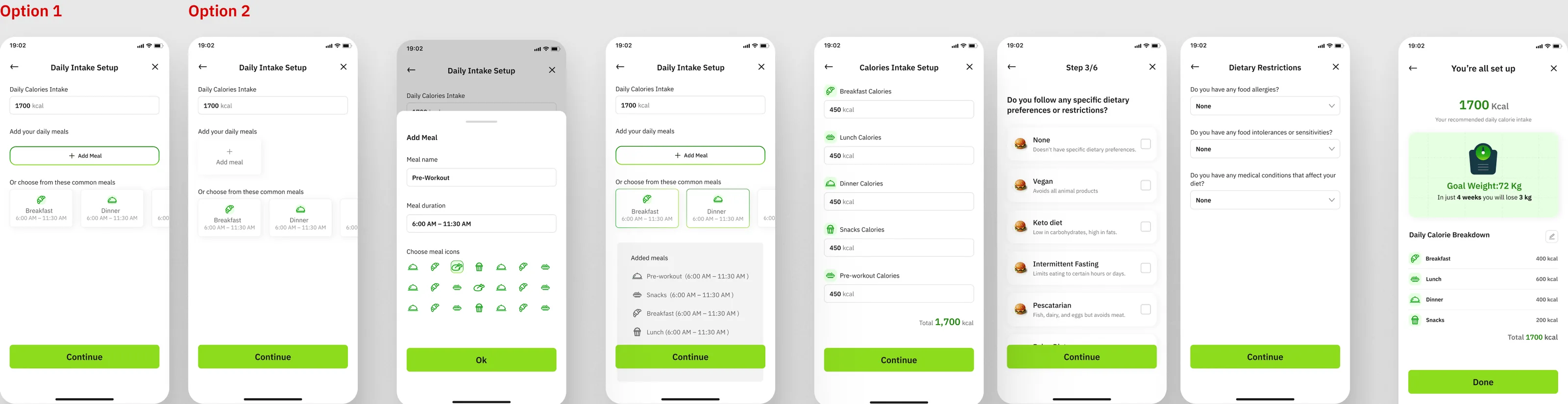
Or: I already have a plan: Daily Intake Setup (Option 1 / Option 2) → Add Meal → Calories Intake Setup → Step 3/6 diet → Dietary Restrictions

You’re all set up — 1700 Kcal · Goal Weight:72 Kg · Daily Calorie Breakdown · Done

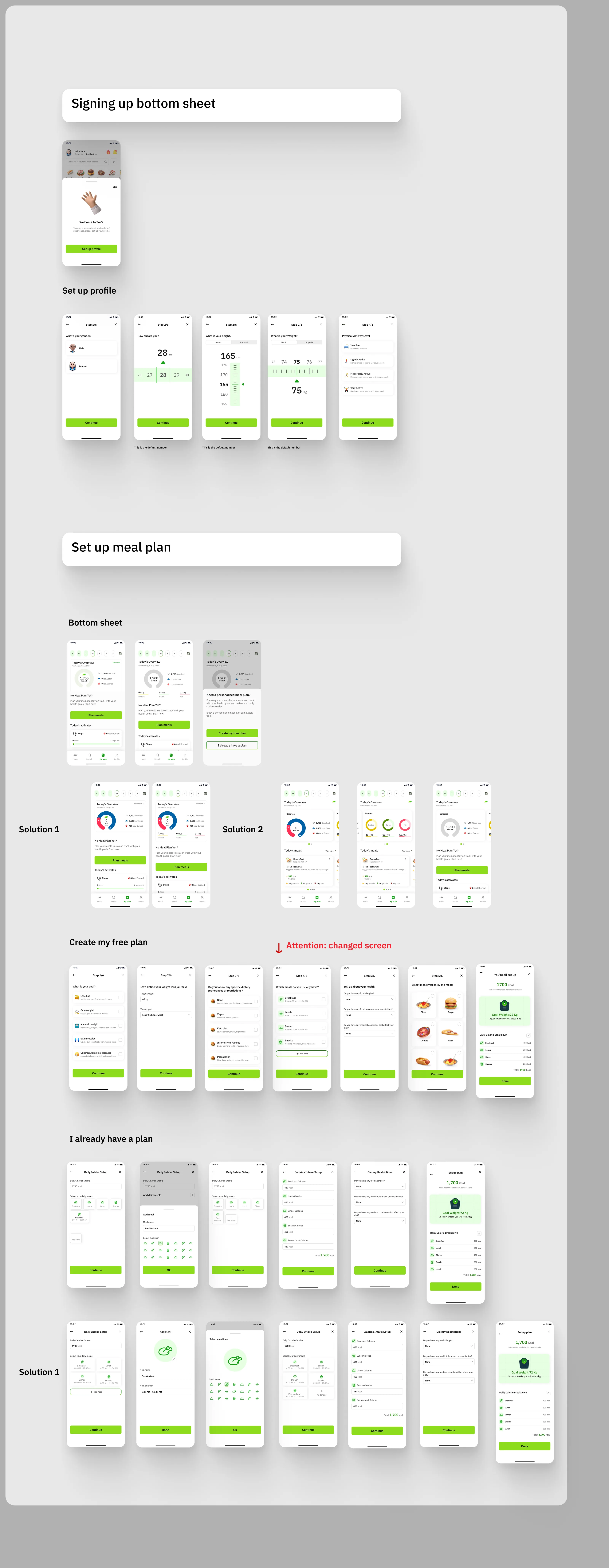
Past Version B

Two solutions for the plan overview

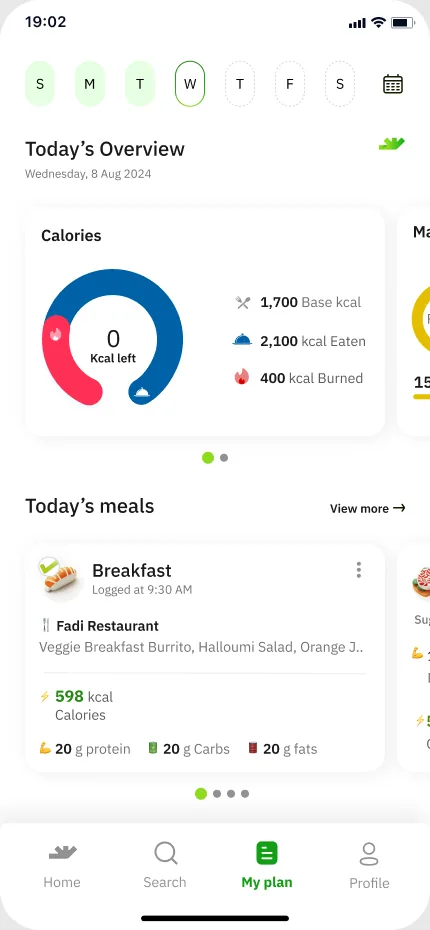
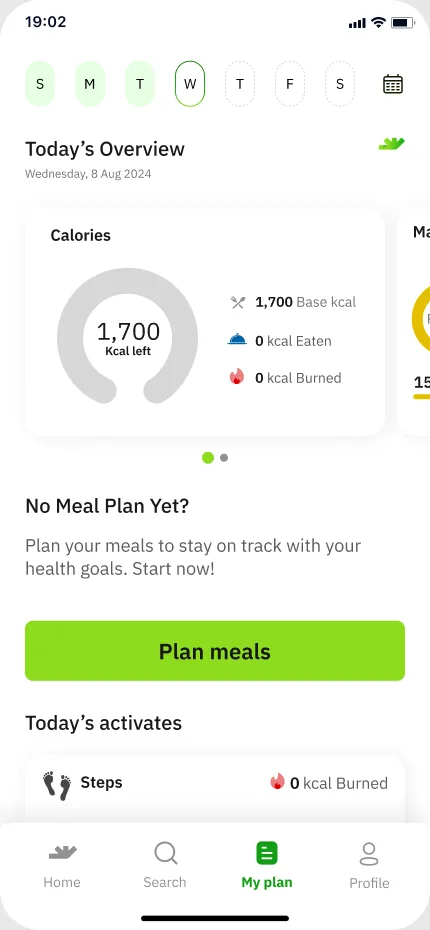
The board labels them ‘Solution 1’ and ‘Solution 2’ and does not mark one as chosen. The plan screen that followed is in My plan.

Solution 1

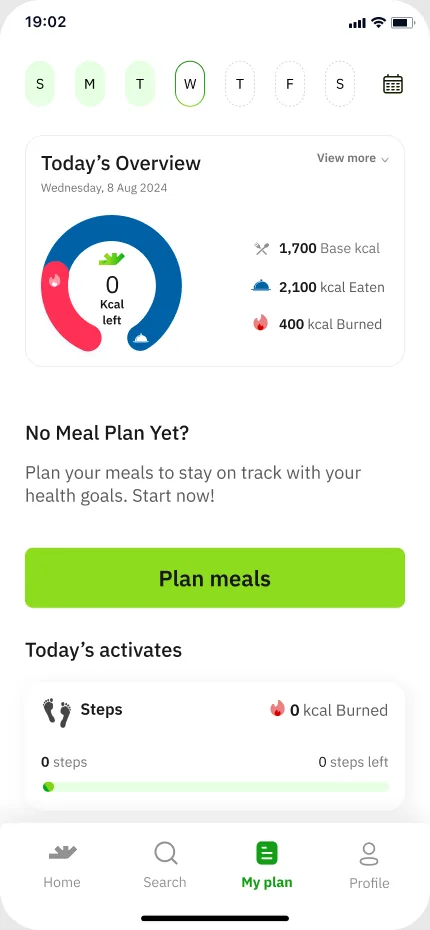
Plan screen v.2-overview 1
Plan screen v.2-overview 2

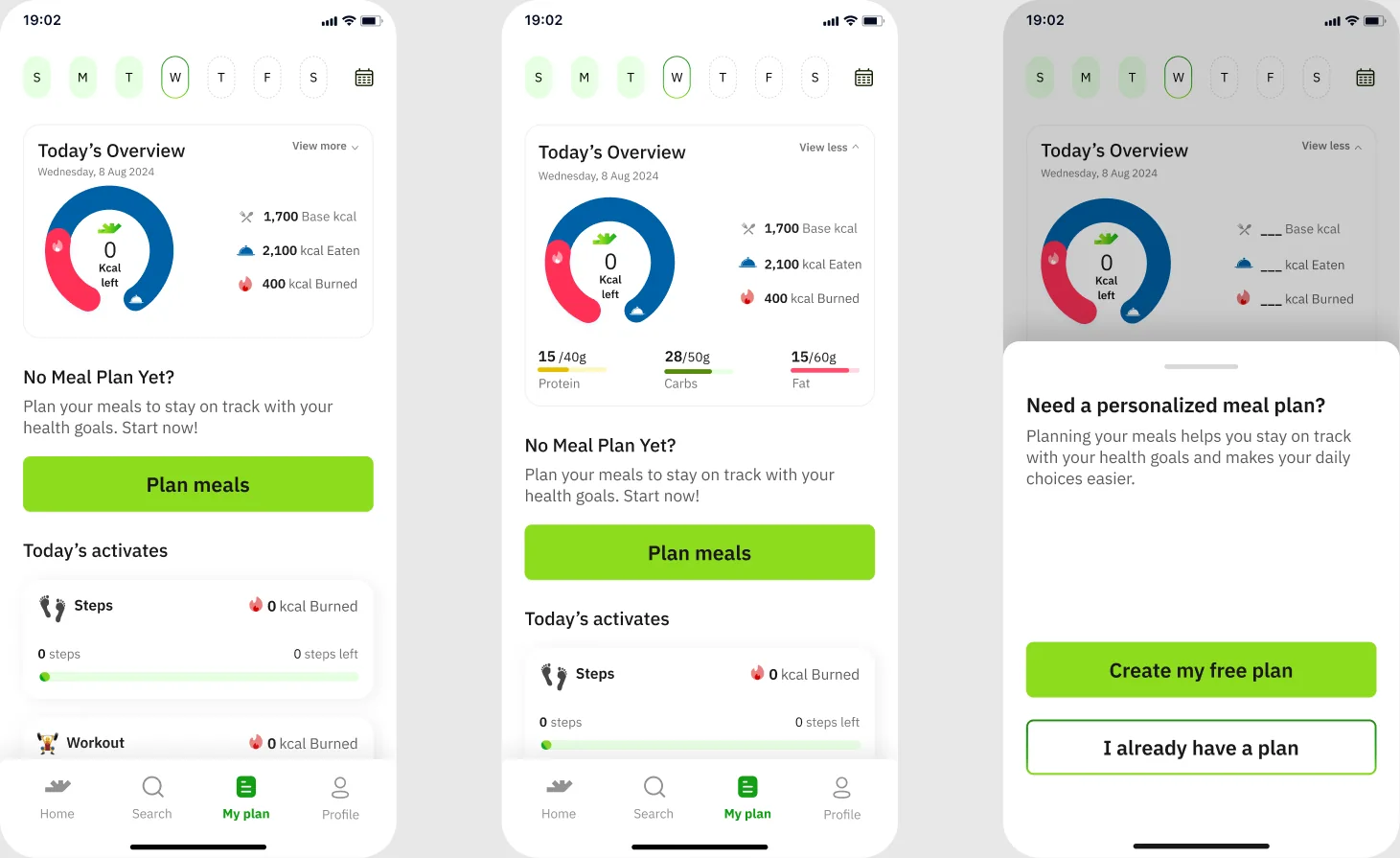
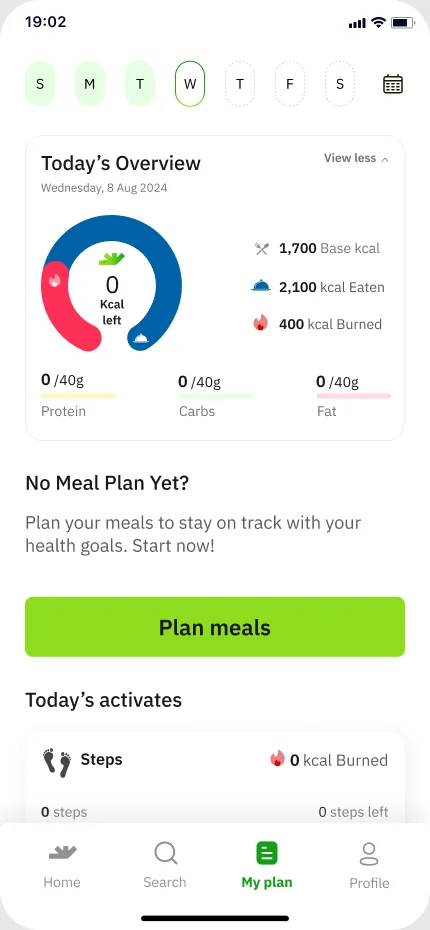
Frames ‘Plan screen v.2-overview 1’ and ‘Plan screen v.2-overview 2’: a single ring ‘0 Kcal left’ with 1,700 Base kcal / 2,100 kcal Eaten / 400 kcal Burned, ‘No Meal Plan Yet?’ and ‘Plan meals’.
Solution 2

Plan screen v.1-overview 1
Plan screen v.1-overview 2
Plan screen v.1-overview 3

Frames ‘Plan screen v.1-overview 1/2/3’: a swipeable card (Calories ring / Macros rings Protein · Carbs · Fat / 1,700 kcal ring) with Today’s meals or ‘No Meal Plan Yet?’.

Past Version → current

Every set-up row, before and after

Each strip is a row of screens from the boards; tap one to zoom and pan. Red lines are the team’s own notes on the canvas.
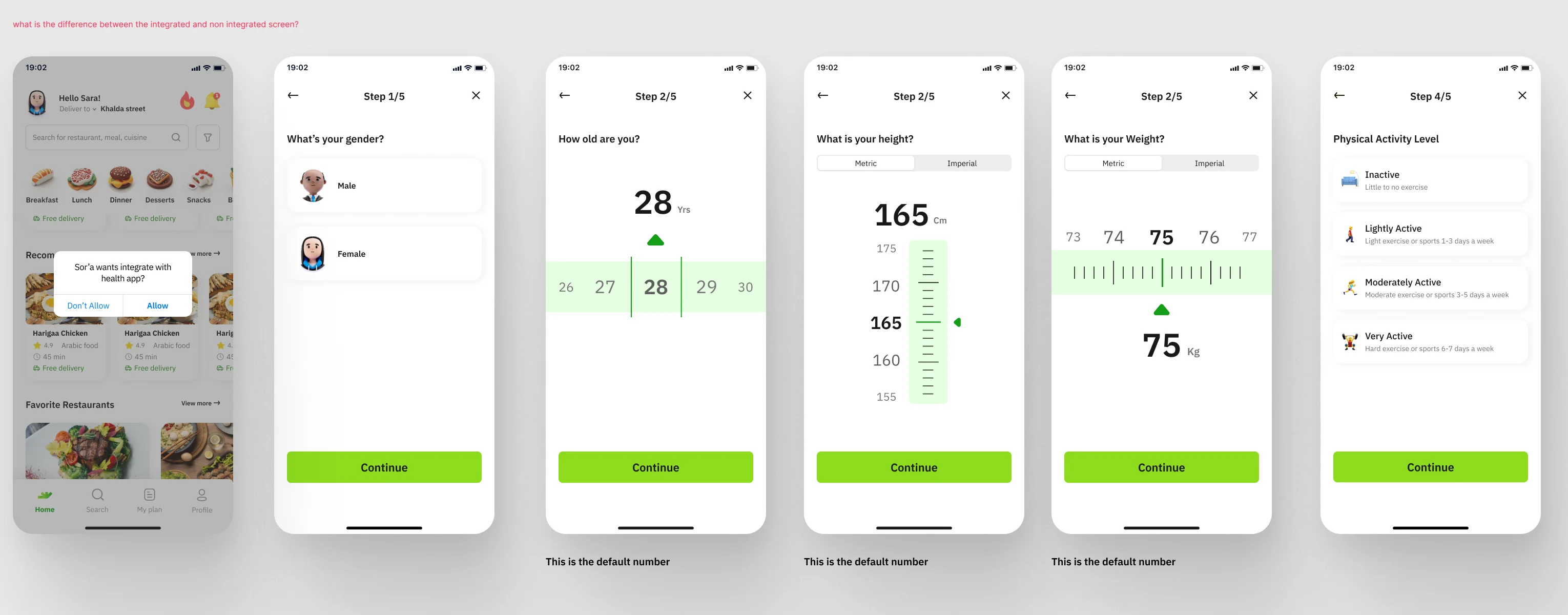
Set up profile

Past Version
Past A: integrated set-up (health-app permission over home, then Step 1/5 gender, 2/5 age, height, weight, 4/5 activity) with the red question about integrated vs non-integrated screens
Past A · integrated set-up

what is the difference between the integrated and non integrated screen?
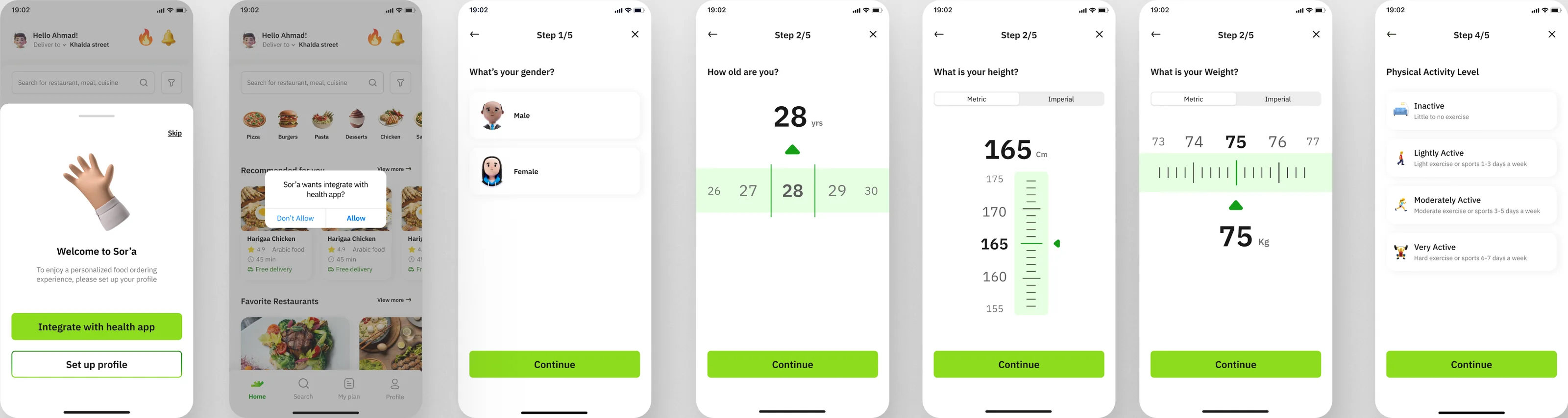
Current
Current: welcome bottom sheet, health-app permission and profile steps
Current · welcome sheet, health-app permission, profile steps

Set up meal plan · bottom sheet

Past Version
Past B: meal-plan bottom sheet (Create my free plan / I already have a plan)
Past B · meal-plan bottom sheet
Current
Current: My plan empty states and 'Need a personalized meal plan?' sheet
Current · My plan empty states and the sheet

Create my free plan

Past Version
Past B: 'Create my free plan' Step 1/6–6/6 and 'You're all set up', with the red flag 'Attention: changed screen' over Step 4/6
Past B · Step 1/6–6/6 with the red flag

Attention: changed screen

Current
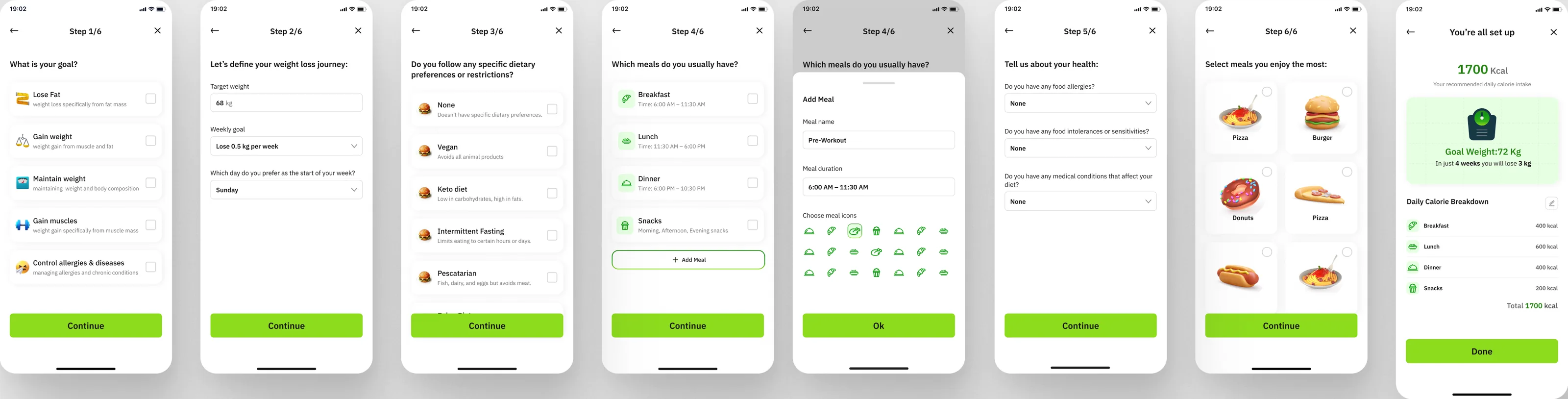
Current: Create my free plan Step 1/6–6/6 and You're all set up
Current · Step 1/6–6/6 and You’re all set up

I already have a plan

Past Version
Past B: 'I already have a plan' — Daily Intake Setup, Add meal sheet, Calories Intake Setup, Dietary Restrictions, Set up plan
Past B · I already have a plan
Past B: second 'Solution 1' row for 'I already have a plan'
Past B · second ‘Solution 1’ row
Current
Current: I already have a plan — Option 1 and Option 2 of Daily Intake Setup through You're all set up
Current · Option 1 and Option 2 of Daily Intake Setup

Option 1 · Option 2

Spacing rules

Vertical spacing, noted beside the Setup board

From the note beside the Setup board: “Between top (Status bar) and starting of element: 56: bold title …”

The boards
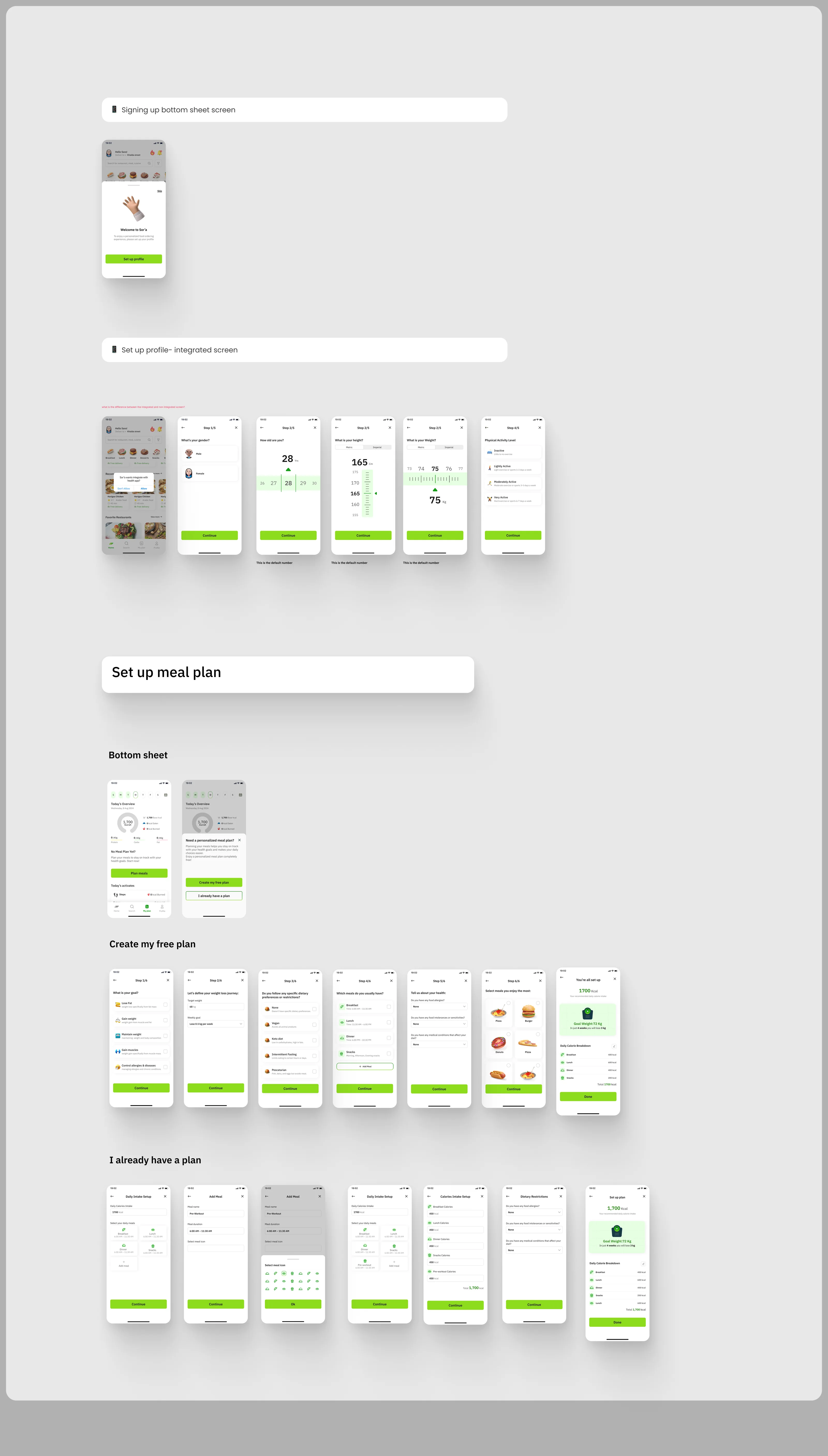
Past Version Setup board A
Past Version · Setup board A
Past Version Setup board B with Solution 1 / Solution 2 and 'Attention: changed screen'
Past Version · Setup board B
Current set-up board: Set up profile row, Set up meal plan row, Create my free plan row and I already have a plan row (Option 1 / Option 2)
Current · Setup board
Overview of the whole 'Past Version' section (30912 × 58112) on the Iterations page: Profile, Setup ×2, Home, Order Flow, Dark Mode ×2 and For Nour boards
The whole ‘Past Version’ section

05 · Home flow

From a placeholder to a real screen

The home board kept its structure from the Past Version to the current one. What changed, screen by screen:

Header (filled state)
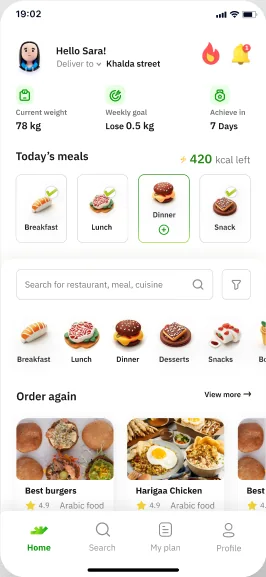
Past Version
Past: home filled state

Hello Sara! · ⚡420 kcal left (Dinner highlighted)
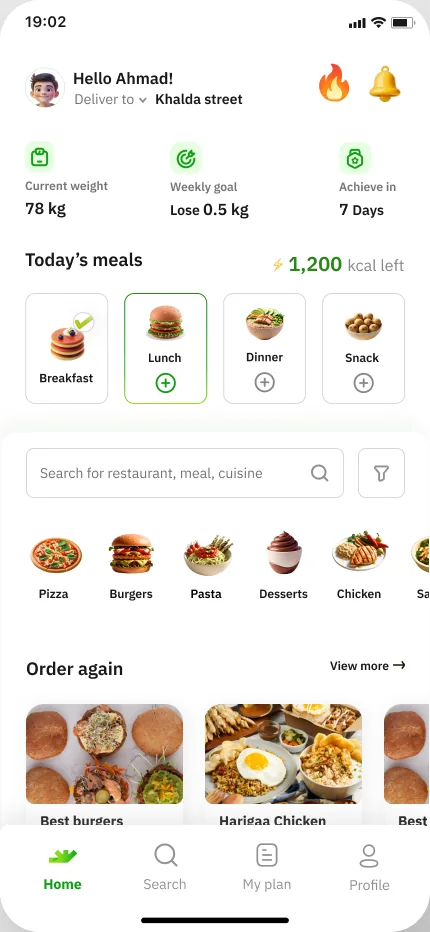
Current
Current: home filled state (1,200 kcal left)

Hello Ahmad! · ⚡1,200 kcal left (Lunch highlighted)

Clicking a checked meal card

Past Version

Placeholder frame ‘Meal card detailed’
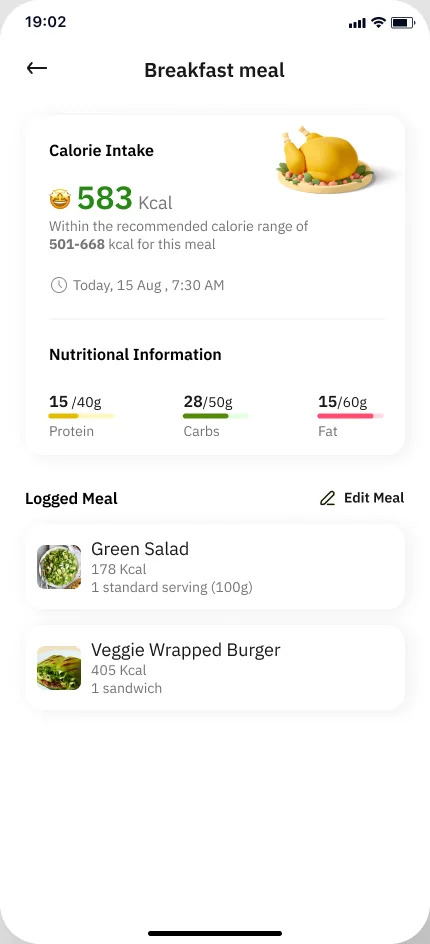
Current
Current: Breakfast meal detail

‘Breakfast meal’ detail: Calorie Intake 583 kcal, Nutritional Information, Logged Meal

Clicking a meal card
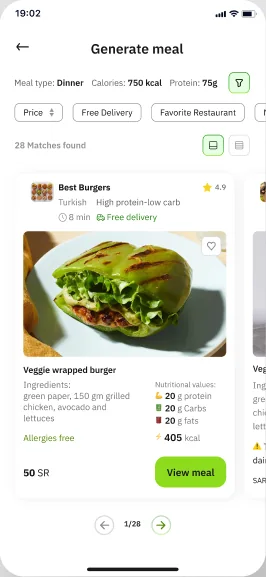
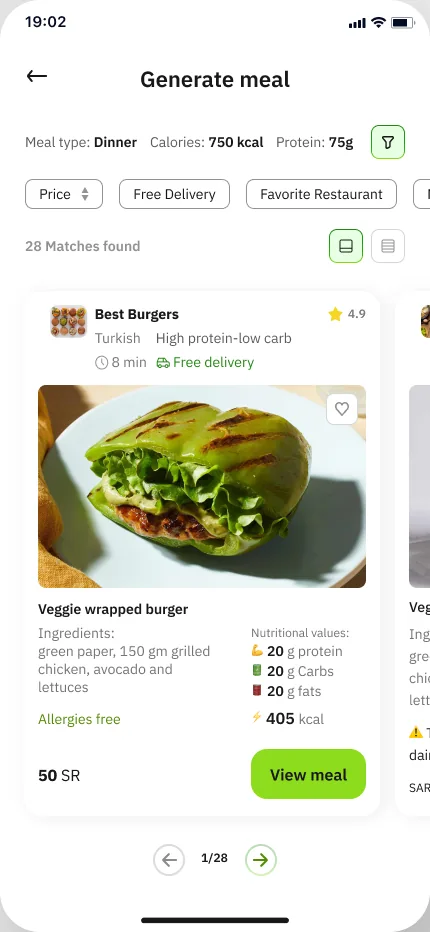
Past Version
Past: Generate meal

‘Generate meal’ screen

Current
Current: Generate meal

‘Generate meal’ screen

Categories row
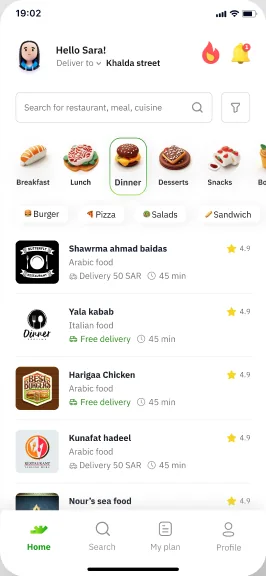
Past Version
Past: select category

Breakfast · Lunch · Dinner · Desserts · Snacks
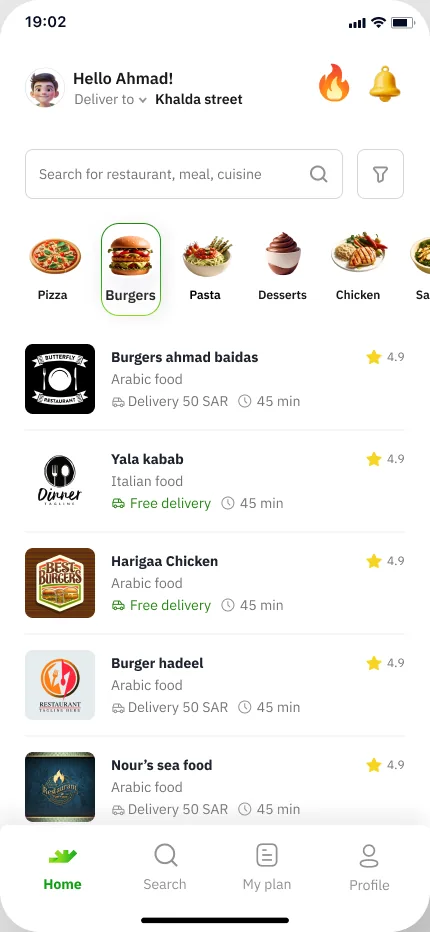
Current
Current: category selected (Burgers) with fixed header

Pizza · Burgers · Pasta · Desserts · Chicken

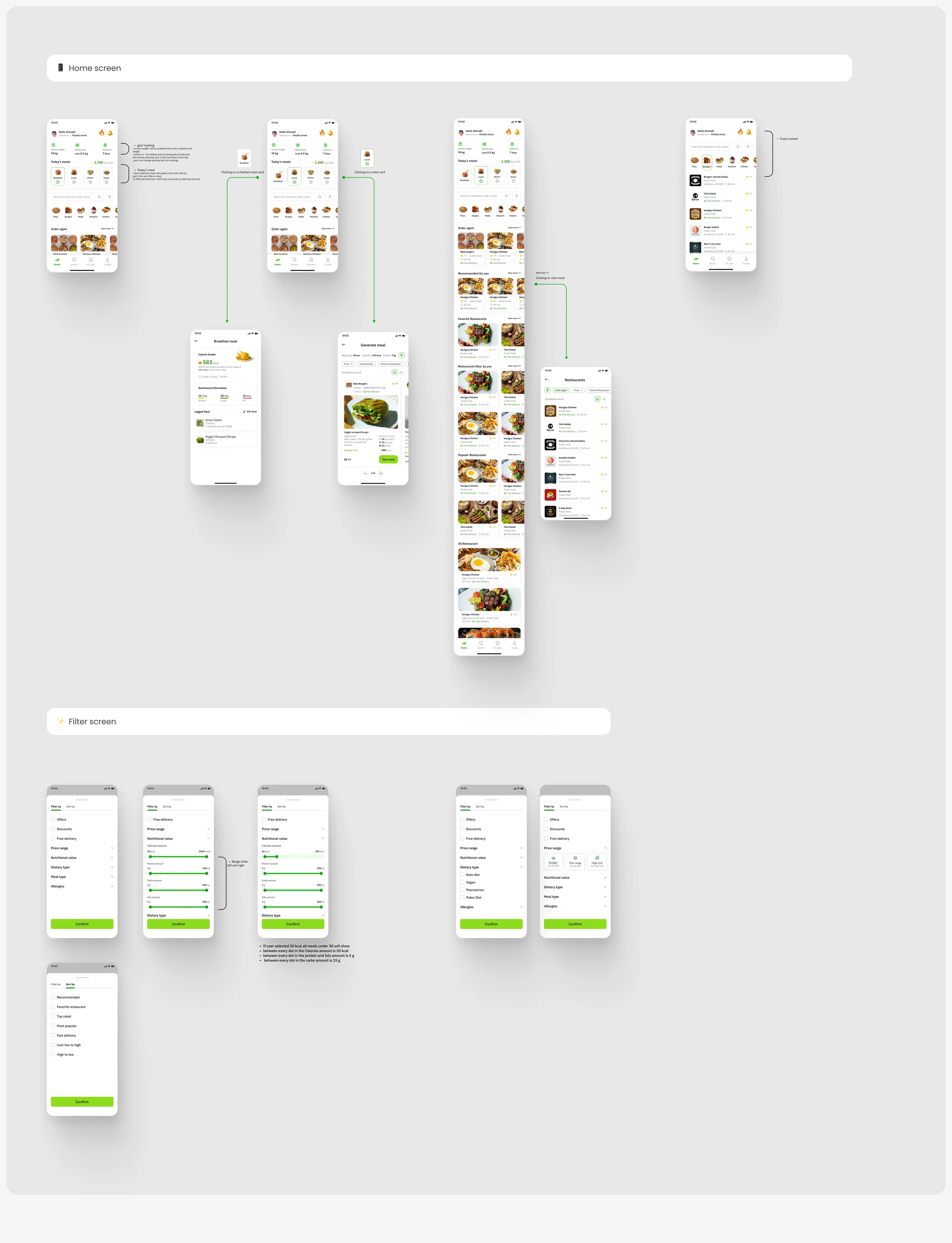
goal tracking

  • current weight: will be updated when users update their weight.
  • achieve in: the default will be starting day Sunday and the end day Saturday and it will count down every day, users can change starting day from settings.

Today’s meal

  • Users selected meals will appear here with calories
  • each time user fills a meal,

1,700kcal total500kcal meal1,200kcal left

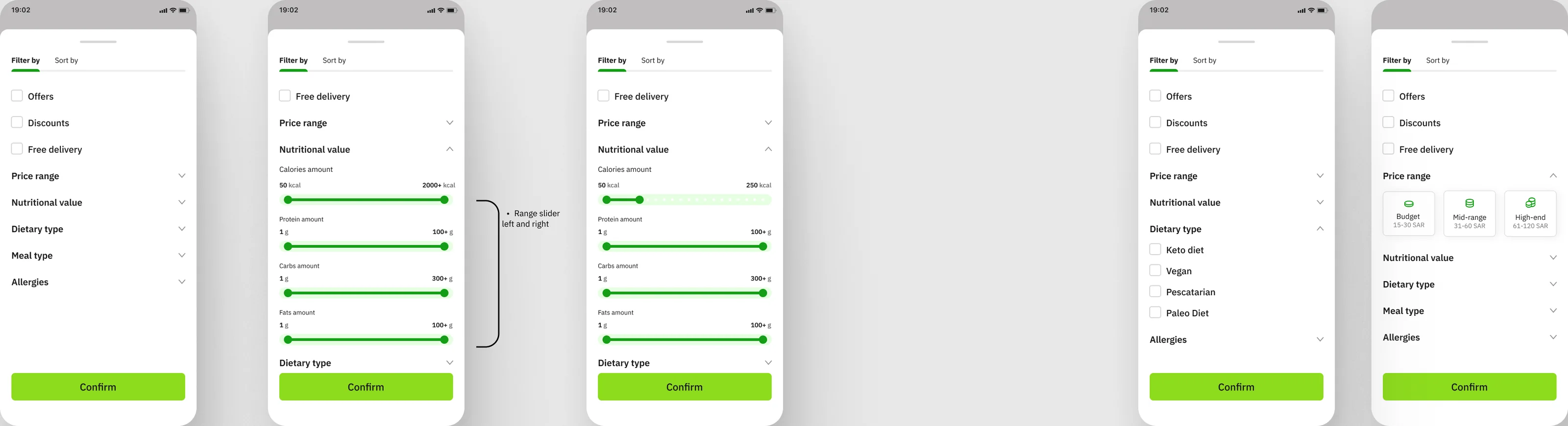
Filter · range slider rules

If user selected 50 kcal all meals under 50 will show

  • Calories50 kcal
  • Protein · fats5 g
  • Carbs15 g

Between every dot on each slider. Ranges as drawn on the Filter screen.

Past Version only · a question on the board

هل رح يقدر يعمل هاد الفلتر هون ولا بس بالميلز

(Arabic, translated: “Will he be able to use this filter here or only in the meals?”)

Interaction labels on the boardsClicking on a checked meal cardClicking on a meal cardClicking on view moreFixed contentRange slider left and right

The current home flow

Scroll inside the phone for the full home screen; drag the row for the rest.

Current: full home screen (Order again, Recommended for you, Favorite Restaurants, Restaurants Near by you, Popular Restaurants, All Restaurant)
Full home screen · scroll inside
Current: home empty state
Home · empty state
Current: home filled state (1,200 kcal left)
Home · filled state
Current: Breakfast meal detail
Breakfast meal
Current: Generate meal
Generate meal
Current: category selected (Burgers) with fixed header
Category selected · fixed header
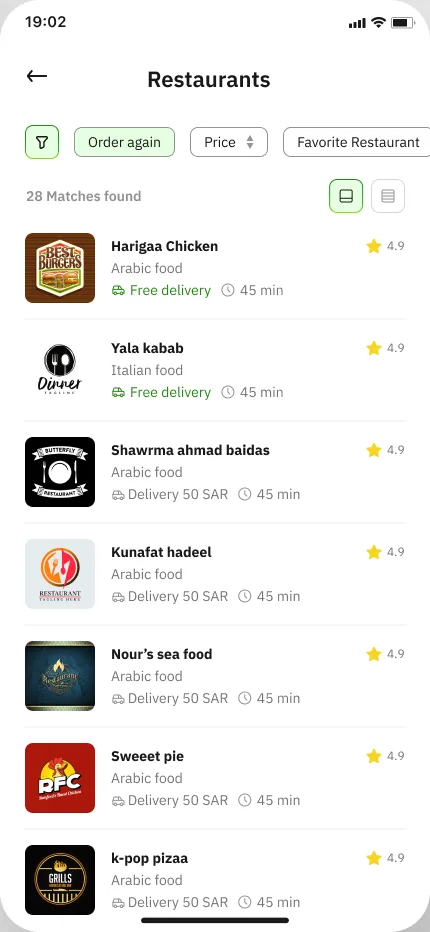
Current: Restaurants list after 'View more'
Restaurants · after ‘View more’
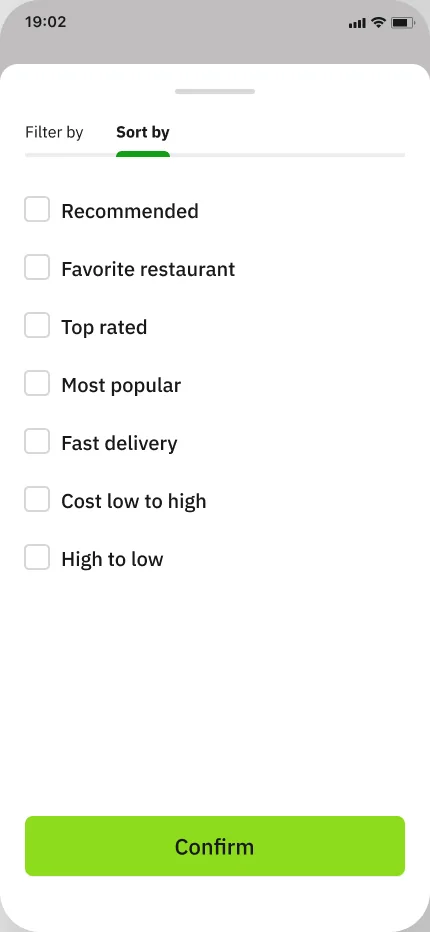
Current: Sort by
Sort by
Loose 'home empty state' frame (430 × 1328) on the Iterations page
Loose ‘home empty state’ frame
Current: Filter by — Price range, Nutritional value sliders, Dietary type
Filter screen · Price range, Nutritional value sliders, Dietary type
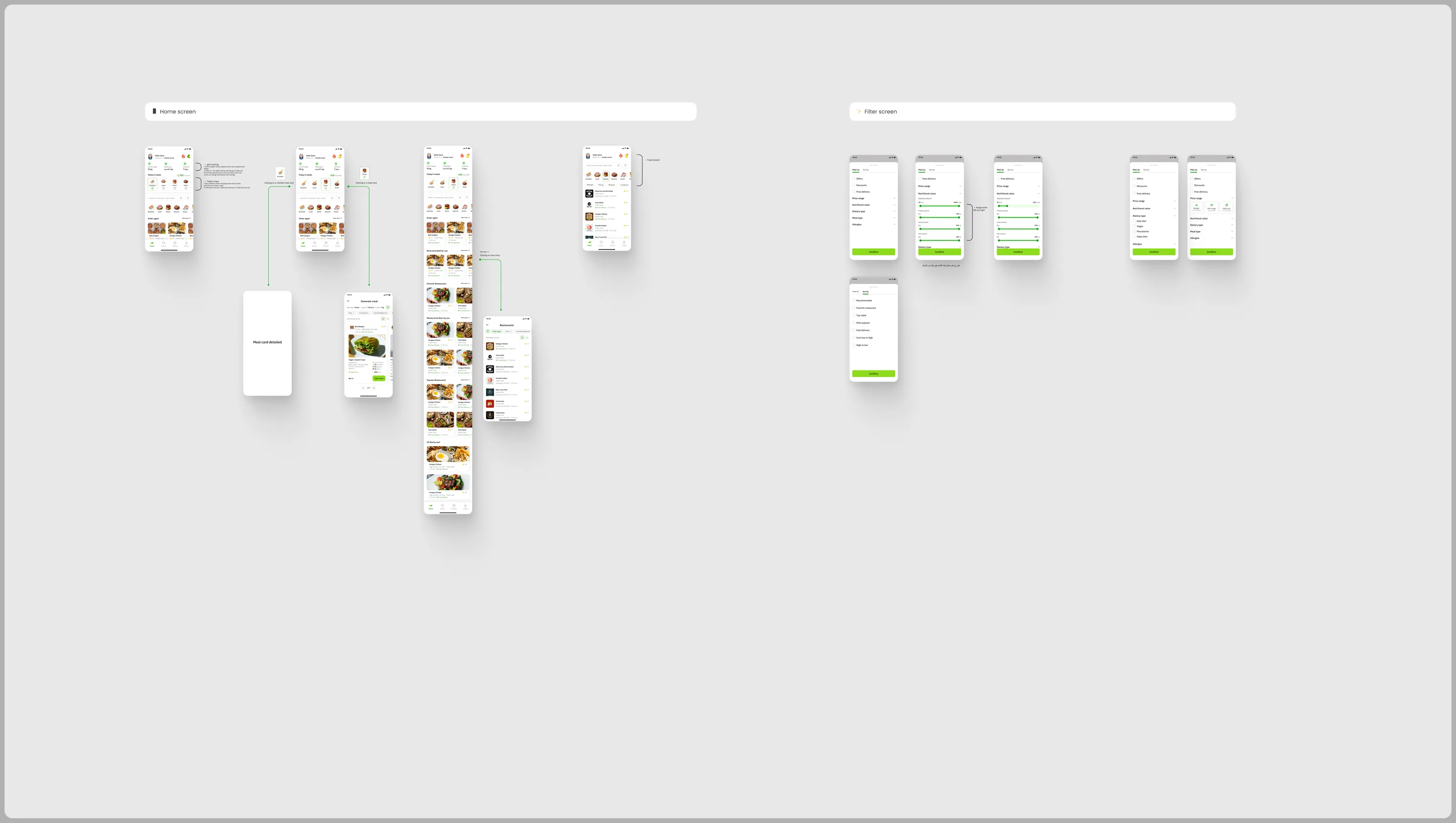
Past Version home board: home states, meal-card placeholder, Generate meal, full scroll, restaurants list and filter screens
Past Version · home board
Current home board: home states with annotations, Breakfast meal detail, Generate meal, full scrolling home, restaurants list, filter and sort screens
Current · home board

06 · My plan

Four versions of My plan

From two competing overviews on the Past Version board to one overview with a week strip, macro bars and order-from-plan meal cards, then a screen marked ‘My plan screen edited’.
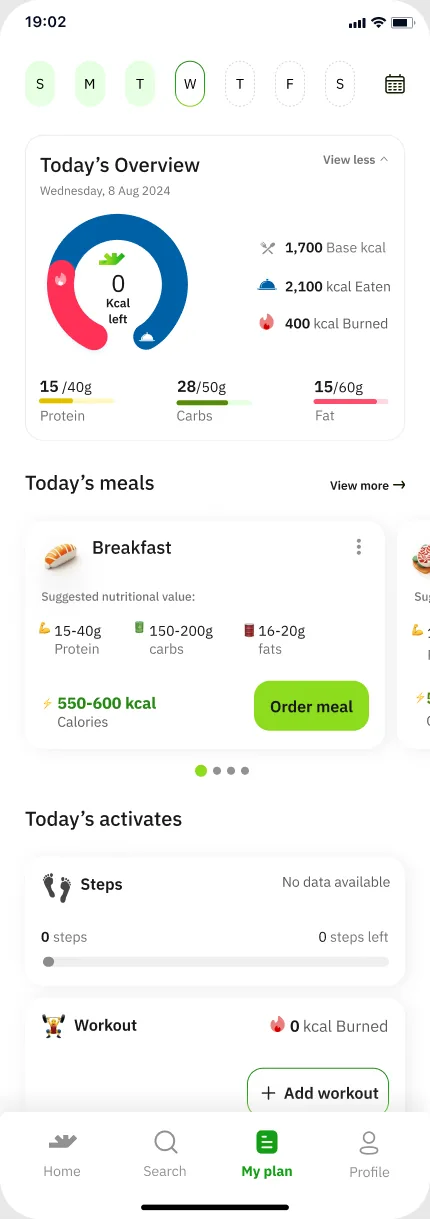
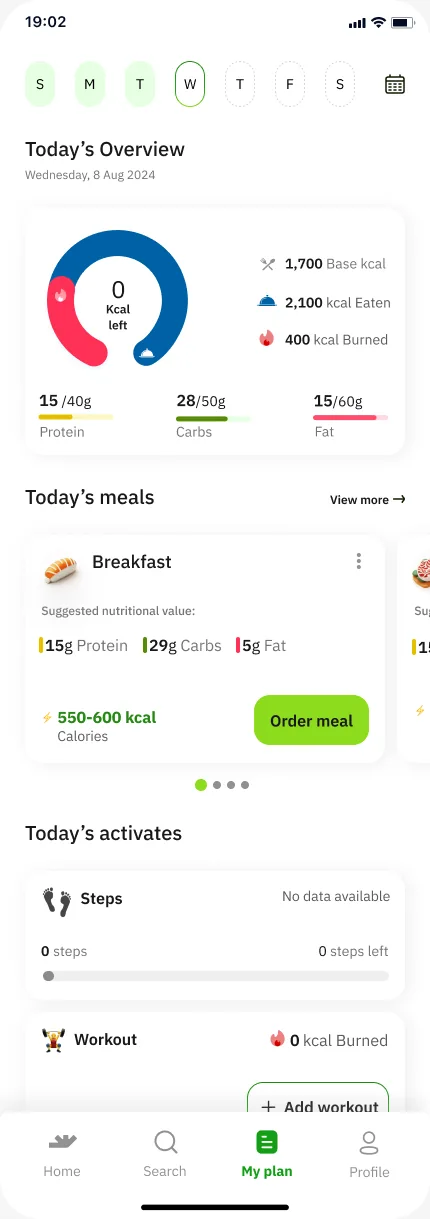
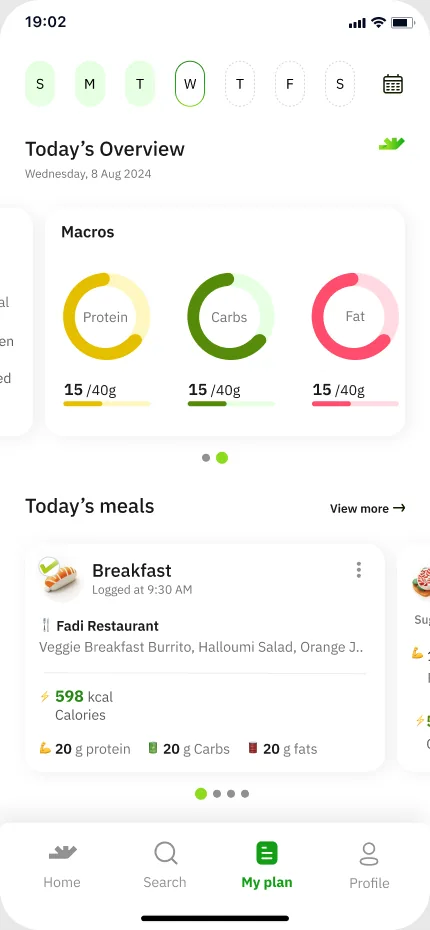
My plan · Plan screen v.2-overview 1My plan · Plan screen v.1-overview 1My plan · Plan screen (current)My plan · My plan screen edited

Scroll inside the phone

Version 1 of 4

Past Version, ‘Solution 1’: ring + No Meal Plan Yet? + Plan meals + Today’s activates.

Past Version, ‘Solution 2’: swipeable Calories / Macros card with Today’s meals.

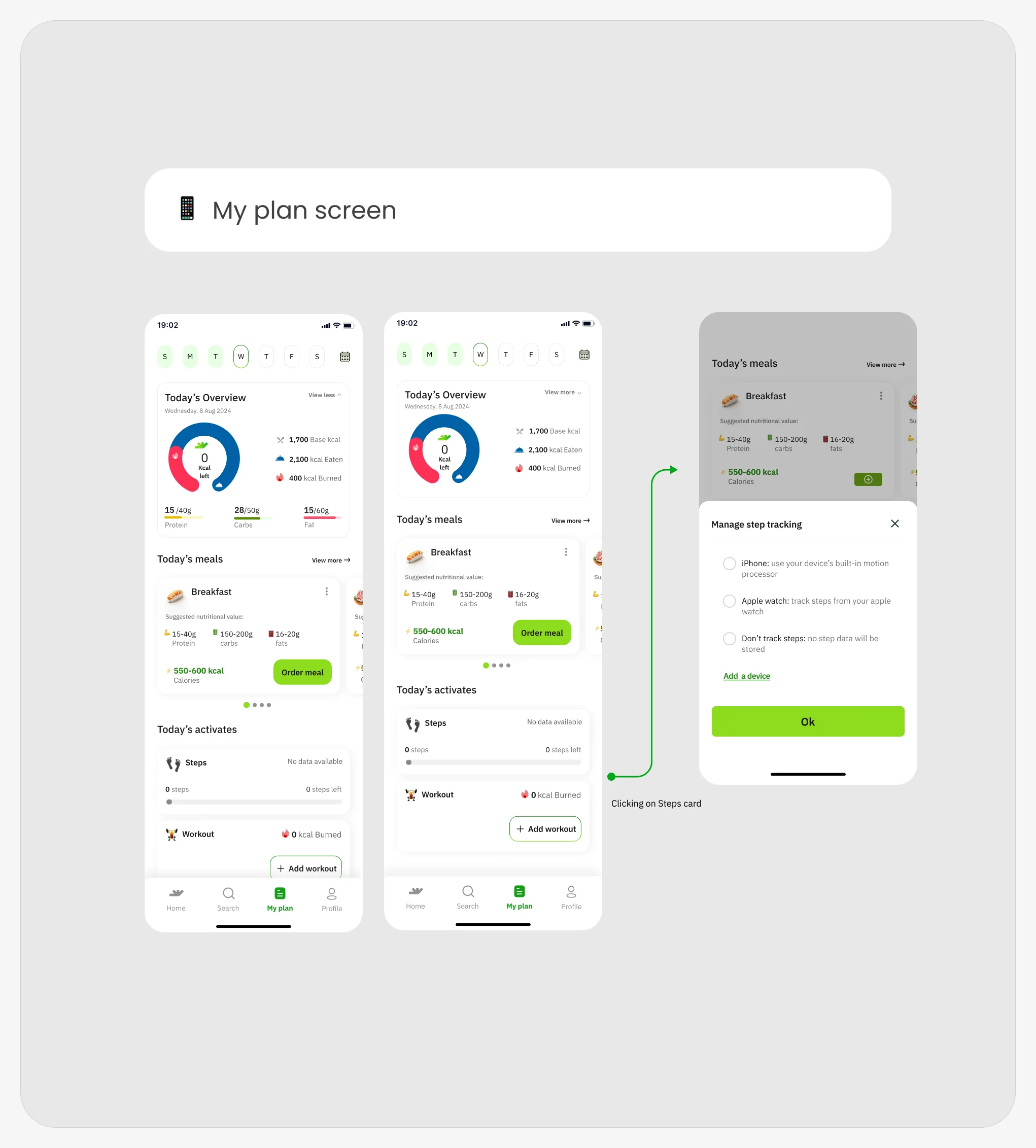
Week strip (S M T W T F S), Today’s Overview (Wednesday, 8 Aug 2024) ring with 1,700 Base kcal / 2,100 kcal Eaten / 400 kcal Burned, macro bars, Today’s meals cards with suggested nutritional value and Order meal, Today’s activates (Steps, Workout + Add workout).

Same structure; Breakfast card shows ‘Suggested nutritional value’ 15g Protein · 29g Carbs · 5g Fat and 550-600 kcal with Order meal.
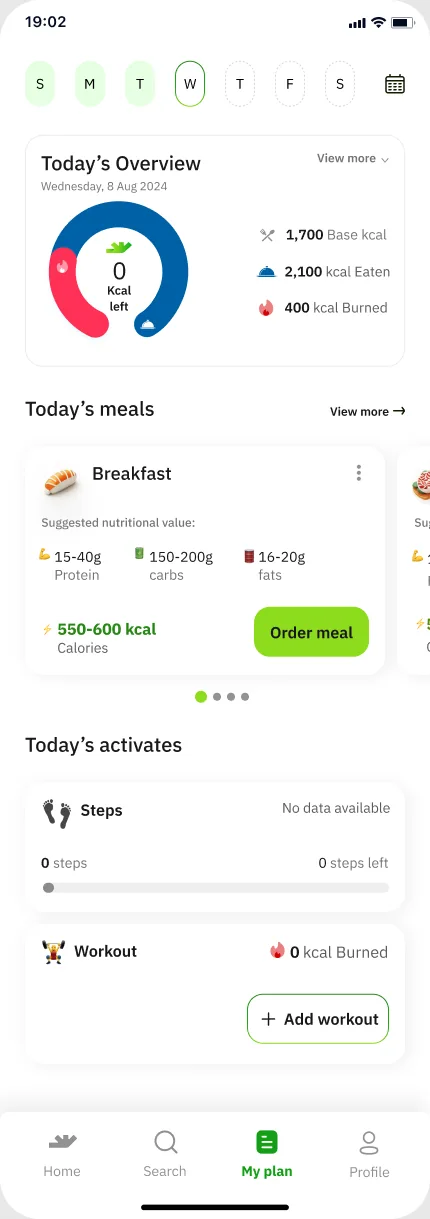
Current Plan screen B
Plan screen
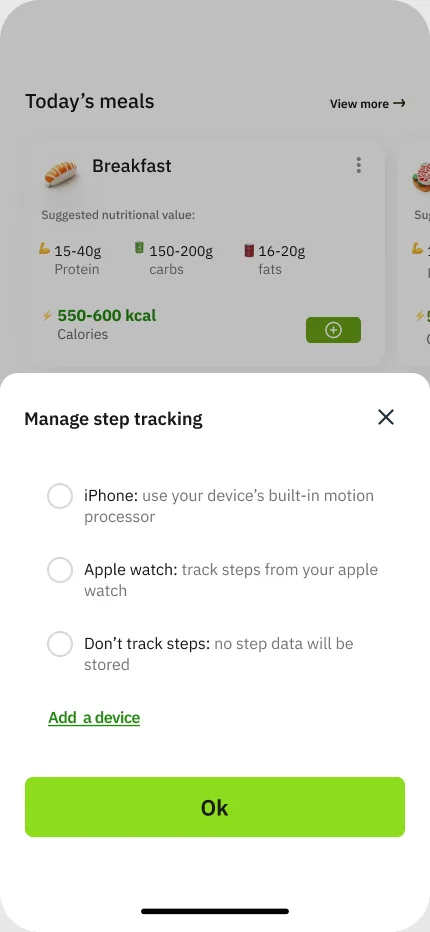
Manage step tracking bottom sheet
Manage step tracking

Manage step tracking

  • iPhone: use your device's built-in motion processor
  • Apple watch: track steps from your apple watch
  • Don't track steps: no step data will be stored
  • Add a device
  • Ok
My plan board: two plan screens and the Manage step tracking sheet opened from the Steps card
My plan board
My plan screen edited

Notifications & streak

Notifications and a streak

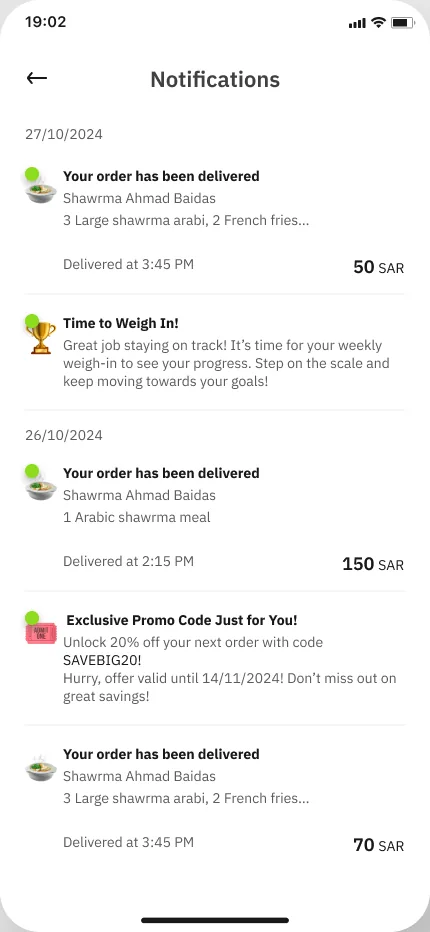
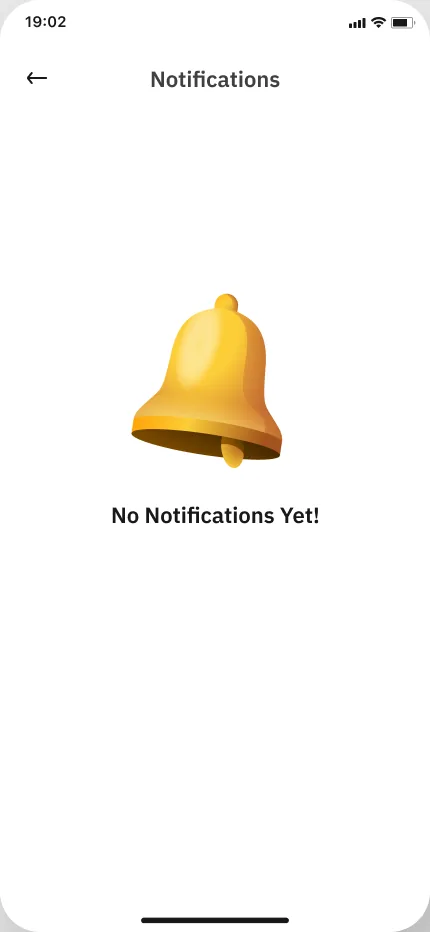
Notifications list
Notifications
No Notifications Yet!
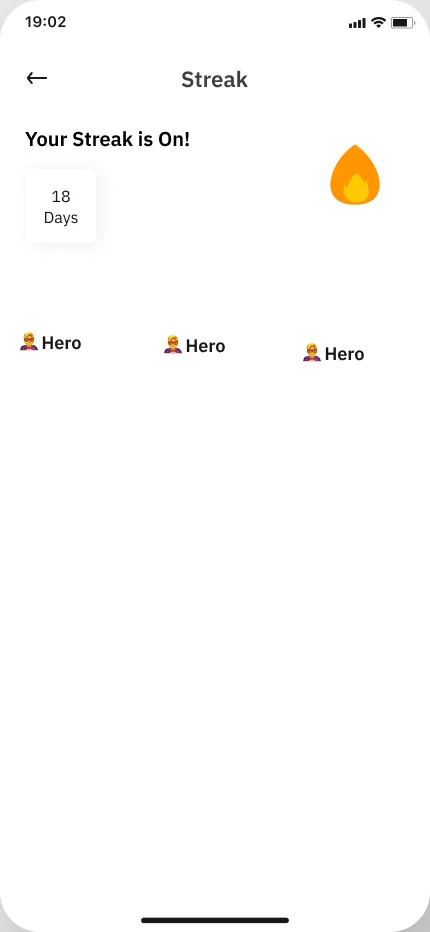
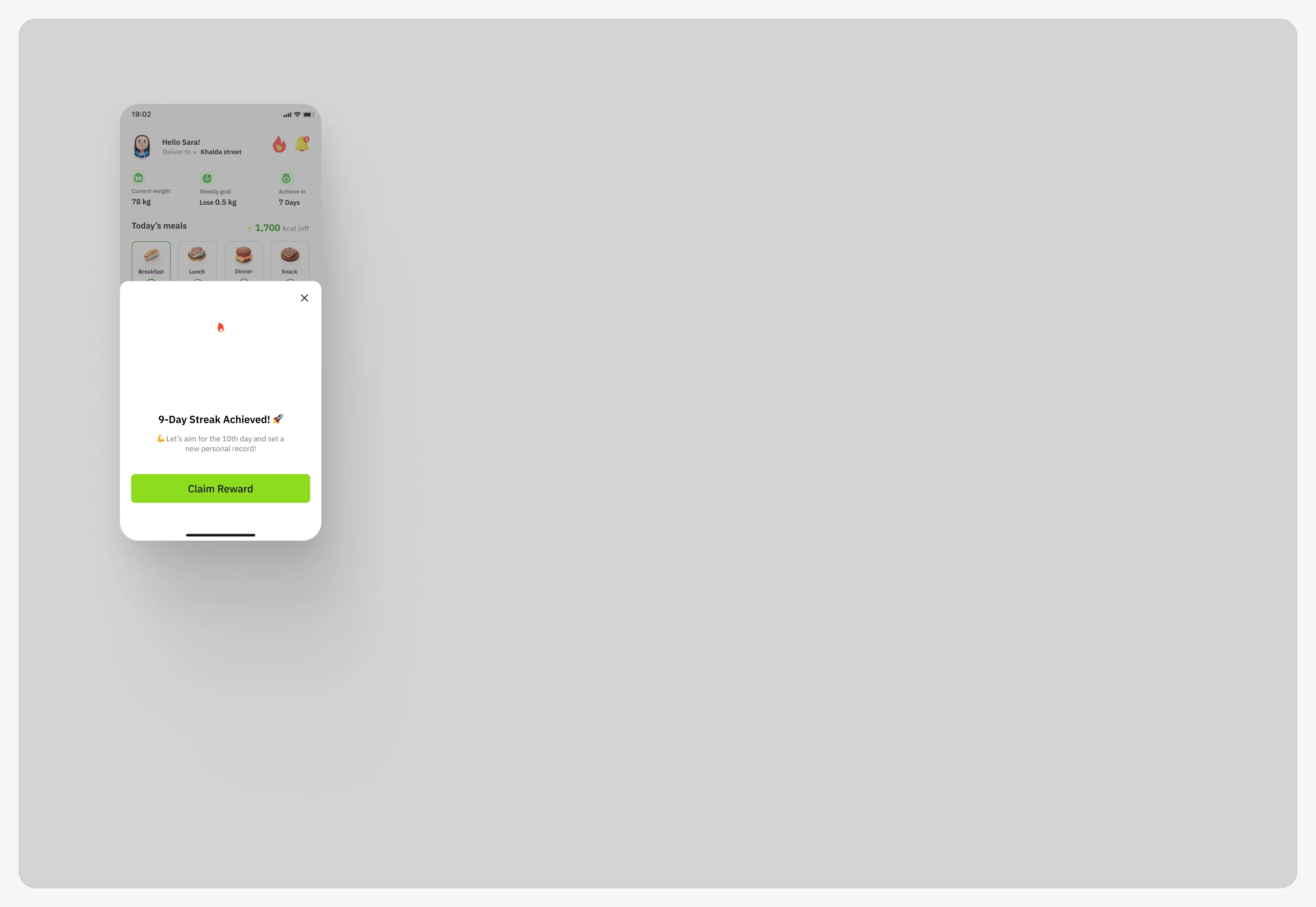
Streak screen: Your Streak is On!
Your Streak is On!

Notifications list: Your order has been delivered · Time to Weigh In! · Exclusive Promo Code Just for You! (dated 27/10/2024 and 26/10/2024 in the mock); empty state ‘No Notifications Yet!’.
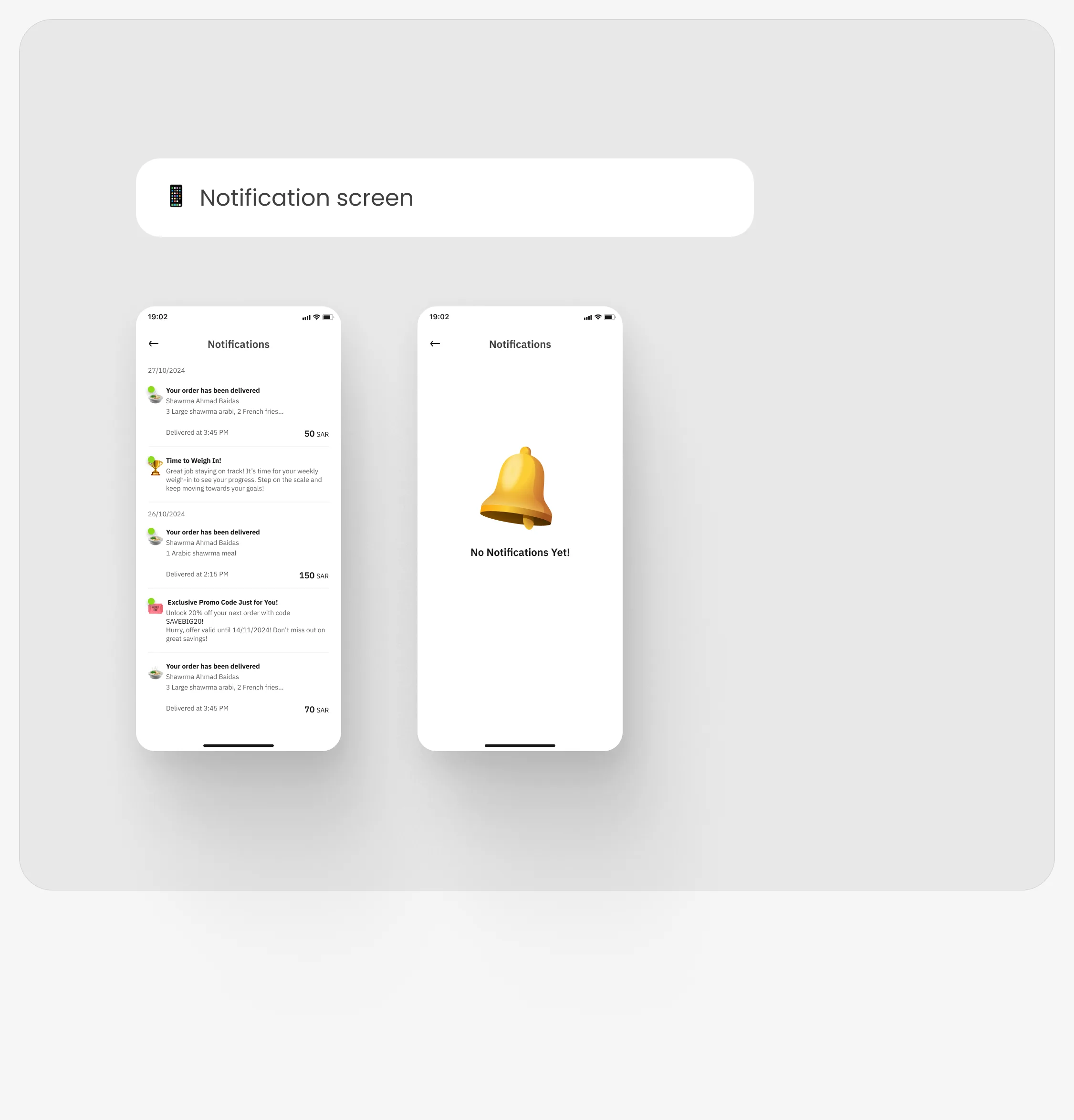
Notification board: notifications list and empty state
Notification board
Streak section: 'GIF' frame with the 9-Day Streak Achieved sheet
Streak · the frame named ‘GIF’ (a still frame)

08 · Profile

A new IA for the profile

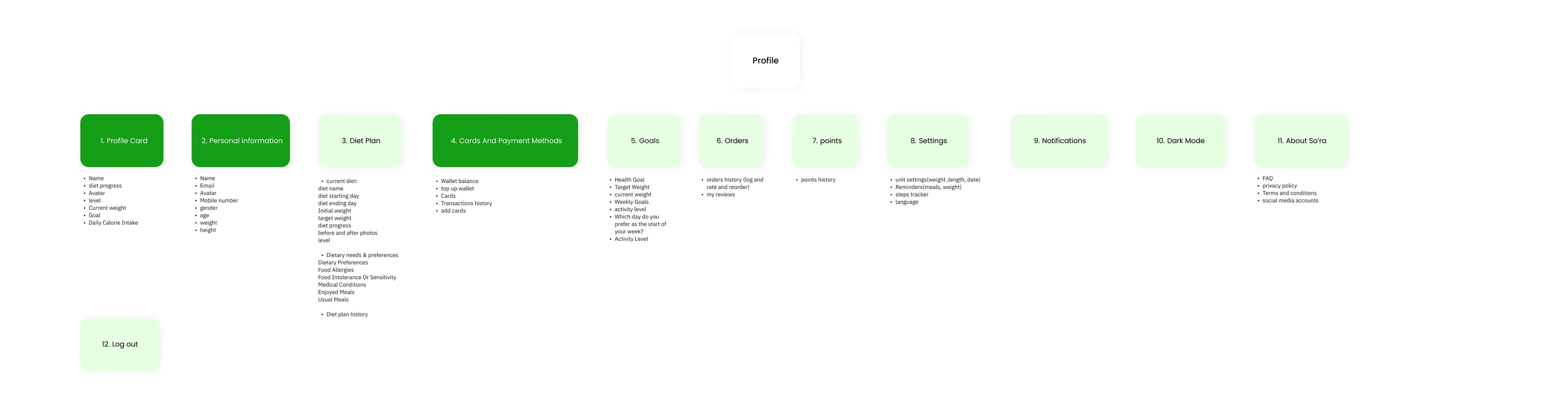
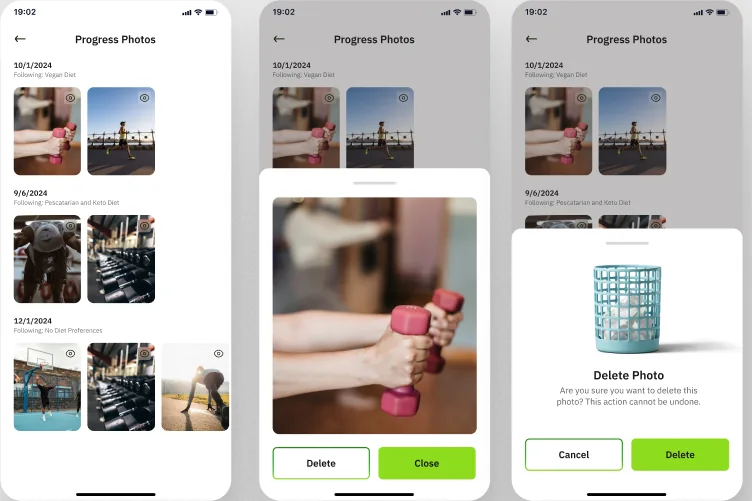
The Past Version boards hold a ‘New IA’ for the profile: twelve numbered groups. The current board regroups diet into a Diet Overview hub with progress photos and history.

  1. 1. Profile Card

    • Name
    • diet progress
    • Avatar
    • level
    • Current weight
    • Goal
    • Daily Calorie Intake
  2. 2. Personal information

    • Name
    • Email
    • Avatar
    • Mobile number
    • gender
    • age
    • weight
    • height
  3. 3. Diet Plan

    • current diet:
      • diet name
      • diet starting day
      • diet ending day
      • Initial weight
      • target weight
      • diet progress
      • before and after photos
      • level
    • Dietary needs & preferences
      • Dietary Preferences
      • Food Allergies
      • Food Intolerance Or Sensitivity
      • Medical Conditions
      • Enjoyed Meals
      • Usual Meals
    • Diet plan history
  4. 4. Cards And Payment Methods

    • Wallet balance
    • top up wallet
    • Cards
    • Transactions history
    • add cards
  5. 5. Goals

    • Health Goal
    • Target Weight
    • current weight
    • Weekly Goals
    • activity level
    • Which day do you prefer as the start of your week?
    • Activity Level
  6. 6. Orders

    • orders history (log and rate and reorder)
    • my reviews
  7. 7. points

    • points history
  8. 8. Settings

    • unit settings (weight, length, date)
    • Reminders (meals, weight)
    • steps tracker
    • language
  9. 9. Notifications

  10. 10. Dark Mode

  11. 11. About So’rah

    • FAQ
    • privacy policy
    • Terms and conditions
    • social media accounts
  12. 12. Log out

Labels on the current board

Point at a label to find its group in the New IA (matched by name).

Profile levels · Past Version text

Five levels, from Beginner to Legend

The level is part of the profile card (group 1) and the diet plan (group 3). Pick a level.
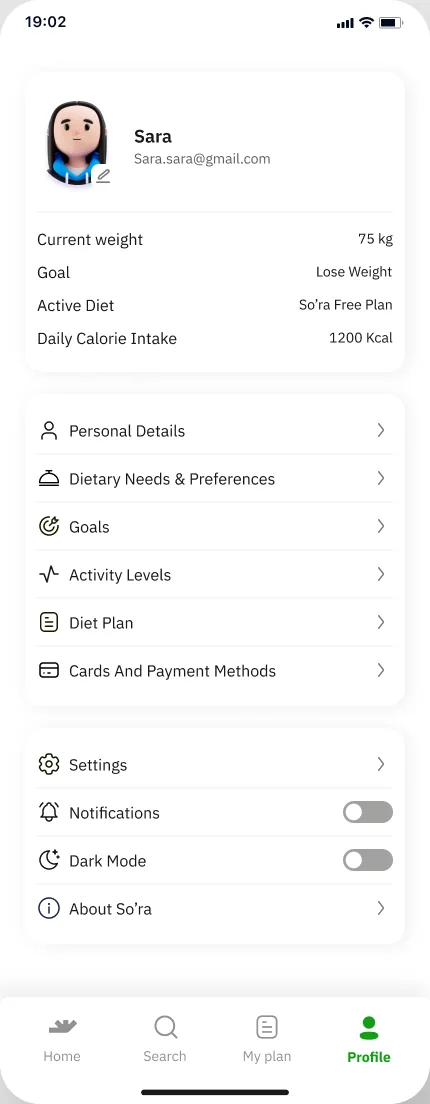
Past: Profile screen
Past Version · board A
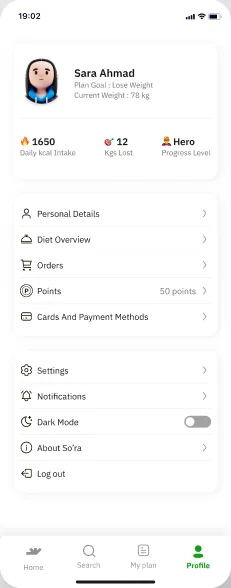
Past (board B): Profile screen
Past Version · board B
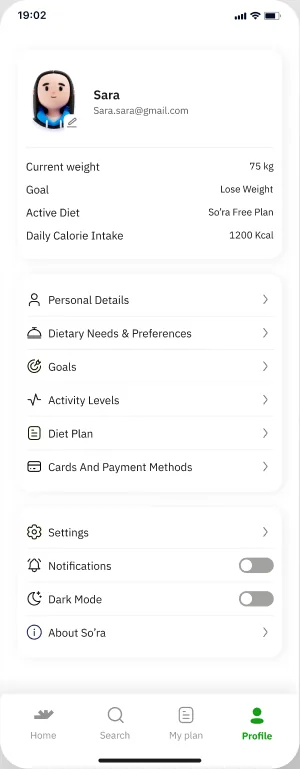
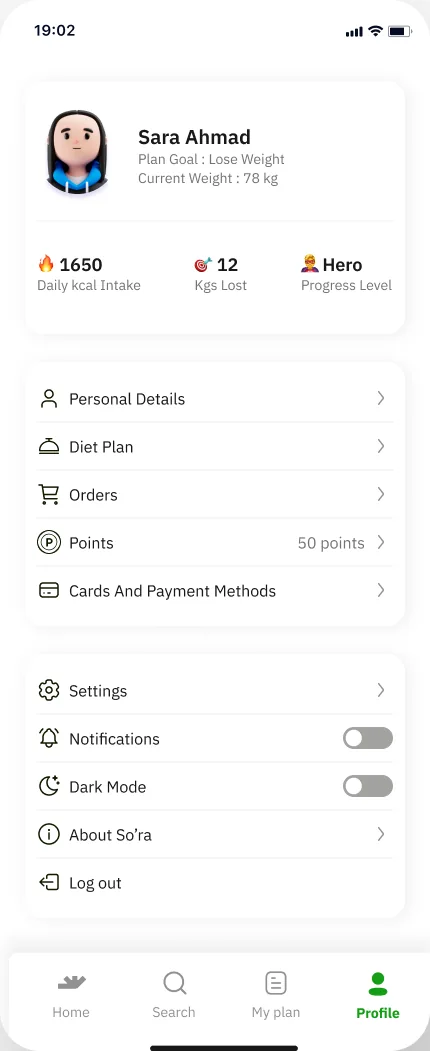
Current: Profile screen (low-res crop)
Current board
Loose 'Profile' frame next to the Notification sections
Profile frame beside the Notification boards

What changed

AreaPast VersionCurrent
DietDiet Plan screens + Set Up Profile 7–12 / 01–06 re-used inside profileDiet Overview hub branching to Progress photos, Dietary needs & preferences, Diet Type History and Diet Plan
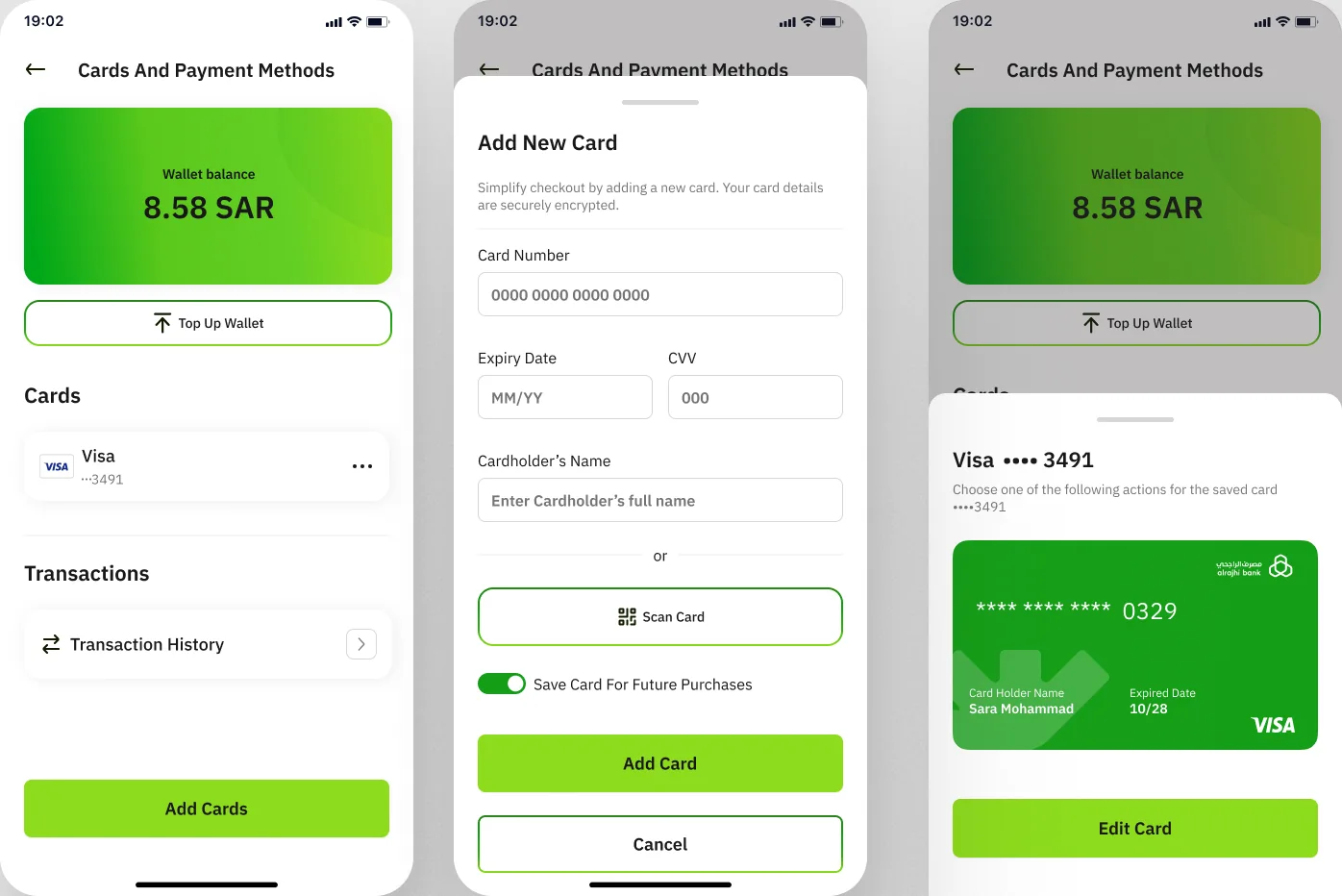
Other areasLoose frames Goals, Settings, Notification, Orders, Profile, Dietary, Diet Plan beside the New IAOrders + Order History, Cards and payment + Transaction, Notification, Points, Goals, Settings, About So’rah (About, FAQ, Privacy policy)
Personal detailsPersonal, Age, Gender, Height, WeightPersonal, Age, Gender, Height, Weight (same pickers)
Profile 'New IA': twelve numbered green boxes (Profile Card … Log out) with bullet lists; 1, 2 and 4 in dark green
Profile · ‘New IA’ (Past Version)
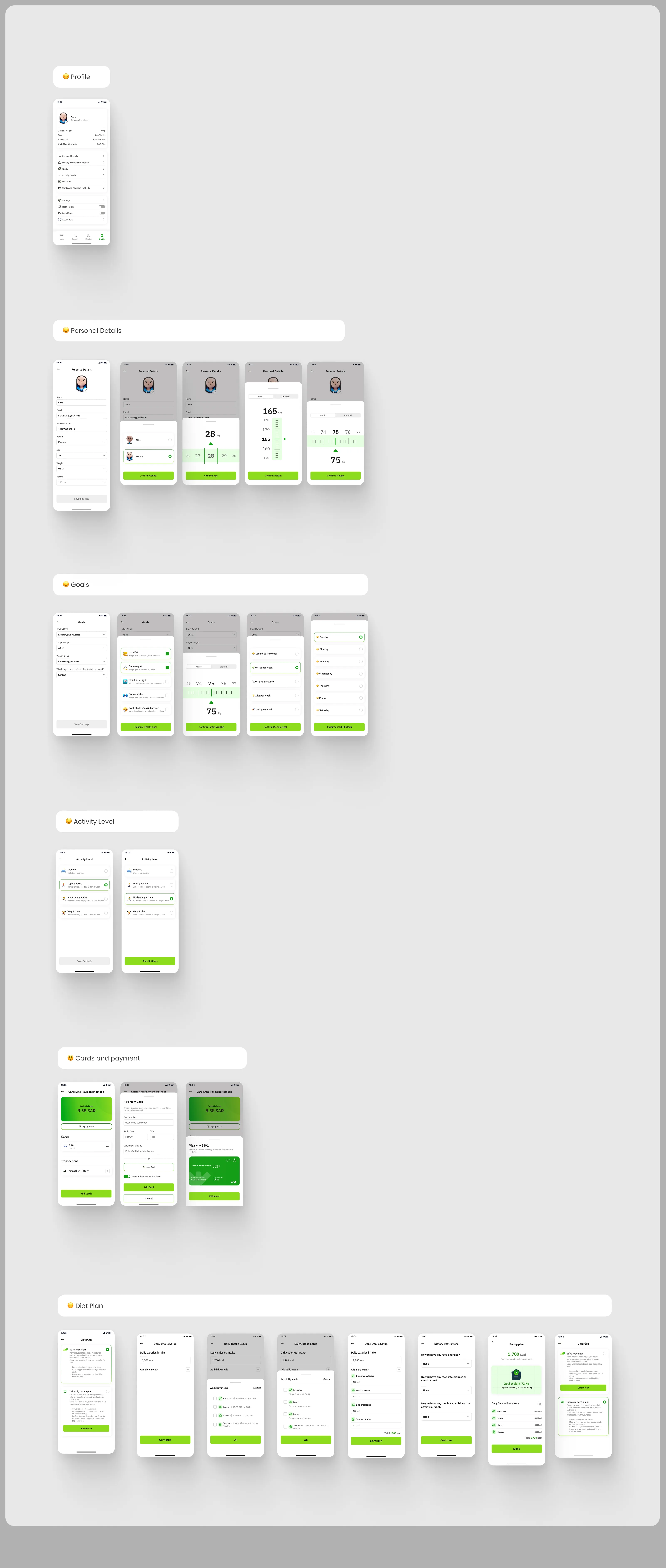
Past Version profile board A: Profile, Personal Details, Goals, Activity Level, Cards and payment, Diet Plan
Past Version · profile board A
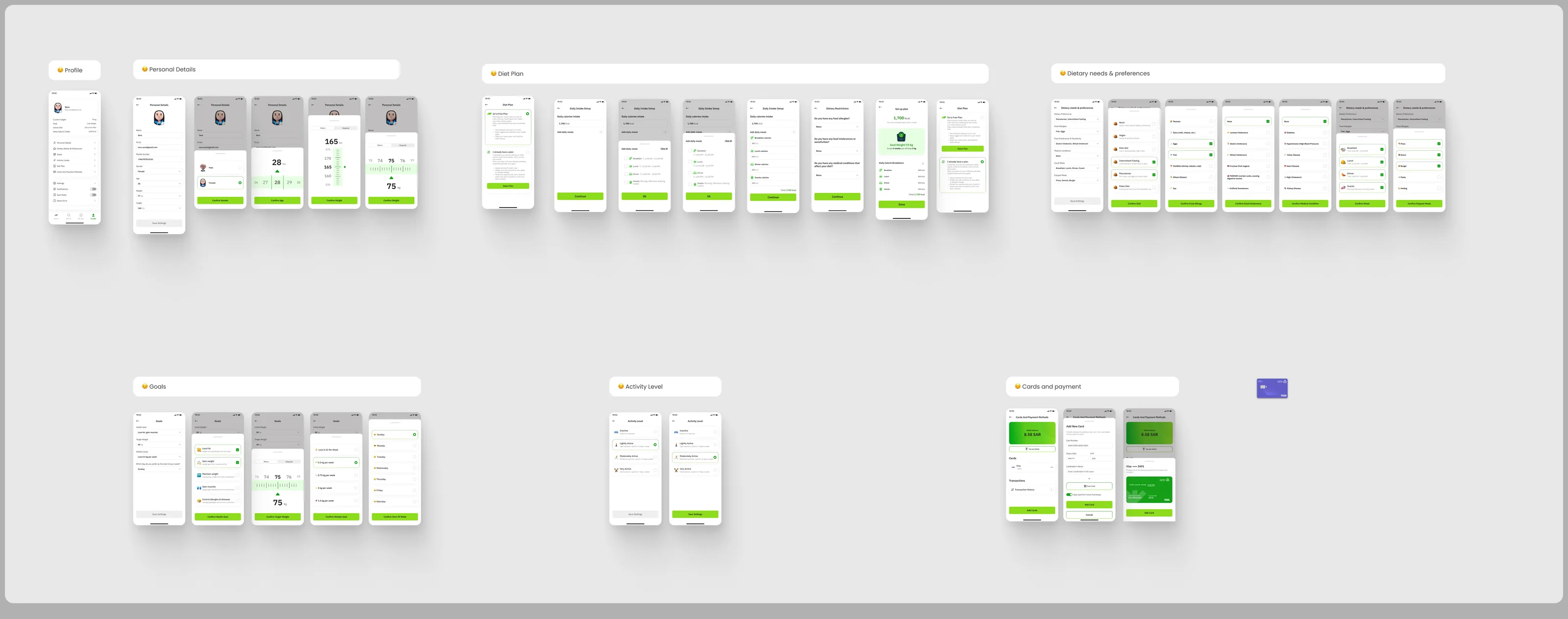
Past Version profile board B with dietary screens and set-up reuse
Past Version · profile board B
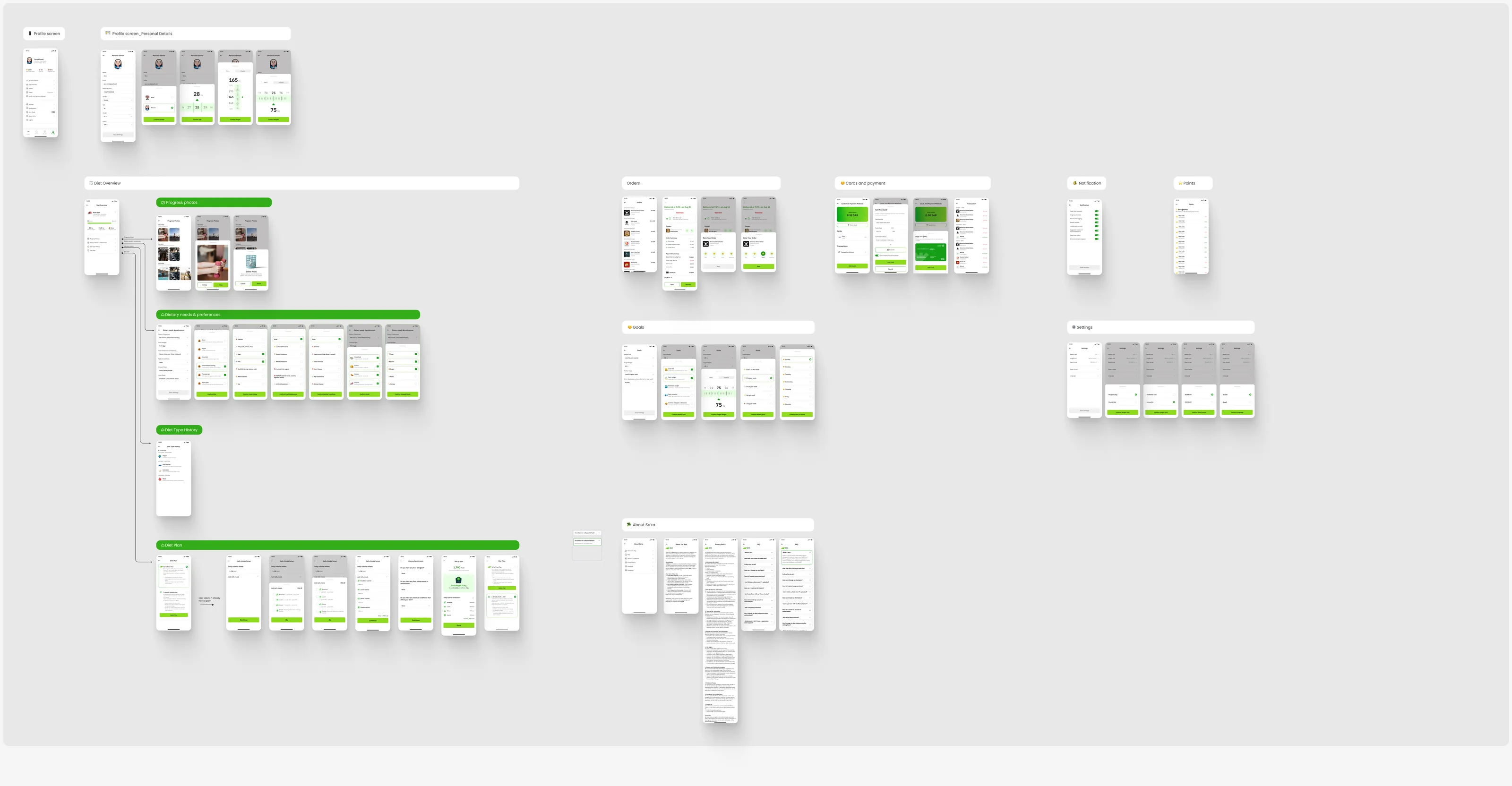
Current profile board: Profile, Personal Details, Diet Overview hub, Orders, Cards and payment, Notification, Points, Goals, Settings, About So'ra
Current · profile board
Past: Cards and payment (wallet 6.58 SAR, Add New Card)
Past · Cards and payment
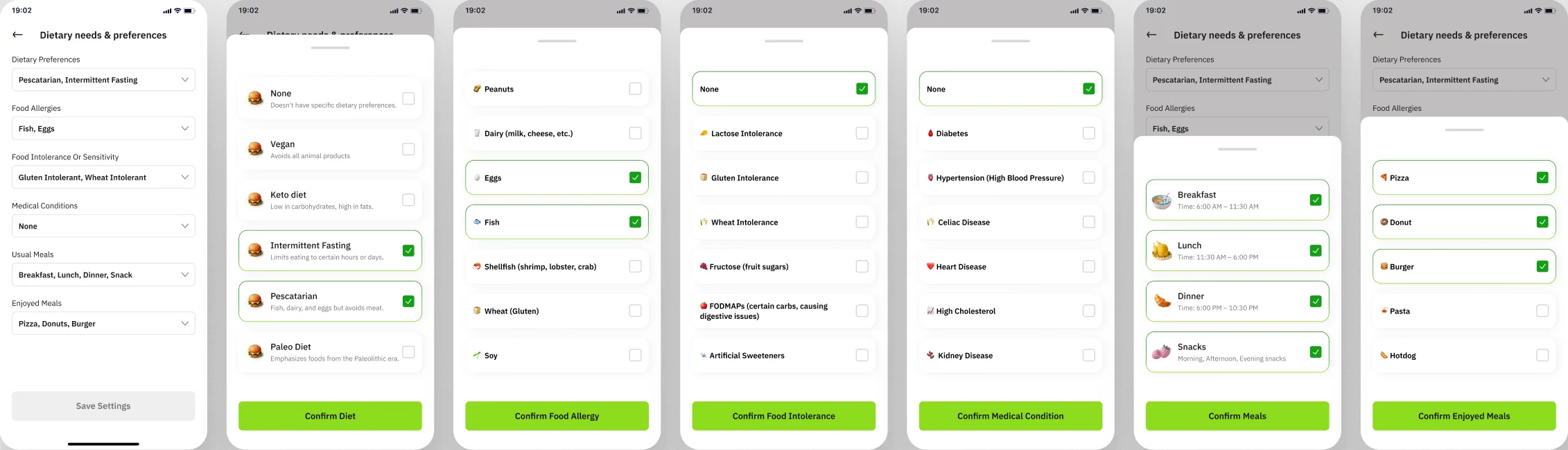
Past (board B): Dietary needs screens
Past · Dietary needs
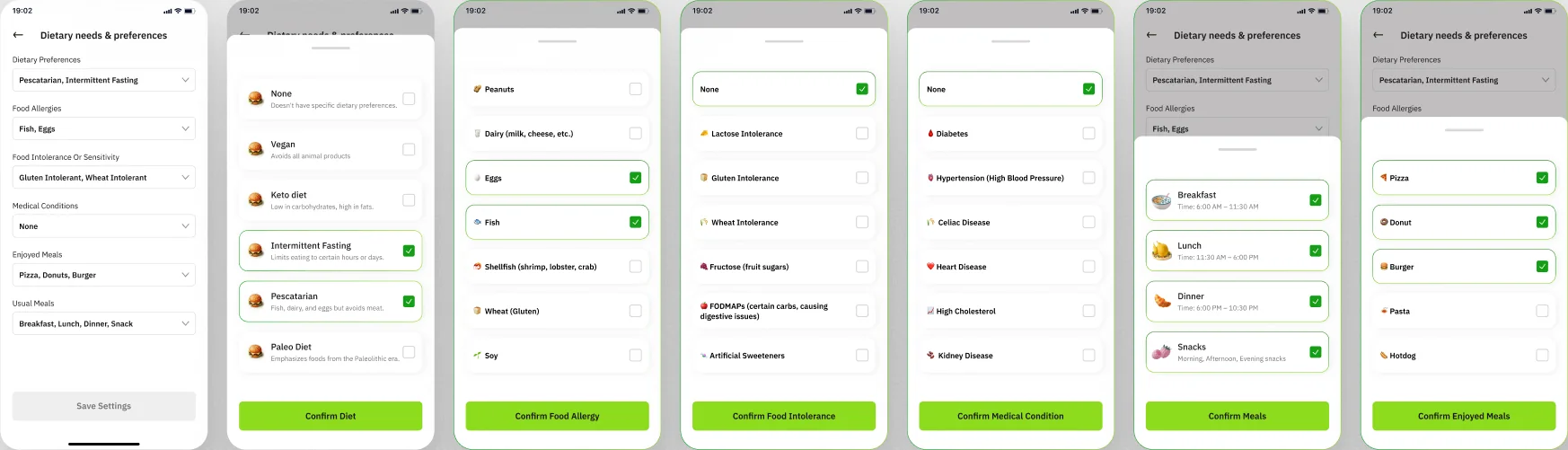
Current: Dietary needs & preferences screens
Current · Dietary needs & preferences
Current: Progress photos
Current · Progress photos

09 · Order flow

A captain tip, two cart options and an insight

The lanes stayed the same between the Past Version and the current board. Drag each divider to compare a lane; the current board adds a Captain tip lane, cart Option 1 / Option 2 and an insight page after logging a meal.
Labels on both boards🚗 Order Flow🛒 Adding to cart🗺️ Address/ Edit address/ add address📍Track Order📦 Order Received🗒️ Log meal- Dinner🗒️ Log meal- Breakfast🗒️ Log meal- Dinner
01

Restaurant page → item sheet → add to cart

Past: restaurant page, item sheets and annotations
Current: restaurant page, item sheets and annotations
02

Cart → checkout → payment

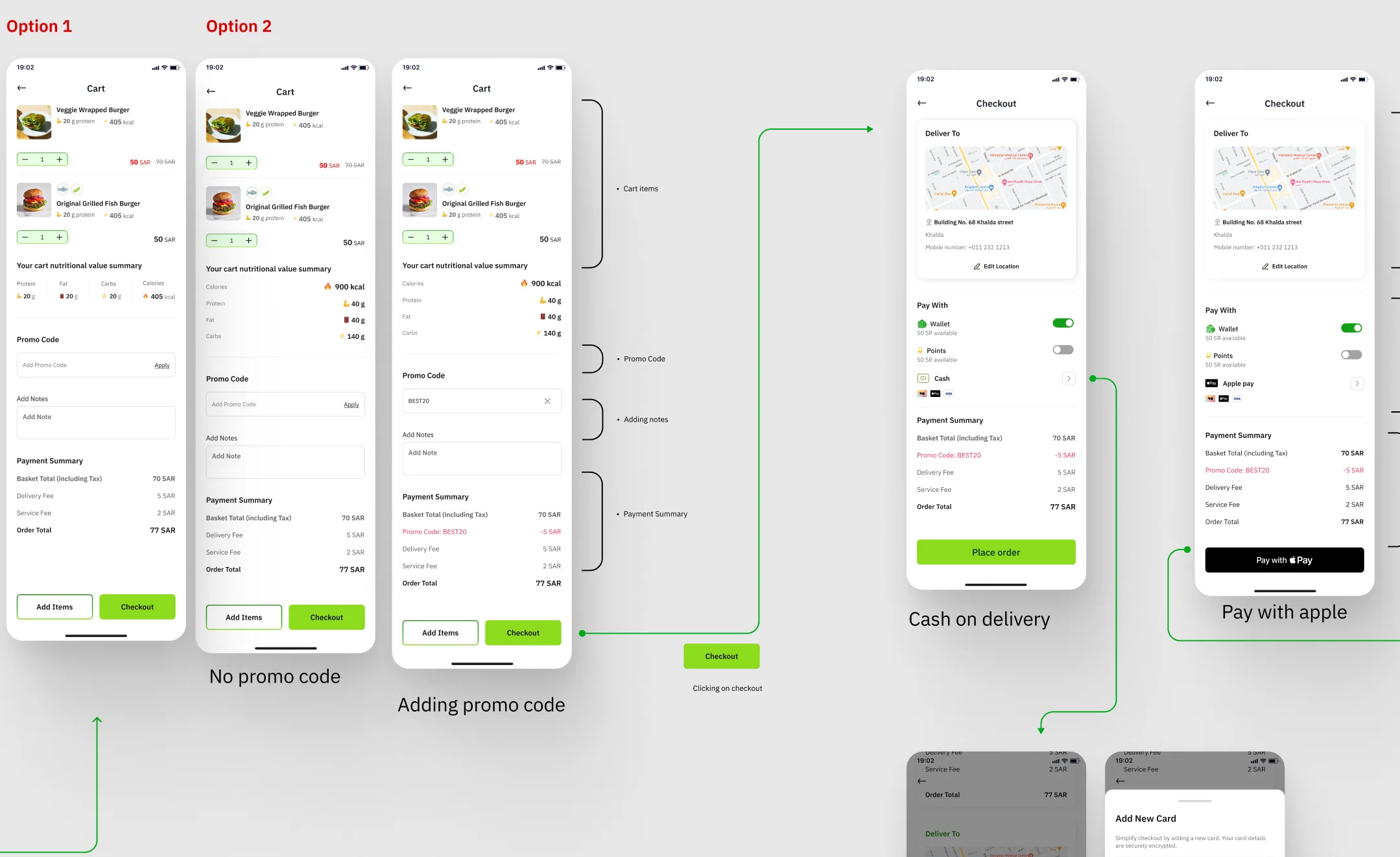
Option 1 / Option 2 (cart)

Past: cart and checkout
Current: cart Option 1 / Option 2 and checkout
03

Track order stages 1–5

This Screen appears as soon as captain delivers the order/meal
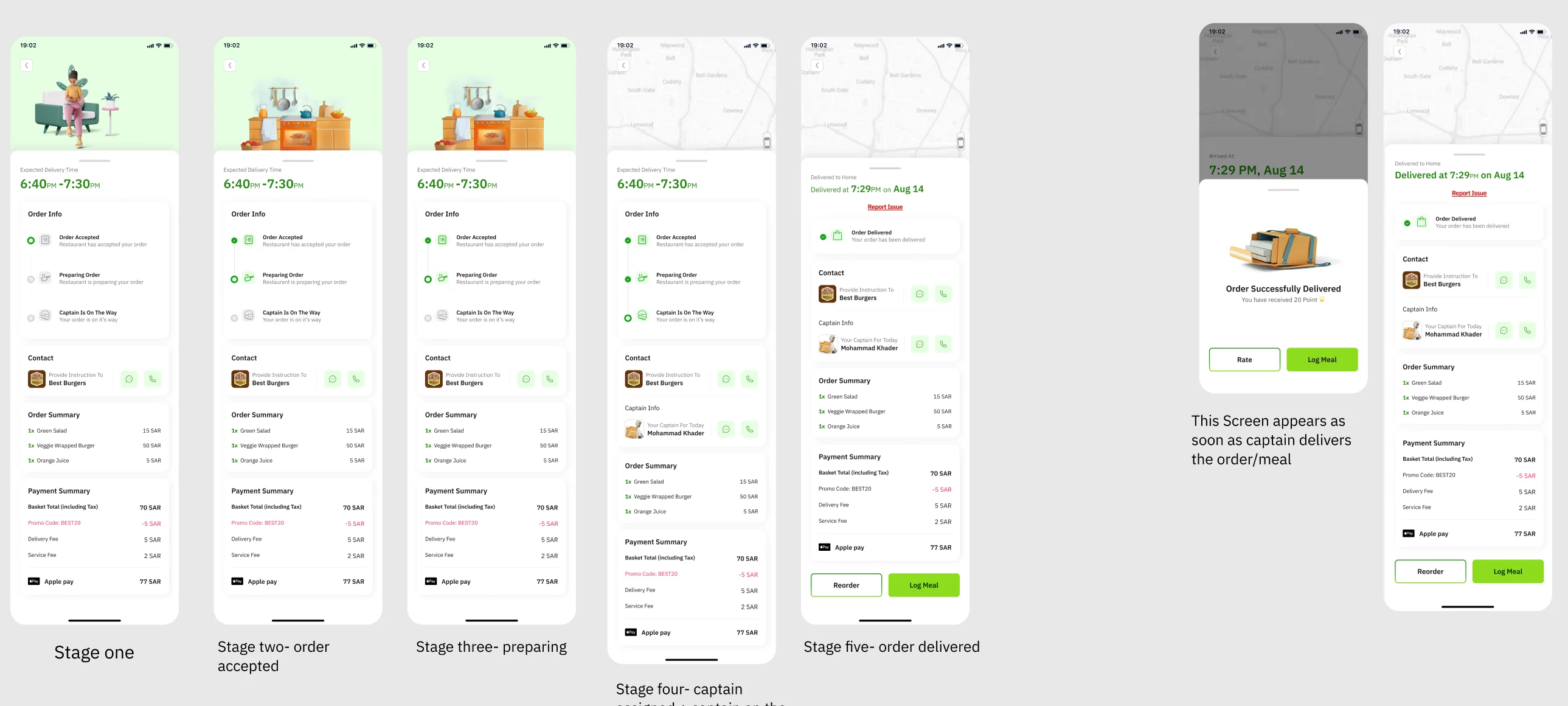
Past: track order
Current: track order with illustrated stages
04

Log meal → summary → insight

Clicking Get Insight opens insight page
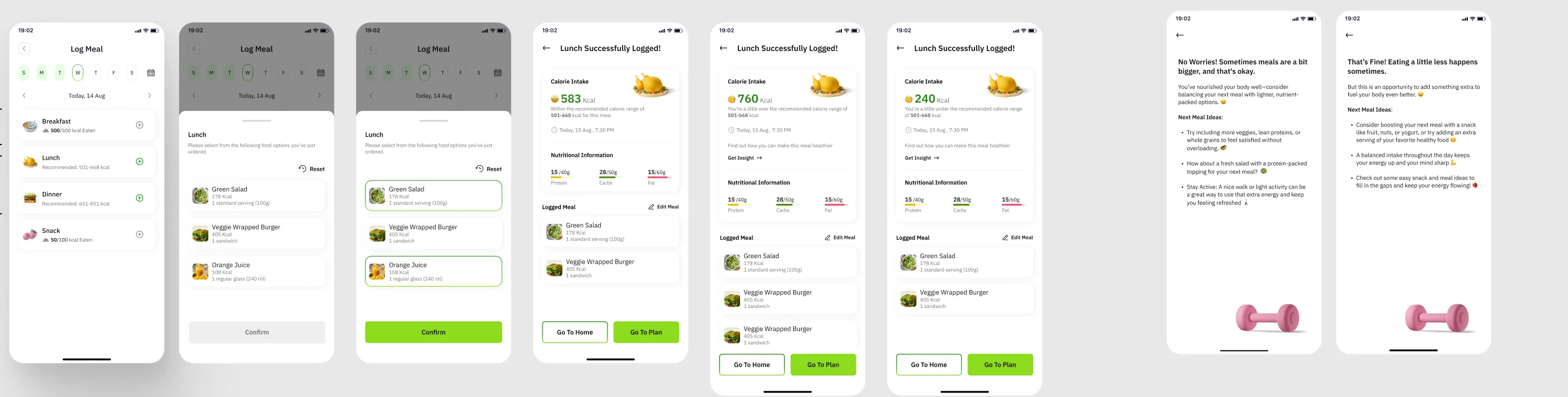
Past: log meal, summary and insight
Current: log meal, summary, Get Insight → insight page

🚗 Captain tip · current only
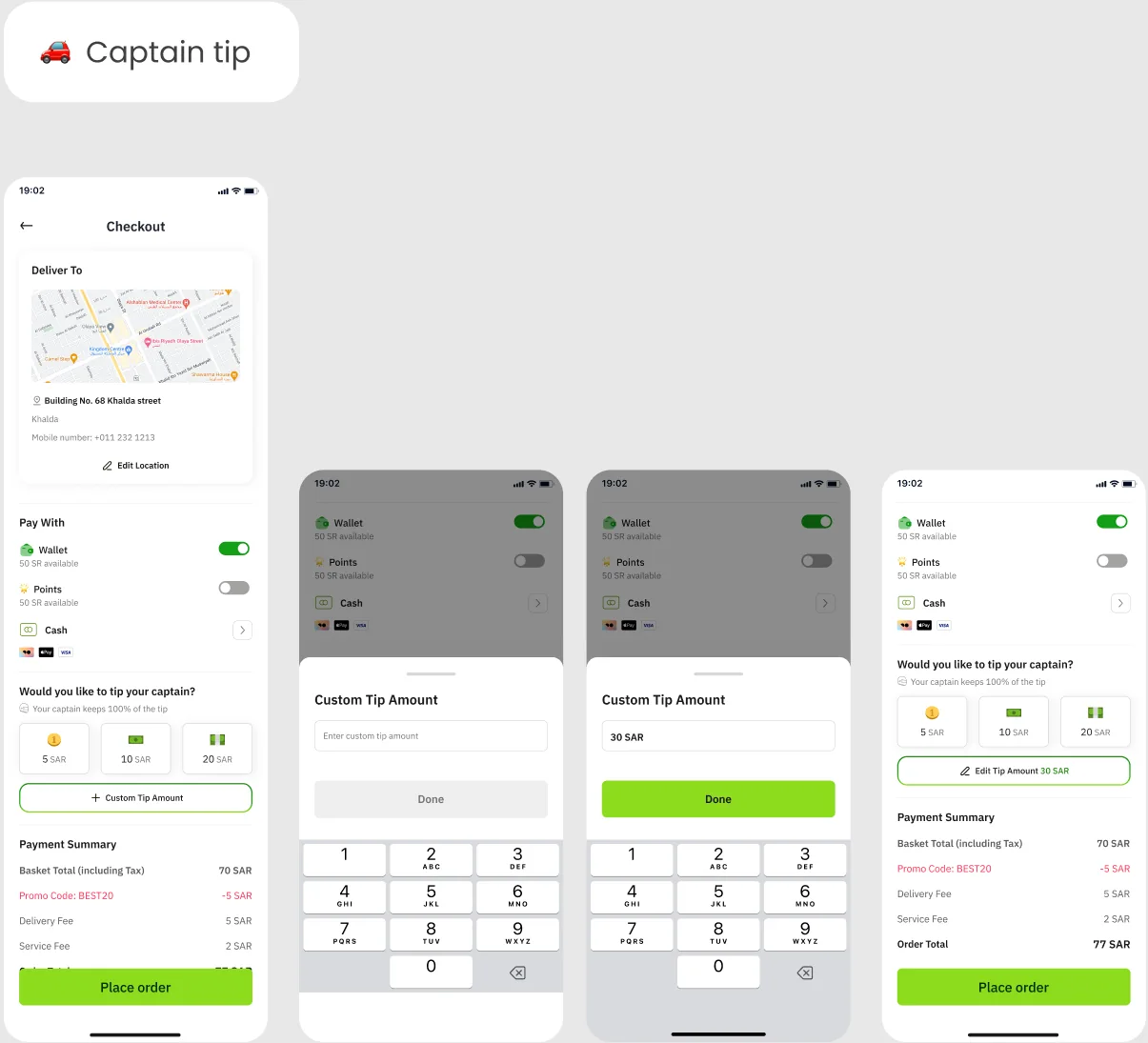
Current: captain tip on checkout and custom tip keypad
  1. Checkout — Would you like to tip your captain? Your captain keeps 100% of the tip — 5 SAR · 10 SAR · 20 SAR · + Custom Tip Amount
  2. Custom Tip Amount input empty state
  3. Custom Tip Amount Filled (30 SAR)
  4. Custom Tip Amount done (Edit Tip Amount 30 SAR)

Insight pages after logging a meal

Clicking Get Insight opens insight page. Two versions of the page, word for word:

No Worries! Sometimes meals are a bit bigger, and that's okay. You’ve nourished your body well—consider balancing your next meal with lighter, nutrient-packed options. 😄 Next Meal Ideas: Try including more veggies, lean proteins, or whole grains to feel satisfied without overloading. 🥙 How about a fresh salad with a protein-packed topping for your next meal? 🥗 Stay Active: A nice walk or light activity can be a great way to use that extra energy and keep you feeling refreshed 🚶️

That’s Fine! Eating a little less happens sometimes. But this is an opportunity to add something extra to fuel your body even better. 😄 Next Meal Ideas: Consider boosting your next meal with a snack like fruit, nuts, or yogurt, or try adding an extra serving of your favorite healthy food 😋 A balanced intake throughout the day keeps your energy up and your mind sharp 💪 Check out some easy snack and meal ideas to fill in the gaps and keep your energy flowing! 🍓
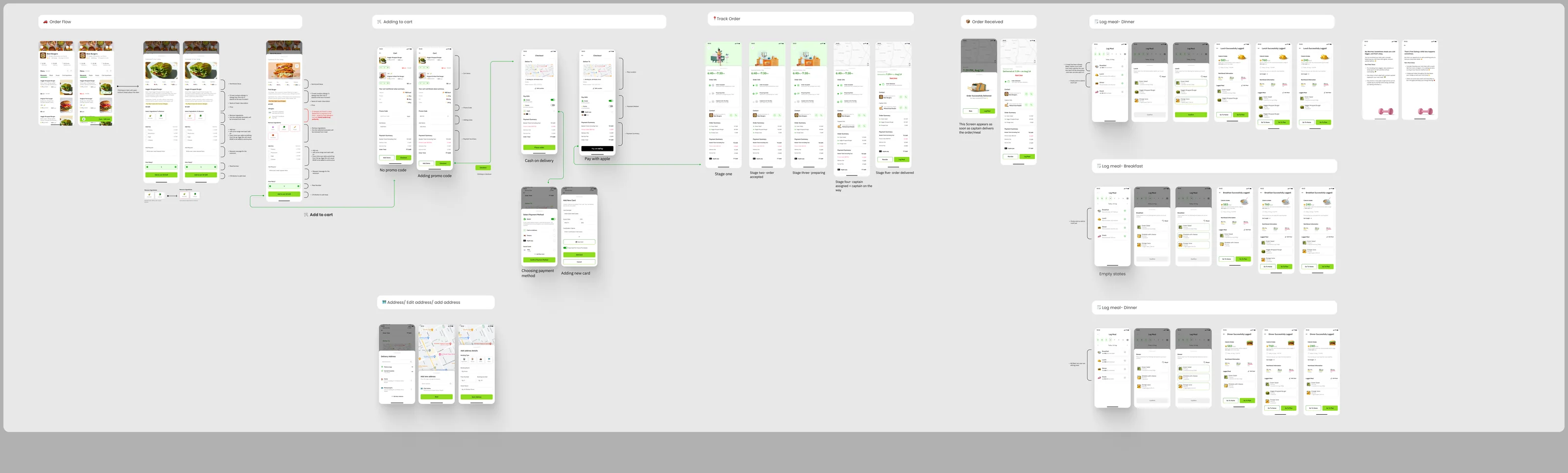
Past Version order flow board
Past Version · order flow board
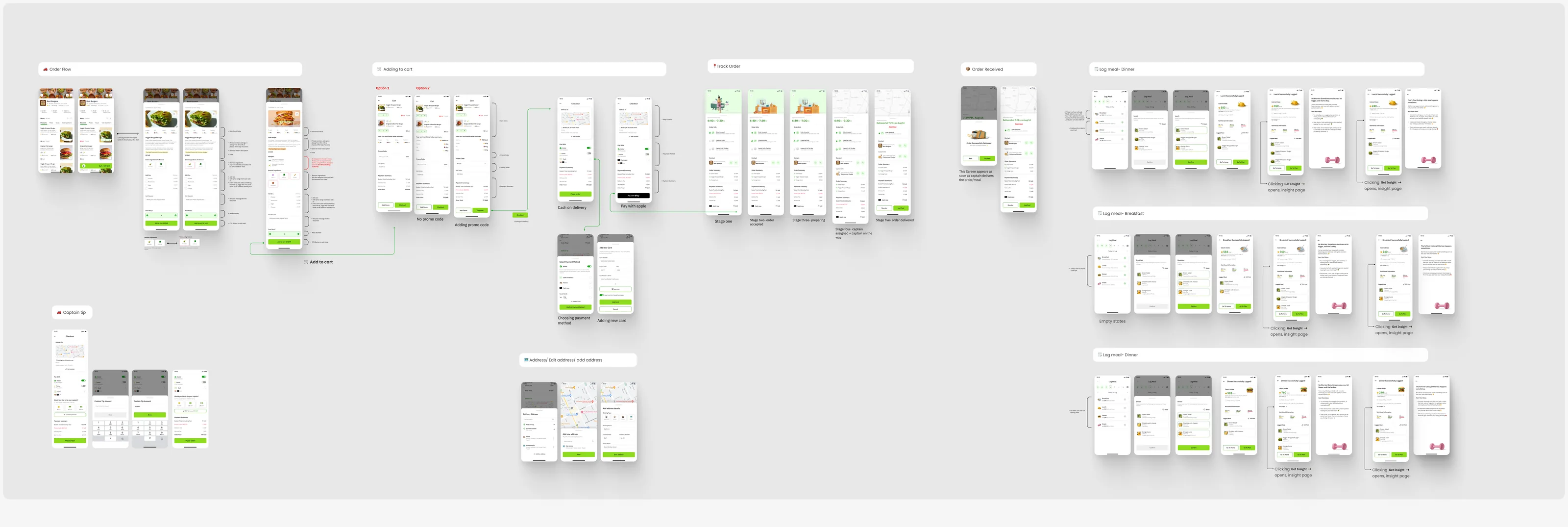
Current order flow board with Captain tip lane and Get Insight notes
Current · order flow board
For Nour: two cart frames
Section ‘For Nour’ (Past Version) holds two Cart frames set aside for a team member.

10 · Dark mode

Two dark palettes, one home

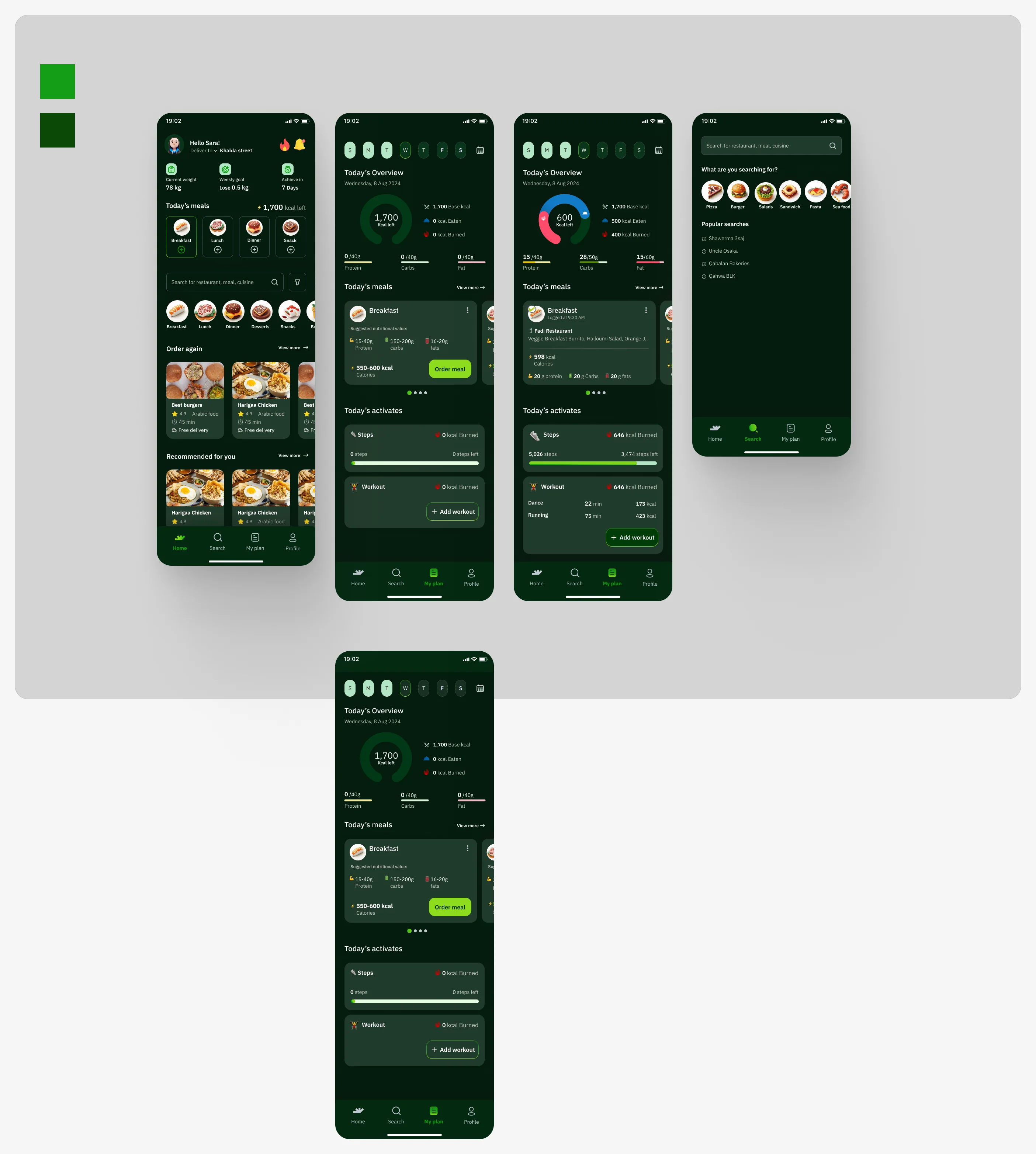
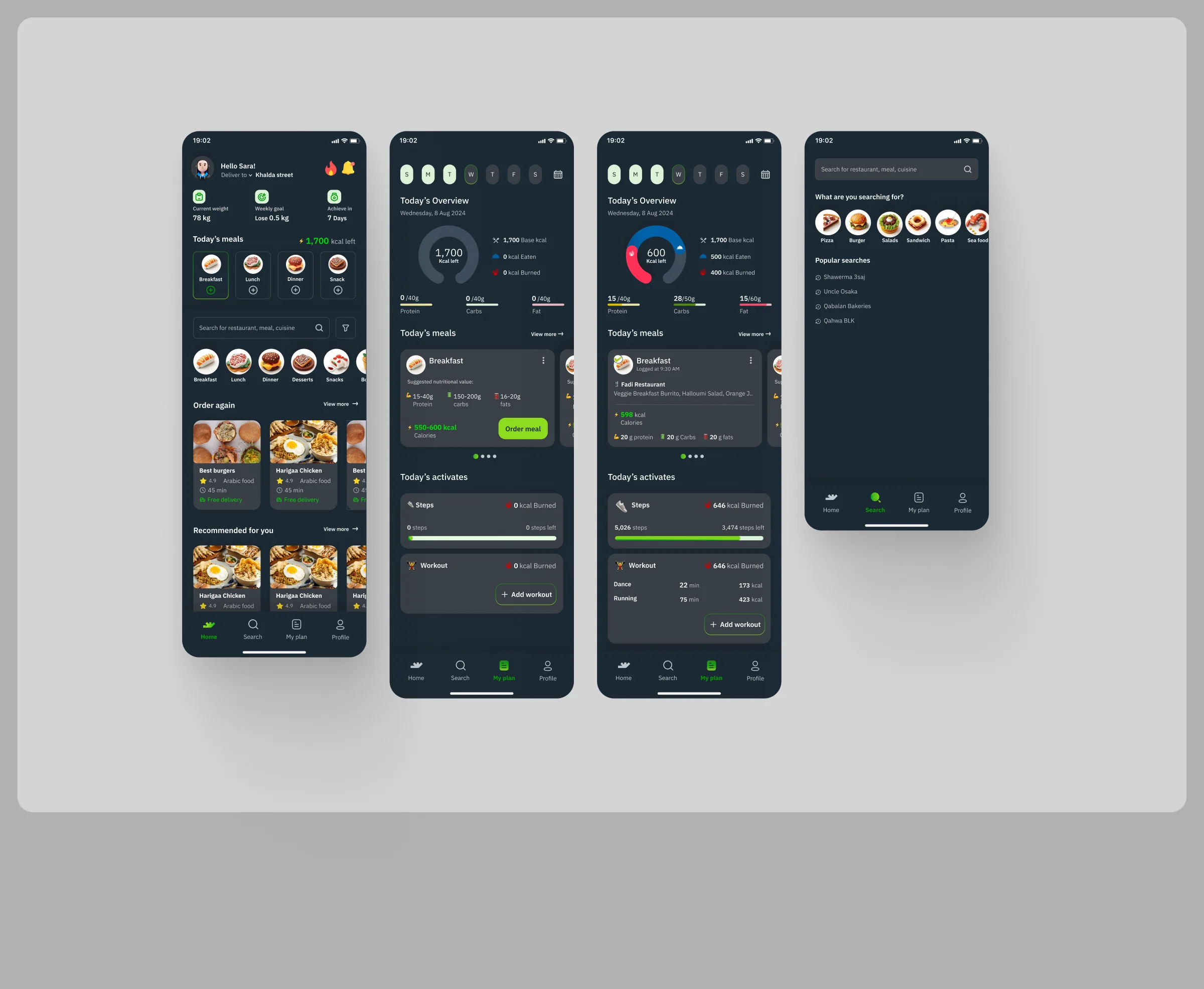
Two dark themes, each with Home, two Plan screens and Search: a dark slate theme with green accents and a deep green theme (with two colour chips beside it). The Past Version holds sections with the same names and frames. Dark Mode is also group 10 of the profile’s New IA.
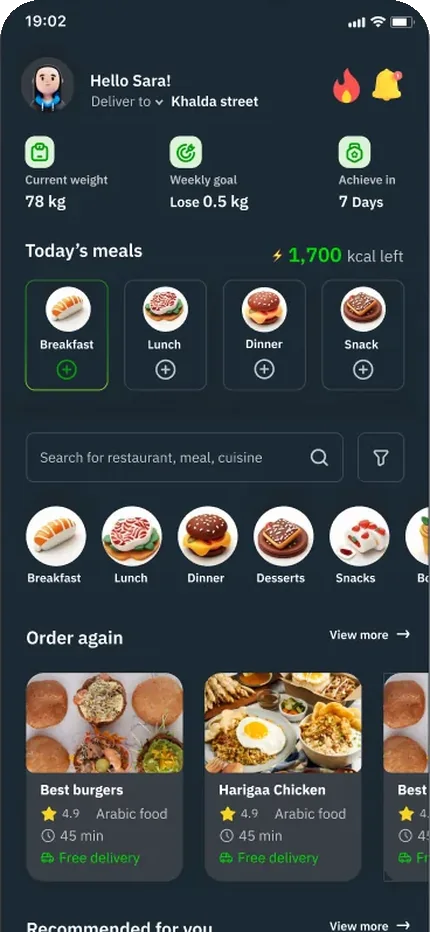
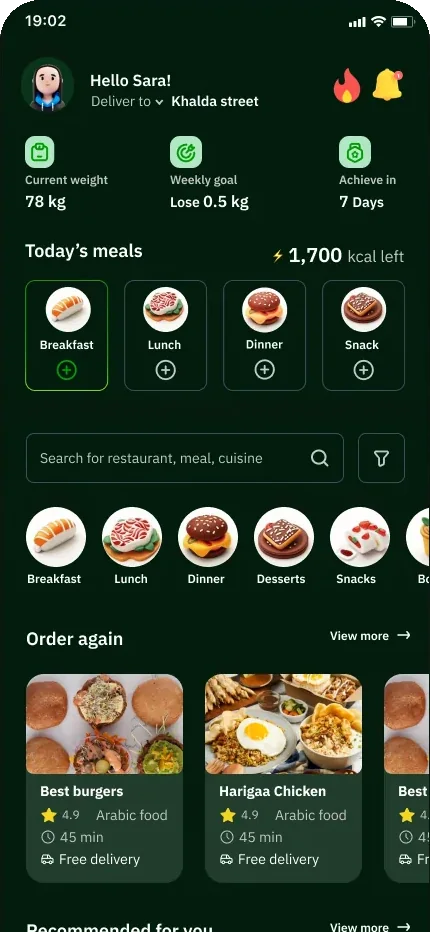
Home in the light theme (home empty state)The same home screen in dark mode A: dark slate with green accentsThe same home screen in dark mode B: deep green

Top of the home screen, same frame in each theme.
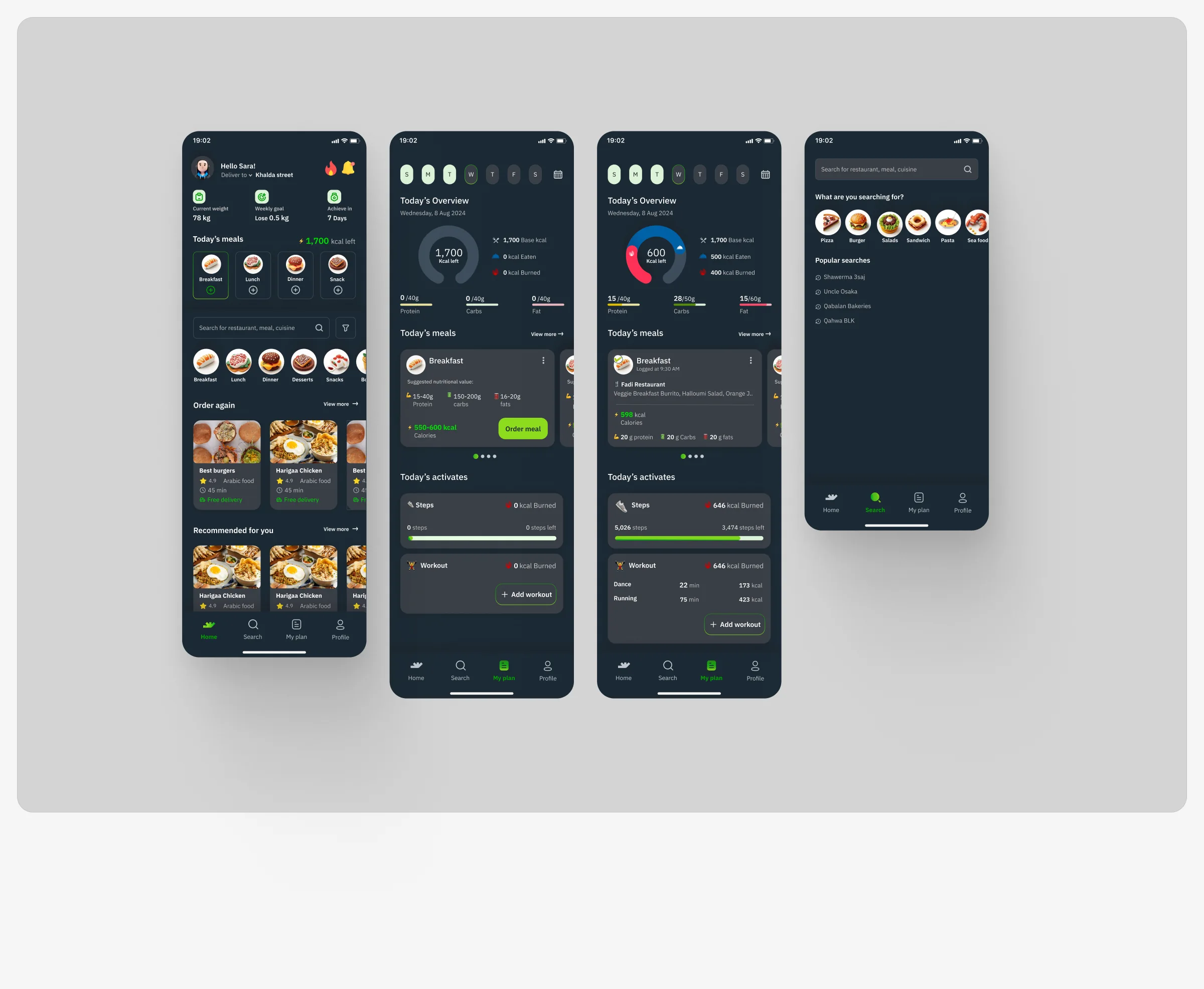
Dark mode A: Home, Plan ×2, Search on dark slate with green accents
Dark mode A · Home, Plan ×2, Search
Dark mode B: Home, Plan ×3, Search on deep green
Dark mode B · Home, Plan ×3, Search
Past Version dark mode A (same frames)
Past Version · dark mode A (same frames)

Every round

It took countless iterations, tests, and tweaks. But every round, the experience became clearer, smarter, and more human.

Next · Step 07 · UI Design With the screens worked through, the case moves on to the brand identity: logo, colour and type.