Structure before screens
The team first decided what goes where and how people move: the app’s map, a reorganised profile, the ordering journey from its first to its final version, sign up, and the restaurant side.
01 · Information architecture
One navigation bar, four tabs.
IA-MVP- Ite.3 is the third iteration of the MVP information architecture: everything sits under Home, Search, My orders and profile. Hover a box, or focus the map and use the arrow keys, to trace its path back to the navigation bar.
02 · Profile New IA
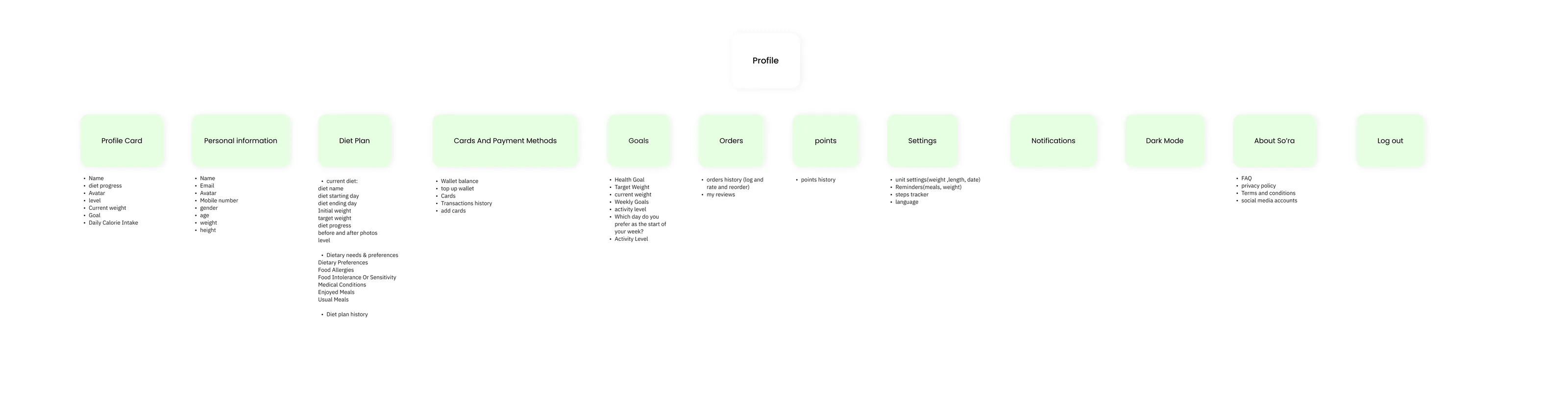
The profile, reorganised.
groups under profile in IA-MVP- Ite.3: personal information and Setting
groups under Profile in the Profile New IA
03 · food ordering journey - Initial ver
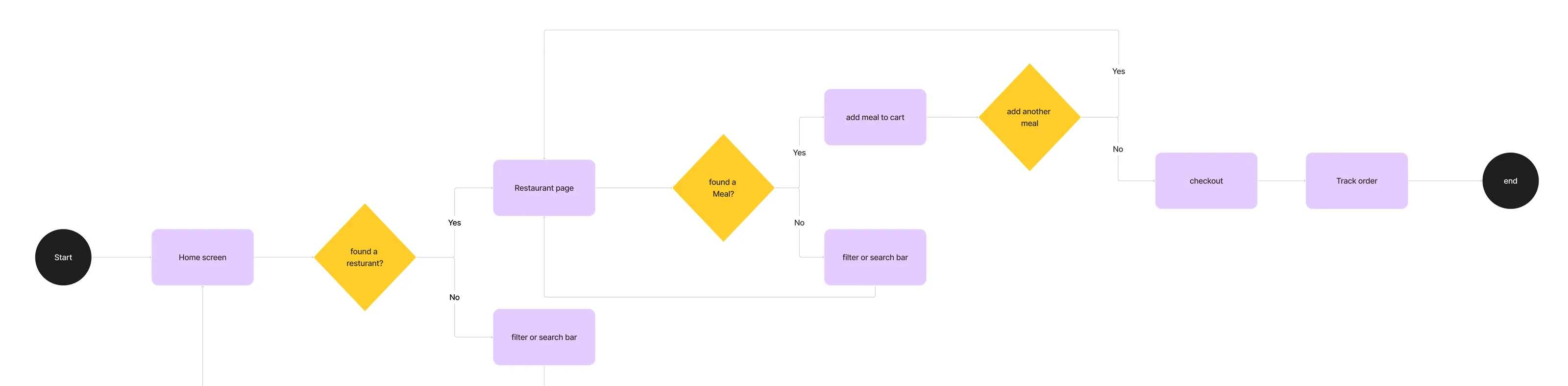
The first ordering journey: a chain of yes/no decisions.
Found a restaurant? Found a meal? Add another meal? Each “No” loops back through the filter or search bar. Answer the diamonds to walk it.
04 · Initial ver · screens and their contents
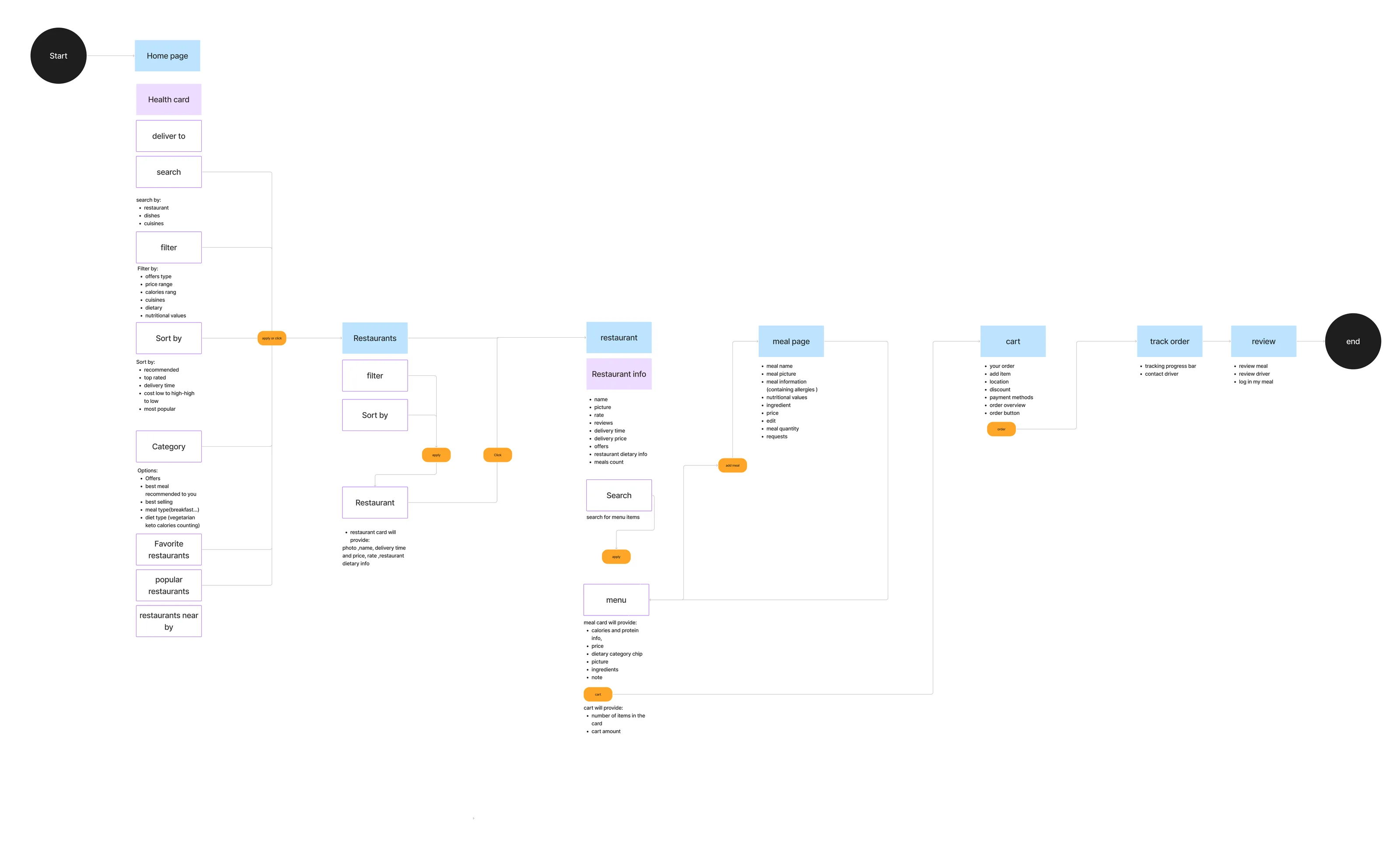
Alongside it: what each screen needs.
Under the decision flow, the same board lists the elements of every screen and what each card must show. Hover an element to light the screen it opens.
05 · food ordering journey - Final ver
The final journey: three ways in from Home.
- screen
- user action / button
- list screen
- decision
- pop-up
- start / end

06 · Initial ver → Final ver
What changed between the two versions.
Same journey, stage by stage. Switch versions to see what was removed and what was added.
07 · sign up
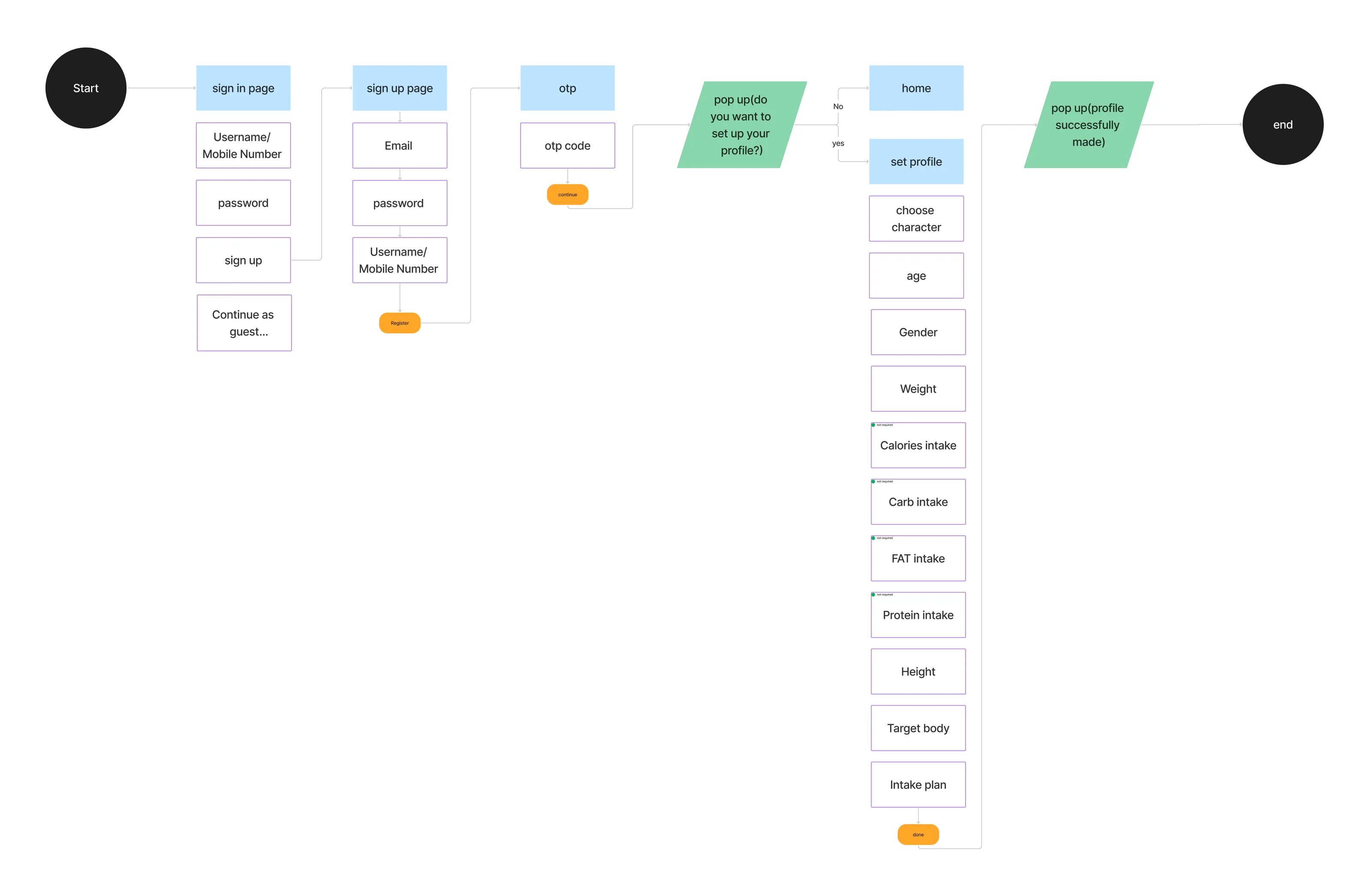
Three screens, then an optional profile.
sign in → sign up → otp, then a pop up asks whether to set up the profile now. Four intake fields are tagged “not required”. Step through it.
08 · Restaurant version · IA
The restaurant side gets its own map.
A Nav Bar with nine connected sections, each listing what it must show. Notification and Language sit on the board without a connector. Scroll the lists, or hover the map.
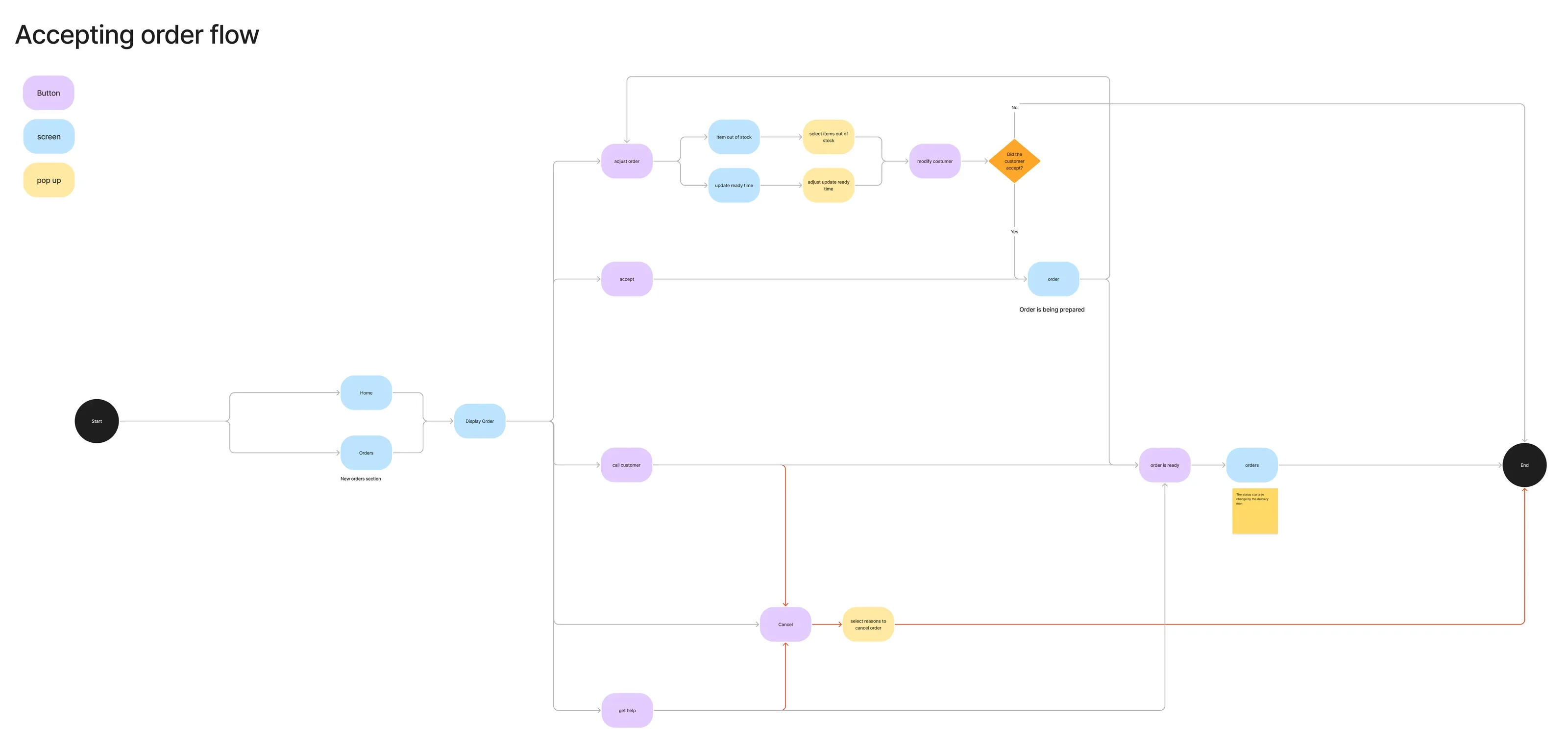
09 · Accepting order flow
Accepting an order: five ways out of Display Order.
Adjust, accept, call the customer, get help or cancel. Adjusting needs the customer to accept; the red path is cancellation. Pick a branch to follow it to End.
What this step produced
- IA-MVP- Ite.3navigation bar · 4 tabs
- Profile New IA12 groups
- food ordering journeyInitial ver → Final ver
- sign upsign in · sign up · otp · set profile
- Restaurant version · IANav Bar · 9 connected sections
- Accepting order flow5 branches · 1 decision